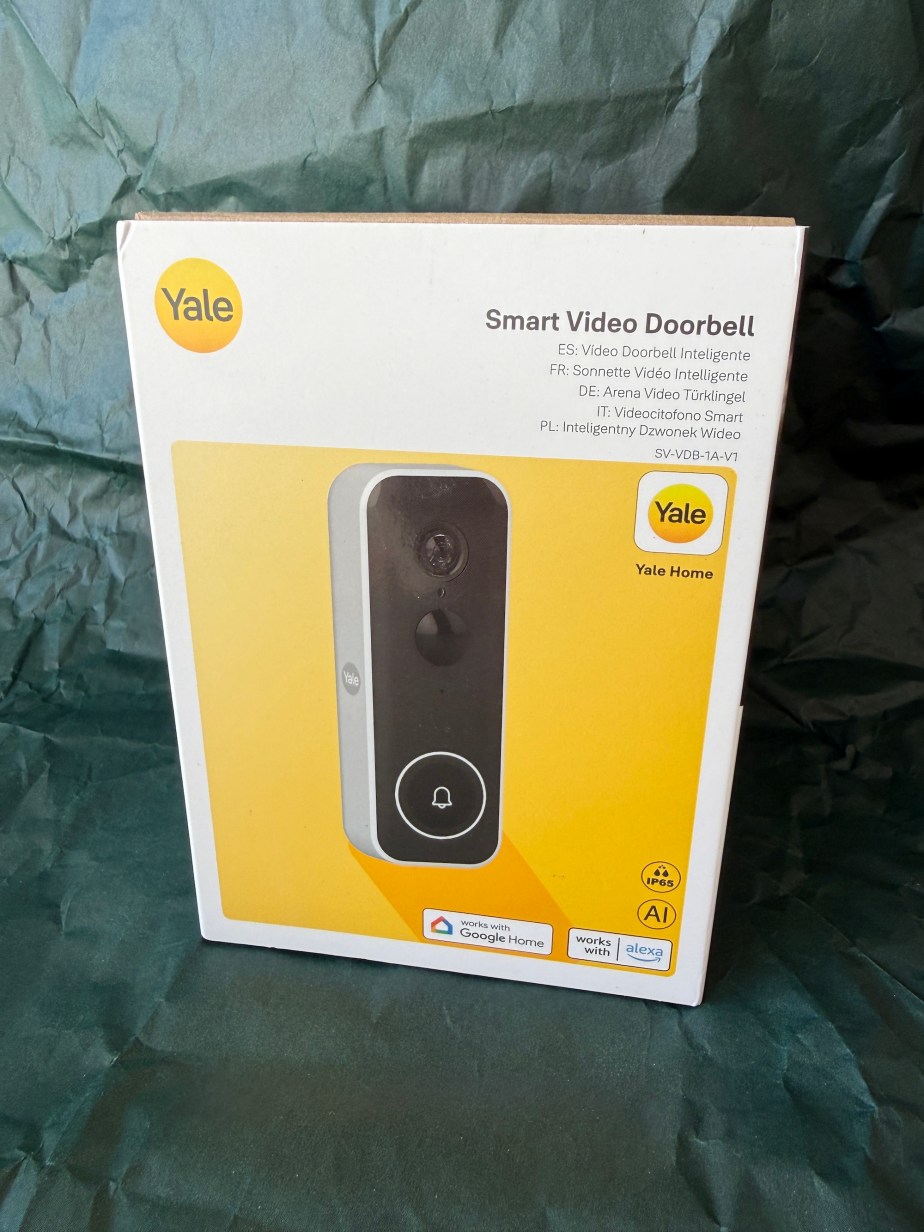
Disclaimer – We have received this item for free or on a loan basis for the purpose of this review/feature but all words and opinions are our own.
You hear a lot about these gadgets. So I was quite pleased to be able to try one out. Hands up though – I’m a bit old school. I love my old fashioned mechanical, battery powered chiming doorbell that you can hear from the bottom of my garden. Do I really need to come into the 21st century with a video one? Find out later!
Opening the box it is pretty obvious what everything is. The doorbell itself is quite large and heavier than I thought. It would definitely need a sturdy fix at the front of the house to hold it in place.
The doorbell comes with a welcome leaflet (which tells you to download the app for instructions!), a charging cable, mounting options, a packet of screws and another packet with a little hook in.
After downloading the Yale Home app I was told to charge the camera first. After a couple of minutes it was flashing a green light which I took to be fully charged.
The app had instructions on installing a new device. Quite straightforward as it used QR codes to identify what I had and the serial number. Then it was just a case of following the online instructions and choosing names for both my house and the video doorbell. I’m assuming this is if you had several doorbells or another Yale device that uses the Home app.
It could also be the case that you could connect to another person’s doorbell, for example, at an elderly parents house? This could be useful so you could help them with callers at the door. After set up there is an option to share by email the device info with someone else.
I had to allow permissions on my phone, connect it to my home wifi and decide whether I wanted full screen notifications when the doorbell was rung. I had no idea whether I wanted full screen or not, so a bit of help as I went along would have been useful. I opted for yes – wasn’t sure how I would know someone was at the door otherwise? I was also glad to see that the app did give me the legal bits about filming etc. But, living in a terrace house near the road, I can’t see how I could avoid occasionally filming someone coming down my neighbour’s path.
I was then ready to receive callers, or so I thought. First I had to decide how I fixed the doorbell to my front porch. This is where it became a little apparent that it may have been designed with modern or American houses in mind. As the doorbell was large and heavy, my options were stick it on or fix it with screws. My house was built in 1929 and I have a upvc glass front door, surrounded by brick. It didn’t really fit anywhere comfortably. If I drilled into the brickwork, it wouldn’t cover the front step clearly. I fiddled around with it and opted for sticking it to the doorframe. It was a tenuous fit but hoped it would stay up.
Another thought occurred to me – how do I remove it to charge the doorbell? It was fixed pretty securely so can’t be tampered with. Then it became apparent what the other packet was for – a little release hook which wasn’t obvious. On the plus side, you do get a notification on the Yale Home app if the device is tampered with – as we found out when trying to release it from it’s fixing.
So, you’re asking, did it work? On first trying it I could hear the caller, when I answered it, but they couldn’t hear me. The app had microphone permissions and my phone volume was turned up. It took me about 20 minutes of googling and fiddling with the app, until by chance, I turned the doorbell volume from level 5 to level 10 (max). Then I was heard.
Was the film capture useful? Possibly – it was quite grainy and dark, but my door is under a porch. This photo was taken in the early evening on a very sunny day – so it would be worse in the winter months. But you can see who is there.
The app also records the footage and all activity for you. Once I’d spent a little time with it, I managed to enable the detect motion option and ensure the settings matched the activity expected at my front door. I don’t have any other relevant gadgets, but the Yale Video doorbell works with Amazon’s Alexa and other devices. And there are subscription options if you want to store the footage etc.
However, it totally relies on having your phone on you, looking at it so you know the doorbell has been rung and having the volume on your notifications on (which I don’t). Inside the house there is no ring or chime, it’s just a camera connected to your phone. You can buy a ‘chime’ to add to the doorbell, so it rings inside the house, but at a cost. I would have thought this would be useful and should be included as standard. You have no idea if you can hear it everywhere inside until you buy it.
However – I do think there is a market for this. If you are glued to your phone and check every little ‘ping’ it could be useful and fun – there is something to be said for video calling from your house. If you are in a block of flats with a communal door, this could be useful on your flat door in case someone wanders in and you want to check it’s a valid caller. If you have elderly relatives, you could answer the door for them, screening who is allowed into the house especially in the case of scammers.
If you’re a Yale household with more gadgets in the range, the app might make more sense and have more appeal as a ‘complete’ range of technology. In our house, it will take more time to get used to it.
Available from £139.99: https://yalehome.co.uk/smart-video-doorbell-grouped/
Yale doorbell, video doorbell, smart doorbell, smart video doorbell,
#YaleDoorbell #VideoDoorbell #SmartDoorbell #SmartVideoDoorbell


