Swan 20 litre Nordic Digital Microwave

Disclaimer – We have received this item for free or on a loan basis for the purpose of this review/feature but all words and opinions are our own.

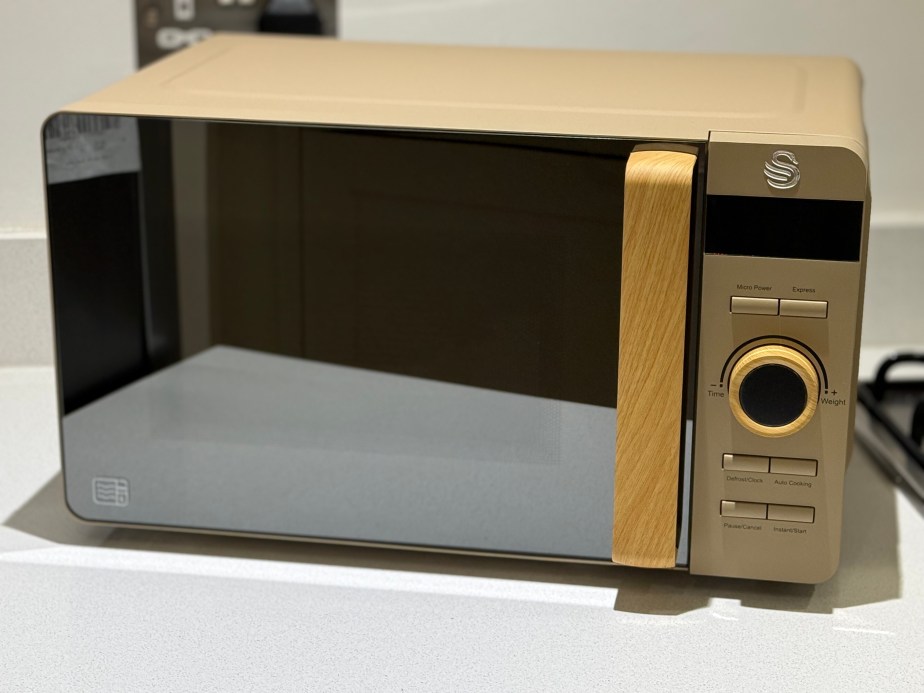
Kitchen appliance company Swan have the slogan ‘Designed for Life’ and that’s exactly what this Nordic Digital Microwave is for.  With a stylish, modern aesthetic, the handle is in Scandi-style wood and the design is very sleek with a turn-dial for the timer and limited buttons for the settings. It’s not very heavy either, so this is great for a student moving in and out of digs, or for someone with limited dexterity who can’t press buttons easily.

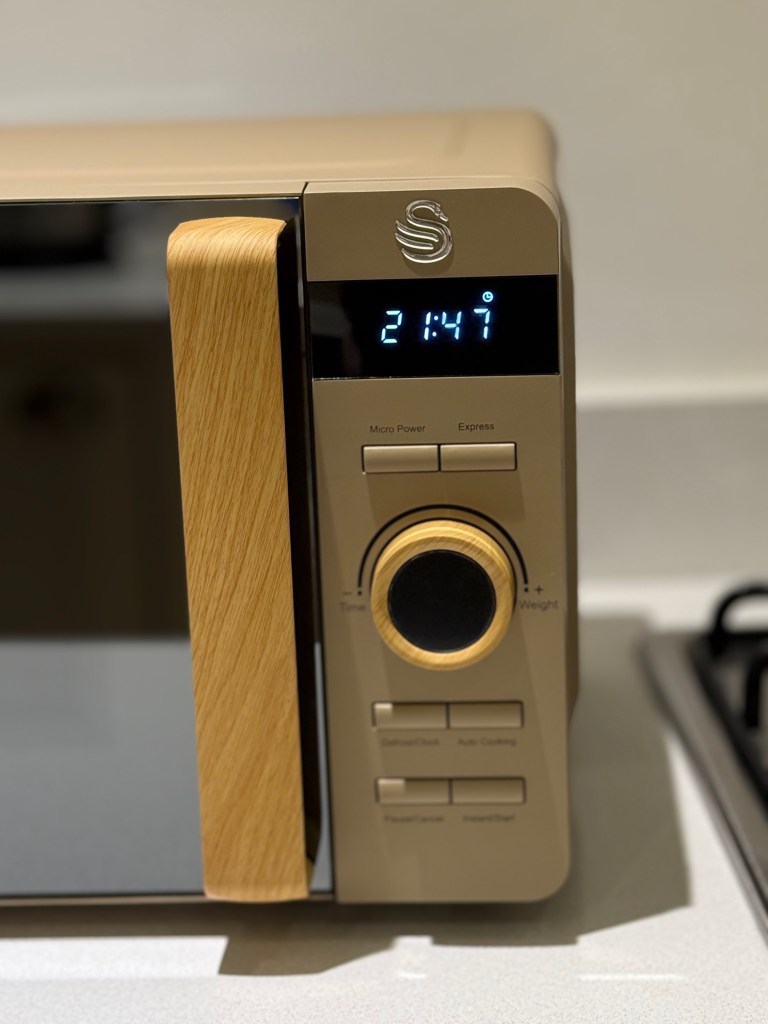
Straight out of the box, the microwave has a glass turntable which needs setting up, but it can be plugged in and used straight away. There are instructions of course, but it doesn’t need many as we all know how a microwave works now and Swan have their displays down to a ‘T’!  I set the clock (without instructions, it was that easy) and then you press microwave and turn the dial to see the time set. There are settings too for vegetables, reheat, fish, meat and pasta among others, when you use the Auto Cooking feature. There’s also a defrost feature and this is a 800w microwave, which is important when reading recipes!

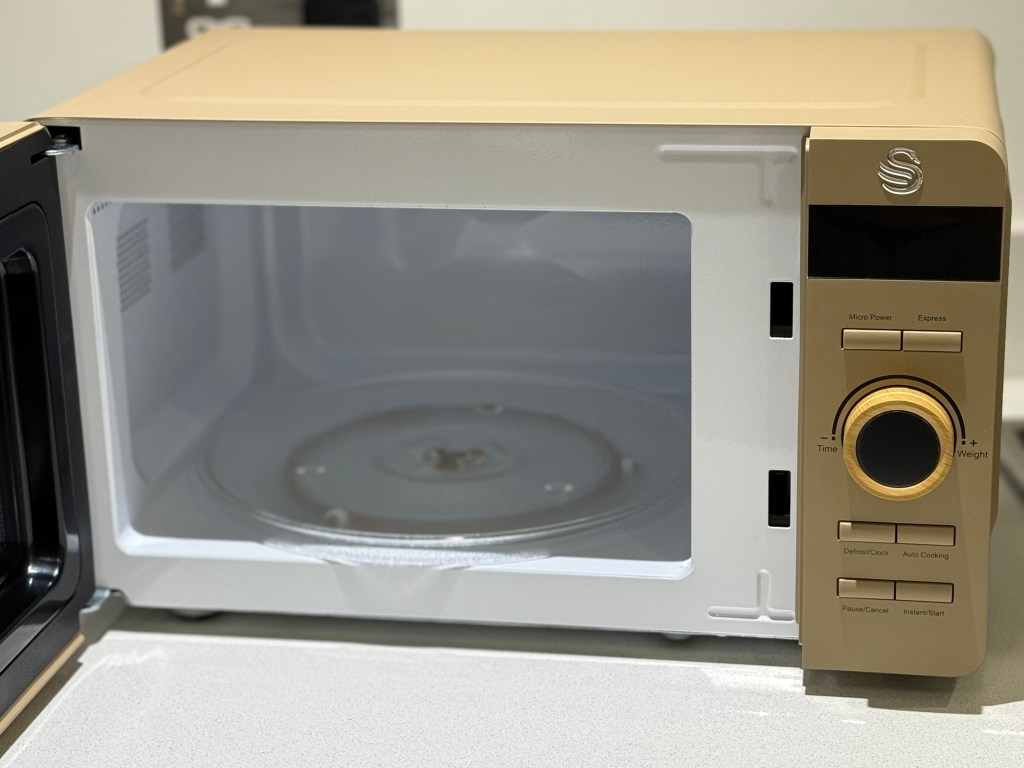
The inside of the microwave is white and easy to clean, with the removeable turntable and clean surfaces plus an interior LED light.  If you’re not familiar with a 20 litre capacity, it is about the size of a dinner plate, so for anyone living alone, this is the prefect capacity size. This model colour is oatmeal in colour but it also comes in white, blue, grey and green. Swan give you a 2 year guarantee on top too.

The Swan 20 litre Nordic Digital Microwave is part of the Nordic set which also includes a kettle, toasters, slow cooker and storage jars. I’ve loved using it this week, and find the controls really easy, especially with a busy life and no time to learn a new How To book. It fits in with my kitchen too!

Desire2 Smartphone Stand, Tablet Stand and Laptop Stand

Disclaimer – We have received this item for free or on a loan basis for the purpose of this review/feature but all words and opinions are our own.

Tech accessories are everywhere nowadays, but few are actually useful! Desire2 sent us this set of lightweight aluminium stands for laptops, smartphones and tablets. As I never got around to getting any of them during lockdown, it was a bit of a treat to be able to set them up and use my tech properly!

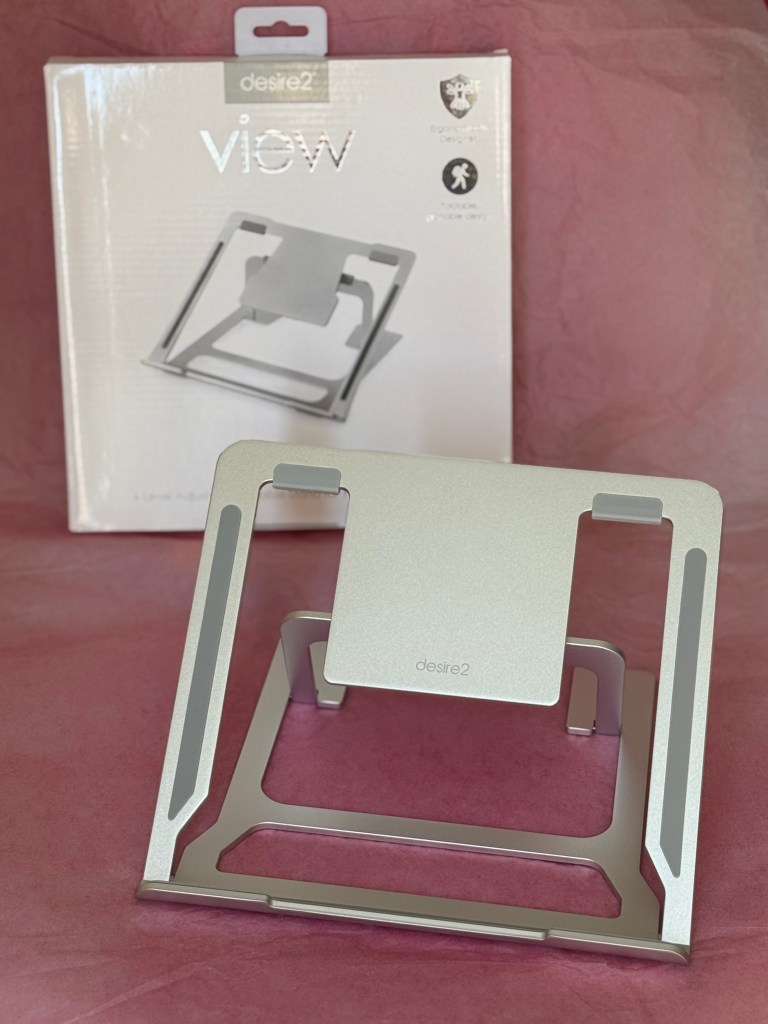
Each of the stands pack completely flat. They’re metal, but very light to carry so you can pack them to travel or even in a laptop bag. Each one has rubber footings to make them more secure and non-slip on a surface. The laptop stand can hold a computer measuring from 10-15.6 inches with 6 different level adjustments depending on what height you’re looking for. The higher levels allow you to prop up a laptop (such as a MacBook) with a camera at the top so that you’re eye-level during a call. Otherwise, the lower levels allow you to watch a video or type at a more comfortable angle.

The smartphone stand can be used for either phones or tablets, depending on their size and how you want to view them.  With a rubber foot to hold your device up from the table surface, it won’t mark a touchscreen as there are no metal corners. You can adjust the angle of the view as well as the back support to give a higher lift.  You can feel that even though the stand is lightweight, it’s incredibly anchored and doesn’t move, especially with the grips on the base. The last stand is the smaller ‘Anywhere’ model which is designed for taking anywhere. This stand is so small that it can be flattened to about 1 centimetre flat and even fits in a pocket, but it’s useful for both phones and tablets.

Each of the stands are designed for easy charging access, especially as most smartphones charge from the bottom nowadays. The smaller stands are both really stable, and the laptop stand would be too but for the lever at the back that doesn’t sit as firmly in the support as I would have liked. It collapses if you pick it up from the wrong arm as there’s no pivot in the lever and changing levels means you have to pick it up and hold the weight of the laptop to fix it into place. It works perfectly if it’s stationary but it would be more sturdy if the back support snapped into place. It still folds flat though and is still very strong.

These are great as Secret Santa items or for setting up a home office for a teenager needing accessories for their new laptop. I have so many uses for them because I always have my phone and laptop around and need some way of propping them up whilst I’m doing a million other things, so I’m very glad to have them at hand now!

Supreme Lite Portable Laptop Stand £29.99:  https://desire2.co.uk/products/portable-adjustable-laptop-stand-silver

Anywhere Foldable Tablet Stand £17.99: https://desire2.co.uk/products/holrtsi-anwywhere-rotatable-holder-for-smartphones-and-tablets-silver

Smartphone Folding Stand Holder £12.99: https://desire2.co.uk/products/d2fpholbk-anywhere-smartphone-folding-holder

The Photo Creator Mini Digital Keyring Camera 

Disclaimer – We have received this item for free or on a loan basis for the purpose of this review/feature but all words and opinions are our own.

Although this is meant to be a toy for children aged 8+ years, I found myself enjoying playing with this myself! Photo Creator’s Mini Digital Keyring Camera is only a few inches square, the perfect size for a keyring but is also a fully functioning digital camera. It comes with a keychain, USB cable and 1G memory card which is actually more than enough for a child to play around with it until it’s time to download the photos, and it’s amazing that it all fits into one little camera!

Surprisingly, it also takes video as well as photos. If you want to add a memory card with more than 1G then it’s possible, especially if your child wants to take movies. The viewing screen is 1 inch from corner to corner, but it does contain a flash as well as a microphone. I would have loved this as a child! Think of all the adventures you could have and the memories stored when you’re too young for a phone but old enough to know how work a camera?

There’s only a few buttons on it – Camera/film, on/off, and a scroll button on the side to be able to go through the photos before they’re uploaded. The SD card and the cable outlet are on the bottom.  The photos upload really quickly too and they’re good enough quality!

The MiniCams come in different colours and styles. Our one is a Vintage style, which is purple and in the style of an old camera. There’s also Original (green), Retro (blue), Pro (light green), Compact (pink) and Instant (orange) which means children can collect them or they can have a set of them to share on adventures or school holidays.

This is brilliant as a gift for taking children on a plane or on holiday to keep them amused, plus it adds to their creativity as they look at the world through a photographic lens but without having to have a smart phone. It also introduces young children to how digital cameras and uploading photos works. At the price of less than £15, it’s a stocking filler too, or a gift in the post from Godparents. I love it!

Available from £14.99 at: https://www.very.co.uk/studio-creator-photo-creator-mini-digital-camera/1601152164.prd?sku=sku29130795&cm_mmc=google-_-PLA+-+Generic-_–_-__[*AdID*]&utm_campaign=Generic_TGB+%26+Seasonal+-+PMAX+-+Toys+%26+Games&utm_medium=cpc&utm_source=google&utm_term=&campaigntype=shopping&gclsrc=aw.ds&gad_source=1&gad_campaignid=22329058728&gbraid=0AAAAAD2k1i3Ch60Tzk1BTNFV356uct_Ih&gclid=Cj0KCQjwxo_CBhDbARIsADWpDH4DcrxPwlqfkp6_2NVe2NnYPq_AvIJTHLXW96AudHkx4oW2Bwa7YWkaAjXzEALw_wcB

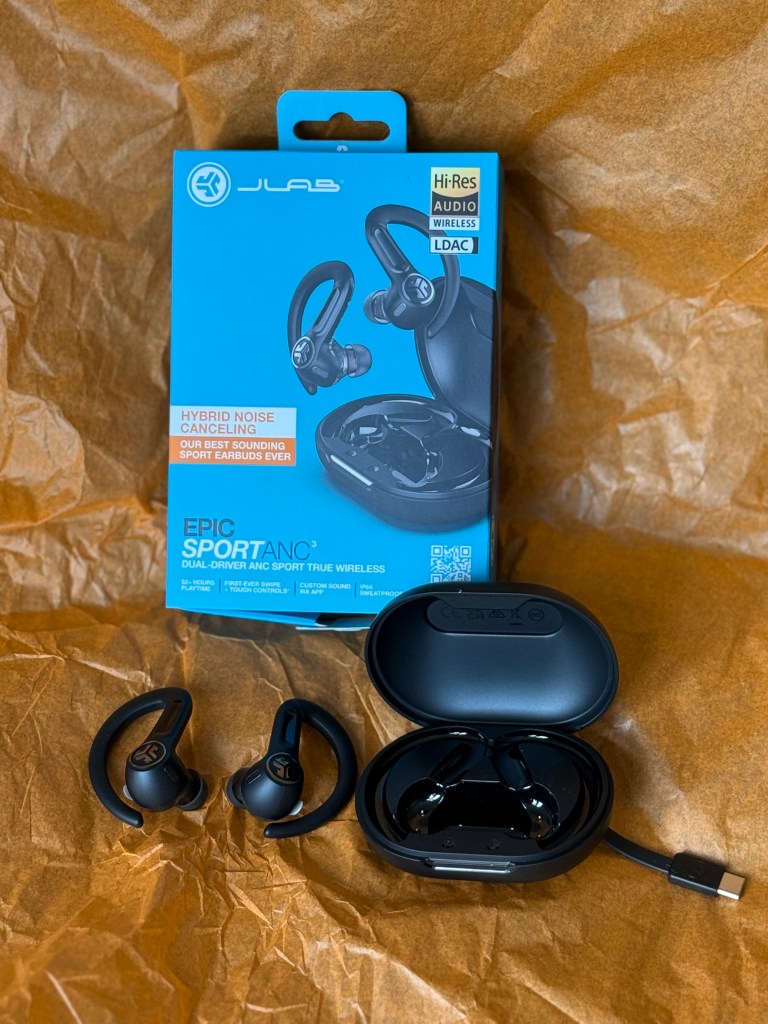
JLAB Epic Sport ANC 3 Earbuds

Disclaimer – We have received this item for free or on a loan basis for the purpose of this review/feature but all words and opinions are our own.

Once upon a time, we just had one pair of headphones, and they were for the Walkman we took with us to work, or if we were inclined, on a run!  Those headphones were most definitely wired to our Walkman, and over time, that wire would start to fray and we’d have to replace them.

Nowadays, we have Bluetooth headphones, and so many different ones for commuting, chilling out and working out. The JLAB Epic Sport ANC 3 Earbuds are designed for running or cardio work as they fit over the ear so that there isn’t much movement.  As Bluetooth headphones, they connect to any Bluetooth appliance but usually your phone, so that you can run or workout freely and not be hindered by the dreaded wire!

One thing I must stress about the JLAB Epic Sport earbuds is that the packaging is impossible to open! It took me a few minutes and lots of tearing in order to get the packaging open and even then, I had to tear further to get out the instructions.  The instructions are remarkably easy though – all you have to do is take the earphones out of the carry case and when the lights on them blink blue, they are discoverable on your device.  On my iPhone, I just have to open the Bluetooth settings and I could see the JLAB earbuds and could simply connect. From connection, I could play anything on Apple Music or a podcast and it was instantly audible.

You can download the JLAB App to work the finer features and have them upgraded, but the earbuds have their own touch controls so you don’t have to use your phone all the time. Tap once to play or pause, twice to track forwards and 3 times to track back. The same applies to answer, and hang up a call, or there’s a noise control if you press and hold.  

The JLAB Epic Sport ANC 3 earbuds come in a carry case that doubles up as a charger.  The case has its own USB-C cable to connect to an adaptor or a computer. When the earbuds are in the case and it’s connected, you know they’re charging if the light on the front is blue. If the light is flashing white then it means the case is between 25%-99% charged and less than 25% the light turns red. 100% charged and the light is solid red. You can also wirelessly charge the headphones by placing the case (with the headphones inside) on a wireless charging pad. Don’t forget to take the stickers off of the charging points before you put the earbuds back in the case though.

As for using the headphones, it’s very easy! They already have the rubber ear pieces on or the packaging contains two more pairs of different sizes. You just take the arms over your ears and use your device to start playing music.  It takes a while to get used to the touch settings, but if you use the app you can not only control what you hear, but you can change the settings if you need to. There app also has various equalizer settings so you can change the audio settings depending on what you’re listening to, which really helped when I was listening to something with a lot of bass!

The JLAB Epic Sport ANC 3 Earbuds aren’t cheap at £99.99 but they do have a lot of features and the durability of not only the case but extra ear pieces so they won’t get mangled in your pocket or bag.  The sound quality is excellent and the ability to change the levels on the app makes all the difference to your enjoyment of what you’re listening to.  I really enjoyed using them, especially as I can wear them in the gym and whilst I’m running, but at any time at home, on the commute or even on holiday, the JLAB Epic Sport AC 3 Earbuds have all your needs covered.

Available from £99.99 at: https://www.jlab.com/en-gb/products/epic-sport-anc-3-true-wireless-earbuds-black

Canyon 2-In-1 Qi2 Fast Charging Magnetic Stand

Disclaimer – We have received this item for free or on a loan basis for the purpose of this review/feature but all words and opinions are our own.

Coming into holiday season, you’re thinking about where to go, where to eat and what to do but probably not thinking too much about packing yet. I know I hate forgetting something and it’s probably the charger I’ll leave behind!

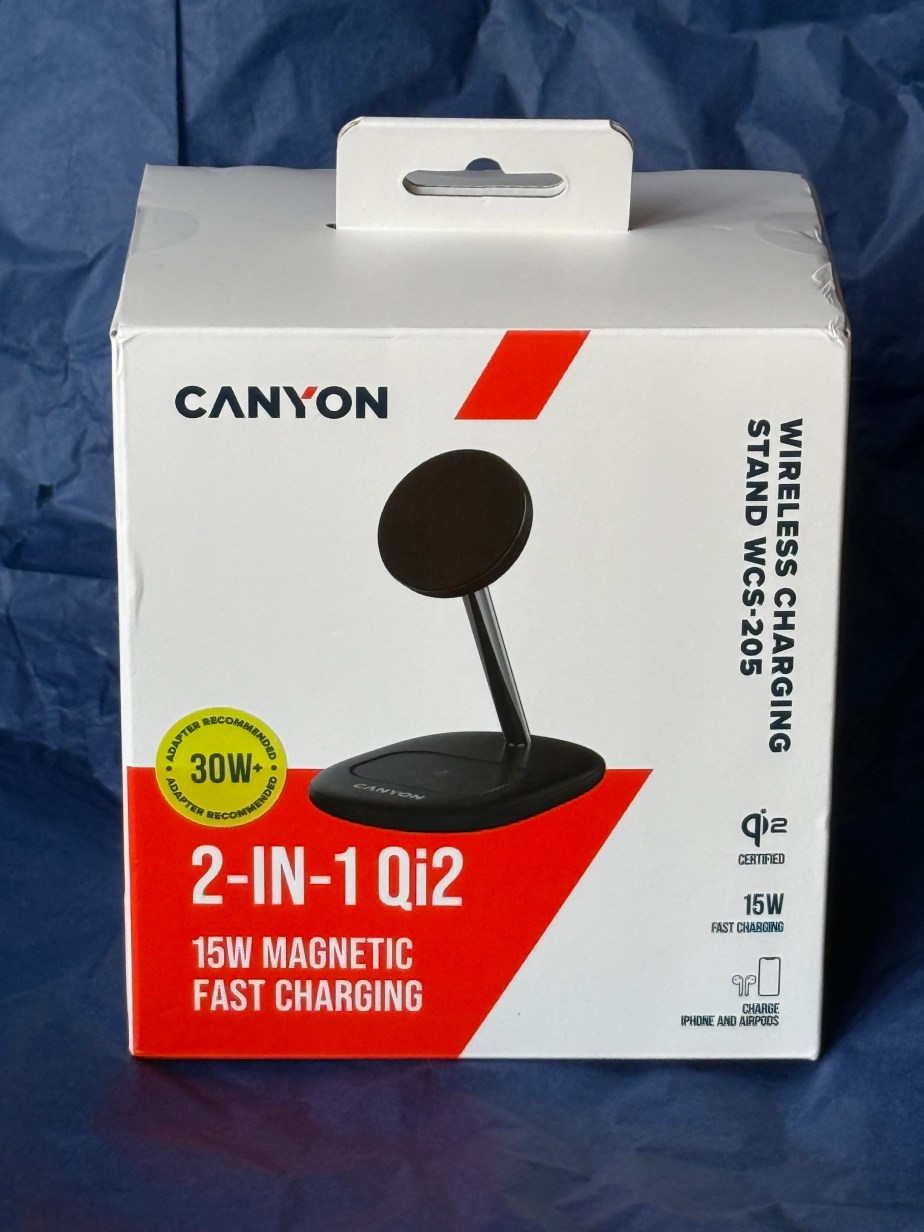
Canyon has a solution with this magnetic charging stand.  Plugged in via a USB-C cable (included) the Qi2 can charge both your iPhone and Air Pods at the same time. The phone attaches to the magnetic disk whilst the base of the stand charges your Air Pods when you place them on the tray.  It works on all Air Pods and iPhones from version 12 and newer (these are the versions which have magnetic casings where you can charge them).  

Setting up is easy and straight out of the box. The cable is USB-C each end so you can add it straight into your Mac or you can use a USB adaptor if you’re using a wall socket.  The other end of the cable goes in the back of the Canyon Qi2 stand and it’s ready to use. I had to take my iPhone out of its casing though as I use a rubber case and it wouldn’t magnetically stick otherwise!  It starts charging straight away. For Air Pods, you take them out of the case and place them on the base of the stand and they start charging too. If you have more than one set of Air Pods, or you’re using this for the family, you can place them all on the base and they’ll charge.

The Canyon 2-In-1 Qi2 Charging Stand doesn’t have an on/off button and no light to tell you that it’s got power, so you have to test it with your iPhone to see if it’s working. The iPhone will display ‘charging’ in the top right corner. I don’t have any other wireless ear buds or any other make of mobile phone in the house to see if it works on other makes, so for the time being I’m sticking with the Canyon 2-In-1 only charging Apple products but if you look on the website, there are other appliances which are compatible. It does charge quickly. I’d say it charges about as quickly as the Apple charger does, and I was cabled through my laptop to charge the iPhone.  

Priced at £44.99, it costs about as much as other charges but with the advantage of being able to charge your phone and earbuds at the same time. The stand is also really handy because it’s at the right angle to watch videos, or to reply to messages and if you are on video calls a lot, it’s the perfect angle for the front camera to see you!

Available from £44.99 at: https://www.ryman.co.uk/canyon-wireless-charger-wcs-205-15w-qi2-2in1-white-without-adapter-1

Edifier Comfo C Wireless Earbuds

Disclaimer: We received this product free of charge for the purpose of this review and all thoughts and opinions are our own.

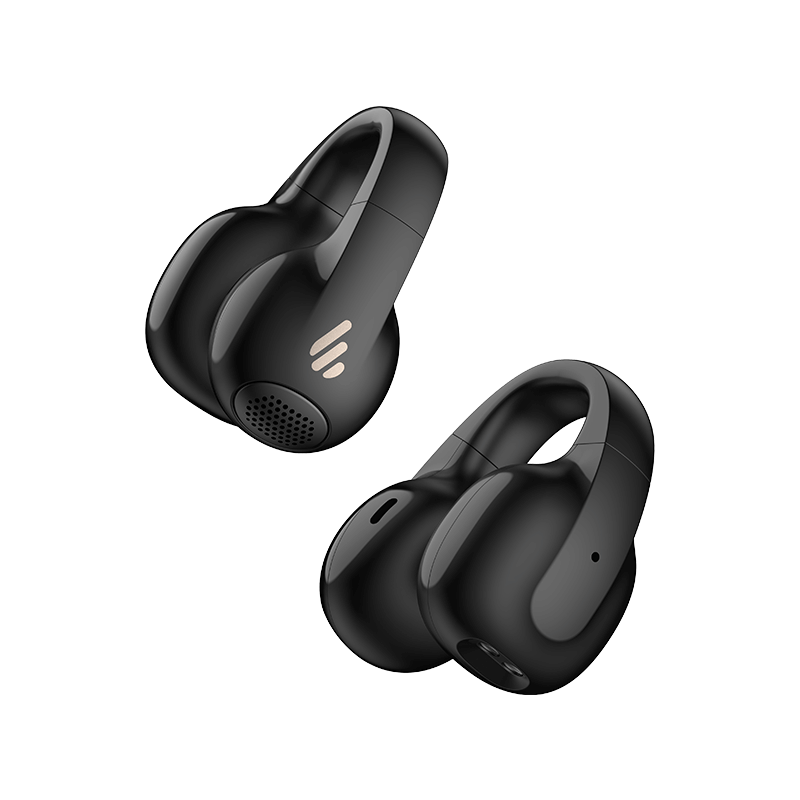
Having used Edifier earbuds and speakers before, I was excited to try out their latest release, the Comfo C earbuds. Unlike traditional earbuds that sit inside the ear canal, these have a unique clip-on design, wrapping over the back of the ear for a secure and comfortable fit.

At first, I was sceptical about how well they would stay in place. Their design made me wonder if they’d move around or even fall off during use. However, after trying them out I’ve found they sit incredibly securely – so much so that I can happily wear them all day without discomfort.

With up to 7 hours of playback on a single charge and three additional full charges from the case, you get around 28 hours of total playback making them perfect for holidays when recharging might not be as convenient. While battery life can vary as it depends on the setting you use I found that these estimates were about right.

Despite being an open-ear design with no noise cancellation, the sound quality is impressive. External noise can and does intrude, but I do prefer to be aware of what’s going on around me so I’ve had no issues enjoying music, radio, and podcasts whilst wearing them. The 12mm dynamic drivers deliver powerful and detailed audio, and the Edifier ConneX app allows for some customisation. I settled on the Bass Boost EQ setting, which enhances the depth and punch of the sound nicely.

The Edifier ConneX app offers a range of useful settings beyond just EQ adjustments. You can customise tap controls, prompt tones, and Bluetooth settings. One particularly interesting feature is the water drainage mode, designed to remove moisture that might find its way into the speakers. Given that these earbuds boast an IP56 water-resistance rating, it makes sense to have this feature and I don’t need to worry about wearing them in the rain.

As much as I’ve enjoyed these earbuds, I have found one issue with the wear detection feature, which pauses playback when you remove the earbuds, which seems to be  overly sensitive. Even without touching them, the earbuds sometimes detect removal, playing an alert sound (“bing”) as if they’ve been taken off. I disabled the auto-pause function in the app in the hope that this would solve it, but the alert sound remains. It’s a small but frustrating quirk, but I’m sure Edifier will address this in a future firmware update.

Overall, the Edifier Comfo C earbuds offer a great balance of comfort, sound quality, and practical features, making them a solid choice for everyday use. The secure fit and long battery life are perfect for extended wear, while the app customisation adds a personal touch to the experience. Whether you’re relaxing at home, commuting, or traveling, the Comfo C earbuds are a reliable companion.

RRP £59.99 available from Amazon

Fortnite Peely Edition USB Flash Drive and Portable SSD

Disclaimer – We have received this item for free or on a loan basis for the purpose of this review/feature but all words and opinions are our own.

If you don’t know what a USB Flash Drive, Portable SSD or indeed what Fortnite is, read on. It might save you a drawn-out heartache when it comes to finding gifts for the young people around you!

Fortnite is an online video game and probably one of the most successful and well known games on the market at the moment.  Fortnite have teamed up with the hardware company SanDisk to product these two Peely themed items.  Peely is one of the characters in Fortnite and if you haven’t guessed already, Peely is based on a banana!

The limited edition Fortnite Peely USB Flash Drive is a clever little device which allows you to put files on it, in this case up to 1Gig of files, and transport it around. It’s only about 5 centimetres long so it fits in a pocket or can be carried on a keychain.  Moving files physically can sometimes be essential for backing up what you have on your own computer, or for security when using public computers. Some software is needed to be able to use it properly but the instructions are included on the Flash Drive, which as the name suggests, is connected to a computer or device via USB.

The second apparatus is the equally clever and limited edition Fortnite Peely Portable SSD. This comes with some perks which can be used in the Fortnight game, but this is another drive whereby you can store files. This is a much bigger drive, with the ability to store 1 Terabyte which is 1000 gigabytes. That’s the equivalent to 1000 of the Peely USB Flash Drives! This is great for backing up a complete computer or big files like music or high resolution artwork, graphics and movies.  Remarkably, it’s less than 10 centimetres tall and very light, with a rubber loop which can attach to a keyring. It’s got a great 2 metre bounce drop protection and no moving parts, so you can imagine how durable this is with children. The USB cable which comes with it is compatible with most computers and like the Flash Drive, it can be used with both PC and Macs.

Everyone who uses a computer needs some kind of storage, so for Fortnite fans, this is a no brainer!  They’re reasonably priced as well and SanDisk are well known for being top quality Flash Drives.  You won’t lose them in their florescent Peely yellow colour either!SanDisk Fortnite Peely Flash Drive £8.99 at: https://shop.sandisk.com/en-gb/products/usb-flash-drives/sandisk-fortnite-peely-usb-flash-drive?sku=SDCZIF-064G-G46

Hoover HF4 Cordless Vacuum Cleaner

Disclaimer – We have received this item for free or on a loan basis for the purpose of this review/feature but all words and opinions are our own.

Love it or hate it, cleaning is a part of life. As we start the New Year and begin Spring Cleaning, I dragged out my old cleaning appliances including my 10+ year old vacuum cleaner and had to remind myself that this is old technology now.  The new Hoover HF4 Vacuum Cleaner came to my aid though as it arrived this week for me to test. It is not only on discount at the moment, but it has the added benefit of being able to power mop floors too, all with the same handheld device and the attachments it comes with.

The box arrives with all the attachments neatly wrapped. There’s picture instructions to put it together but it’s self-explanatory if you’ve ever used a handheld vacuum before!  I started by fully charging the Hoover but you can use it straight away as the battery has enough charge.  

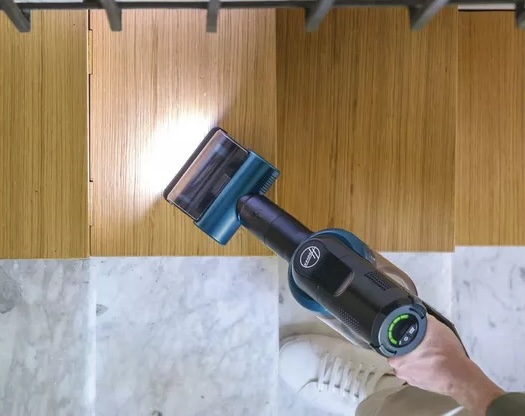
The Hoover HF4 is remarkably quiet for a vacuum cleaner. I didn’t have to worry about disturbing the neighbours over the Christmas holidays and you can easily talk over the sound of the motor.  It still picks up really well though.  I used it on short carpet, loop wool carpet and a rug in the kitchen and thanks to the LED light, you can see what it’s picking up. It didn’t take too much effort either and glided through the house.  The battery charge lasted for the whole house and was only 1 section down on the display so it will last much longer.

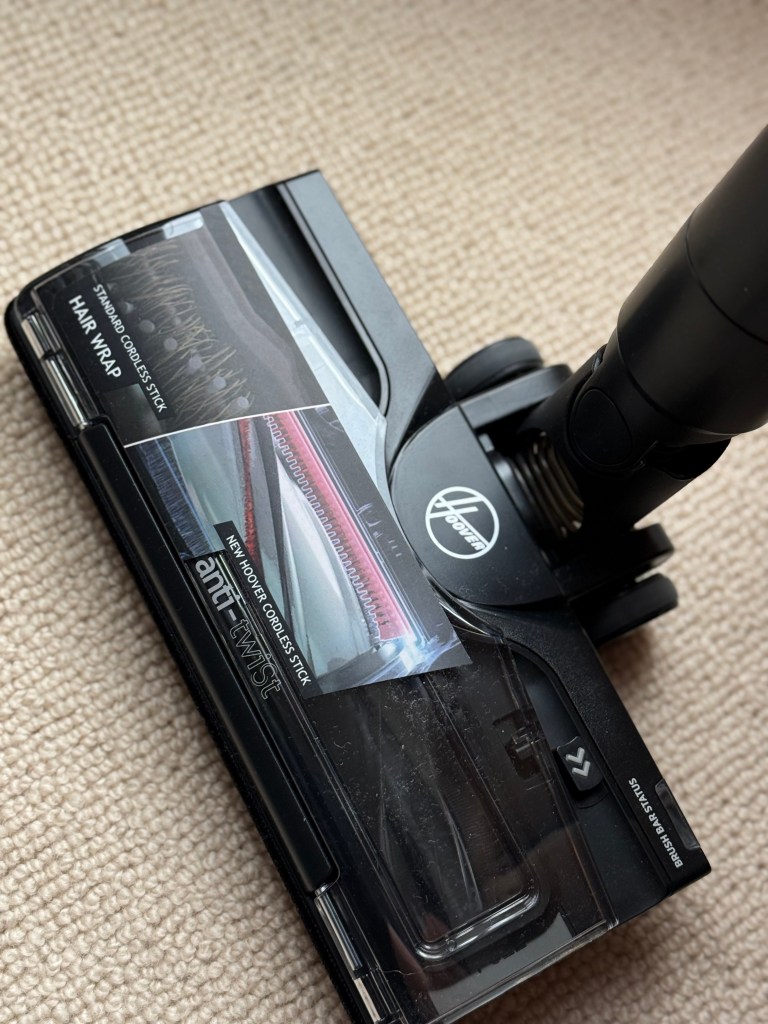
The Hoover HF4 is really lightweight too. It’s so easy to carry up and downstairs with 1 hand and even after vacuuming the whole house, the dust tank wasn’t full.  Checking the brush head, there isn’t one single hair wrapped around the blades, making it less likely you need to detangle in order for the blades to still turn and pick up, which is a problem I have with my old vacuum cleaner.  There’s different modes to the speed as well; standard, turbo and eco.  I left the vacuum on standard mode for the whole house clean but turbo, although it does run the battery down quicker, is great for really high ware areas like halls and stairs.  The interchangeable attachments include 2 nozzles of different length, an upholstery tool and a 2-in-1 tool. There’s also attachments for the wall so that you can mount it to save space in a cupboard and set it up for charging.

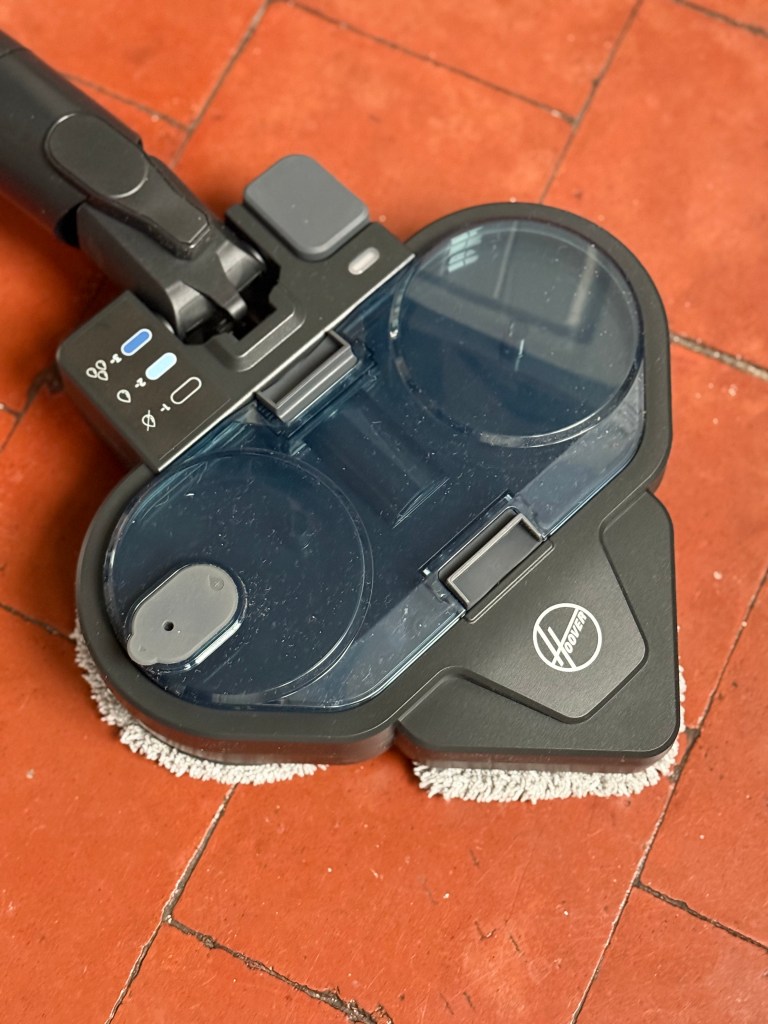
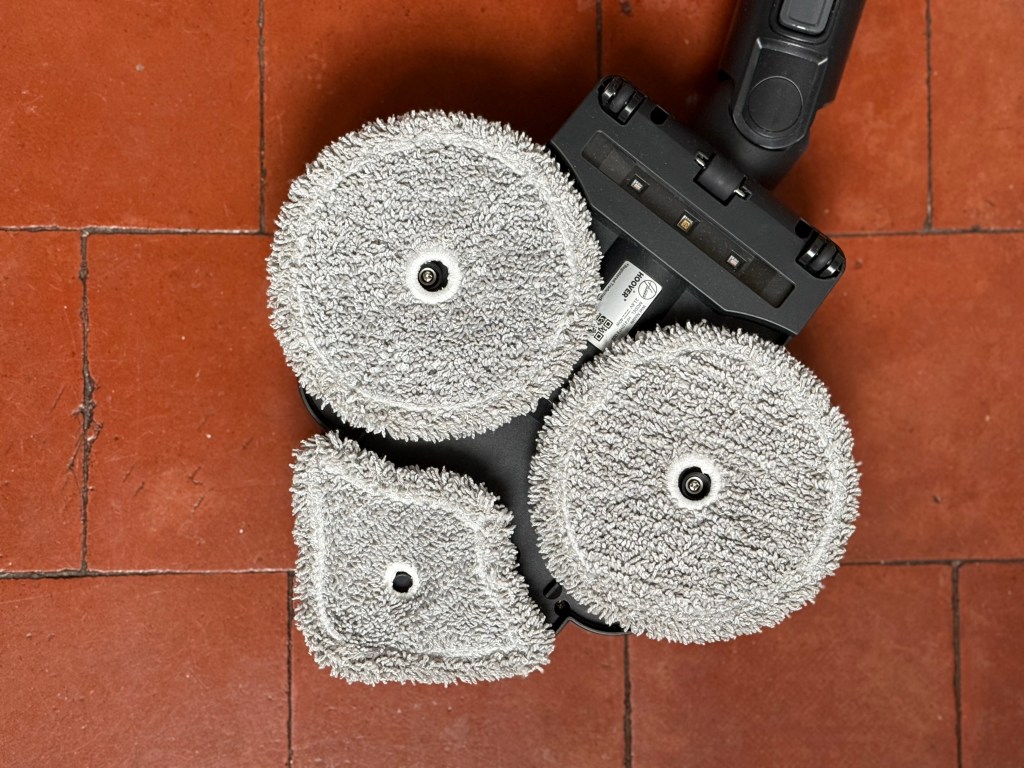
In addition to being a vacuum cleaner, the Hoover HF4 is also a powerful mop.  The box comes with the turbo mop head and spare mop pads so that you can wash one set whilst using the other.  The large mop head covers a large area and the triangular shape means you can get into crevices easily. The pack comes with floor cleaning solution as well, but there’s no reason why you can’t use your own.  The rotating circular pads increase the work on your floors 10x so it’s worth taking the time to learn how to use it. The solution goes straight into the mop head tank along with tap water and the vacuum cleaner does all the work in calculating the concentration of cleaner and water needed to mop the floor. There are 3 adjustable settings on the mop head too, to give different flow rates of water.

I can’t find any cons for the Hoover HF4 yet, although the mop pads take a while to dry properly and the instructions suggest they only go on a temperature of 60 degrees in the washing machine, which doesn’t seem to get the completely clean.  I’m worried that any hotter and the pads will shrink and be rendered useless!  The filter will need cleaning but not for a while yet. The Hoover comes with all the attachments you’d expect and they all work really well and overall; the Hoover has enough power to do the everyday clean as well as the full on turbo clean if needed.  It’s really sturdy but lightweight and has loads of battery life as well.

Available at a discount now for £299 at: https://www.hooverdirect.co.uk/products/hoover-cordless-vacuum-cleaner-with-anti-hair-wrap-magenta-hf4-copy

Edifier W800BT Pro Cancelling Headphones

Disclaimer – We received this item free for the purpose of this review/feature but all words and opinions are our own.

In our continued series of reviewing the Edifier range of headphones, the W800BT Pro Cancelling Headphones make use of the most up-to-date Bluetooth 5.4 technology and hi-res audio.

The over ear headphones have 26 hours of active noise cancelling playtime when fully charged or 45 hours if no noise cancelling is used.  15 minutes of charge gives up to 8 hours of playtime, which is enough for a commute, plane journey or even a day at work if that’s what you need for concentration! Full charge takes from an hour upwards, but the headphone arrive with a fair bit of battery charge to them so you can use them as soon as you get them out of the box.

We were sent this ivory pair, but they also come in black and grey. The forth colour is Gift Set which is essentially ivory again. Charged by the USB-C cable which comes as part of the kit, they can be plugged into a laptop or a charging point, again making them suitable for airports and travelling or if you’re on the laptop and at work.  The ear pieces are made of soft leather and swivel so that you can store them or transport them easily.

The controls are on the right headpiece.  Pressing down on the Bluetooth button makes them easy to connect to any device and my laptop and phone both picked up on the headphones quickly. Then it was just press the button on screen and the Edifier W800BT Pro headphones were in my preferred list for the next time they are switched on.  The on/off button is also on the headset and doubles as a pause button, with the volume control up/down each skipping a track when you hold them down.

As well as being easy to connect and easy to use the headphones are excellent quality and I have to remind myself that for a set of ears, they are very good quality. The leather ear pieces also make them feel classy! The sound is just as sharp as sharp can be and the noise cancelling blocks out almost anything in the room. The ambient sound mode is really helpful though as it blocks out all sound except human voices, so you can wear the headphones at work and still hear people talking to you, or around the home and still be tuned into the family.  

Available for £49.99 at: https://www.amazon.co.uk/Edifier-W800BT-Pro-Cancelling-Headphones-Black/dp/B0D41JQTF8

Prsnt Gift Card

Disclaimer – We received this item free for the purpose of this review/feature but all words and opinions are our own.

As Christmas gets closer, time is running out for purchasing that last minute gift. Prsnt have the perfect solution though – a gift card that’s an instant gift.

Unlike store bought gift cards, Prsnt is a personalised gift. It’s not just a monetary amount but you can literally gift a gift through the app to someone and they use the app to purchase that gift. There’s a catalogue on the app which allows you to choose what it is that you want to send and the receiver, once they download the app, can receive the gift whenever they want. We were given access to a Prsnt account which allows you to both send and receive gifts.

First, you need to sign up to the account using your phone number or your Facebook, Apple or Google accounts. Once your account is confirmed, the app brings you to a home screen where you can pick up a gift that’s been sent to you, or you can send a gift to someone in your contacts. They don’t need to already have a Prsnt account to receive it but the do need to download the app once they do. 

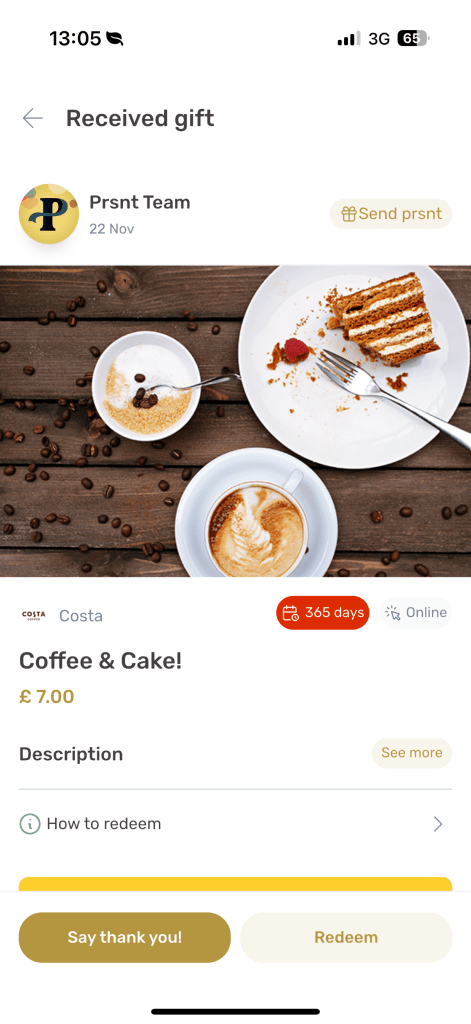
We were excited to see that the lovely team at Prsnt had already sent us a gift to try out the app! Under the Received menu, there was a gift waiting to be unwrapped.  You don’t see what it is at first, you just need to click on ‘Unwrap Prsnt’.  The app goes into a lovely display of what the gift is by allowing you to reveal it slowly on your phone by swiping away the ‘wrapping’ to reveal what the gift is. We had a lovely surprise of tea and cake from Costa Coffee waiting for us! 

There are over 200 High Street brands to gift from with presents already picked out.  Some of our favourites include a book at Waterstones, Jo Malone Candle, aftershave from John Lewis, cinema tickets from Odeon and hampers from Marks & Spencer. There’s conventional gift cards as well in case you don’t see anything you like. You can even add a video message or a written message as you send it, using just their mobile number. 

It doesn’t take long to send a gift and it means you can securely send something without having to know their home address or personal details. There’s a range of gifts available with more being added all the time. It’s economically more responsible too with there being no physical aspect to the gift card that can be lost, thrown away easily or forgotten about in a drawer.

Prsnt is a brilliant alternative to gift cards or spending time on sending individual presents and in today’s international market, you can send them to anyone, anywhere in the world!

More details can be found at: www.prsnt.co.uk

Vibrating Massage Seat Cushion with Heat

Disclaimer – We received this item free for the purpose of this review/feature but all words and opinions are our own.

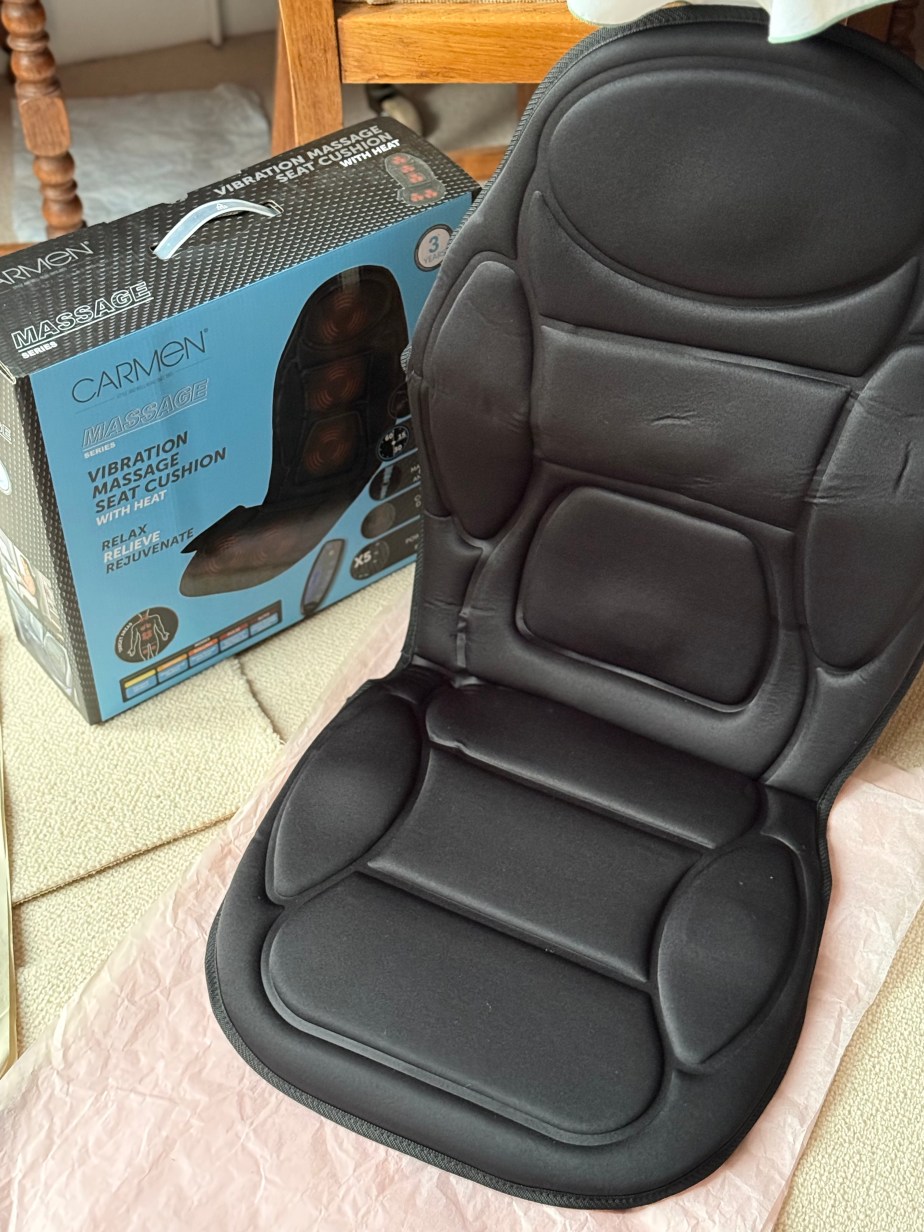
This is the gift you didn’t know you wanted! Carmen’s Vibrating Massage Seat Cushion (with heat) is a classic gift that will charm your loved ones at first, but then you don’t know what you did without it.

The Carmen Vibrating Massage Seat Cushion can be used on any seat, although I found it easier to put on my armchair. It just needs an electrical socket nearby to power it.  There’s an attachment that comes with it to be able to use it in the car. More about that later though!

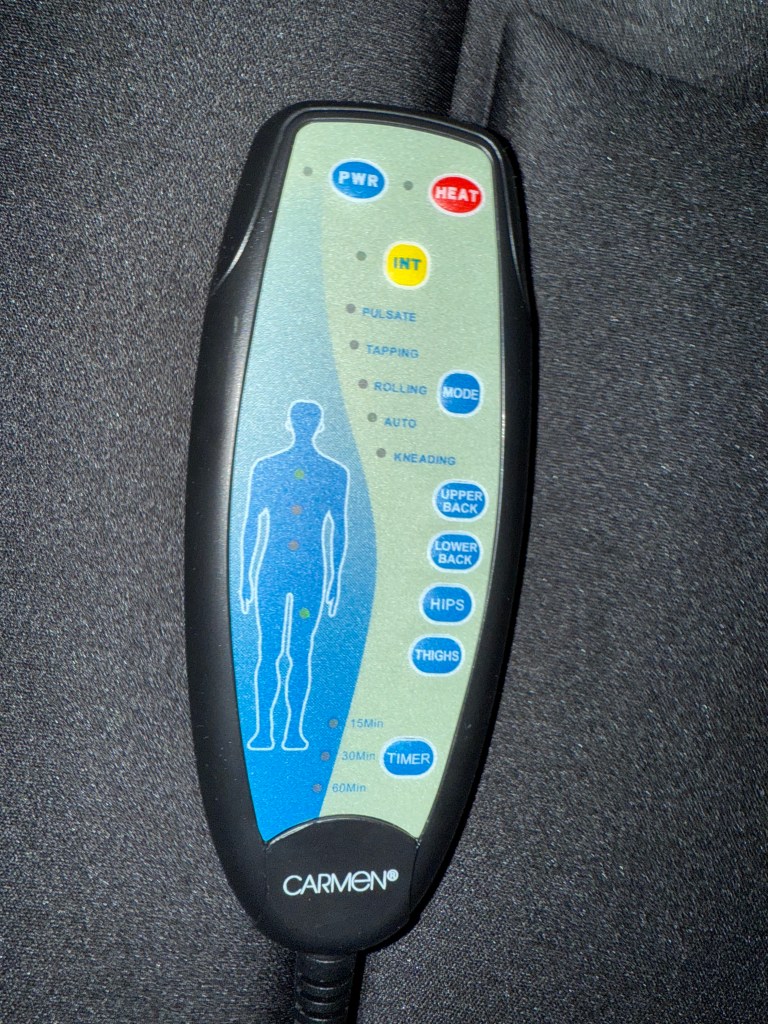
All you have to do is fix up the power socket to the connector and then find the control which is kept in a Velcro pocket.  Turn on the Power (PWR button at the top; blue in colour) and the cushion is set to Auto.  If you look at the control, you can see that the Intensity light (INT) is lit already and it will probably start on the first function which is Pulsate.  This is where I started to play with all the buttons! There are 5 modes in all; pulsate, tapping, rolling auto and kneading.  To change modes, you just press the Mode button and go through the list until you find the one you like, or need!  The diagram shows the areas of the body which are being worked on, and the buttons to the right allow you to switch on or off each area. You can have all areas working together (upper back, lower back, hips and thighs) or isolate one area on its own.  Finding the combinations and which mode is right for you is part of the fun!

The Carmen Vibrating Massage Seat Cushion has other functions too. The INT button (for intensity) gives four different levels of vibration so that you can adjust it if you are particularly sensitive or have high inflammation. There’s also a HEAT button which as it suggests, adds heat with the vibration. This is great if you need the cushion for certain types of pan management.  At the bottom of the controls, there’s also a timer. You can set the cushion to 15 minutes, 30 minutes or 1 hour and it will switch itself off after each time, allowing you to go to sleep, or to relax and not have to worry about how long you’ve been there!

The attachment for the car is genius if you get backache in the car, have to travel a long way or have a relative who isn’t great with sitting for long amounts of time especially in the cold. The cushion can be amended to a very low level of vibration in just one area and you just turn the heat on, or you can have any of the vibrating functions and include heat as well. Perfect if you have an injury and find it difficult to drive long distances, or if you just need to have your circulation improved as you drive, especially in winter.  It attaches to the cigarette lighter in the car, or if you don’t have a cigarette lighter, you’d have to find an adapter.

I tried it at home and was pleasantly surprised with how powerful it can be, and the versatility of it. It can be used for injuries, inflammation or relaxing and in winter, as an added way to keep warm too!

With a 1 year guarantee and an option for another 2 years.

Available from £29.99 at: 

Soundcore – Liberty 4 Pro Earbuds

Disclaimer: We received this product free of charge for the purpose of this review and all thoughts and opinions are our own.

I recently had the chance to try Soundcore’s new Liberty 4 Pro noise-cancelling earbuds, and I must say, I’m very impressed.  Combining cutting-edge design with a host of innovative features, these are Soundcore’s most advanced and elegantly designed earbuds to date and as soon as I took them out of the box it was clear that these were no ordinary earbuds.  

First impressions matter and the Liberty 4 Pro make quite an entrance with an almost futuristic charging case with a sleek glossy light blue finish. The earbuds themselves are a striking metallic blue steel design, instantly setting them apart from the usual generic white or black plastic that dominate the market.

The case itself is quite innovative. Instead of the usual hinged design, it slides open to reveal the earbuds and a tiny OLED display. This display not only shows the charge level for each earbud but also allows you to access certain functions without needing the app which is a very handy feature.

Connecting the Liberty 4 Pro earbuds was simple, thanks to Google Fast Pair technology. During setup, the earbuds automatically prompt your device to connect and install the Soundcore app, where a host of customisations await.

The sound quality is obviously the most important feature and the Liberty 4 Pro really shine when it comes to sound. Powered by Soundcore’s ACAA 4.0 coaxial driver architecture, each earbud features a 10.5mm woofer and a 4.6mm titanium tweeter for exceptional clarity across all frequencies. In plain terms this means your music will sound like it’s being played live, so whether you’re enjoying booming basslines or a spot of Beethoven the earbuds deliver a rich, clear sound experience.

There are plenty of ways to tune the earbuds to suit your preferences. As well as standard equaliser settings, both custom options and presets; there is a sound preference test which works through a number of tests and tunes the earbuds to match your ears. This feature worked brilliantly, and I found the earbuds performed well across a wide variety of music and other audio.

The noise-cancelling technology is exceptional, equipped with seven sensors to detect ambient noise and an air pressure sensor designed to excel during flights. While I haven’t had the chance to test it on a plane, it’s proven invaluable for tackling noisy environments, like working in the garden. The addition of a wind reduction mode has been particularly helpful during recent blustery weekends outdoors.

Noise cancellation can be activated with a touch, but I prefer using the case controls which allow you to adjust the level of cancellation with a simple swipe, giving you precise control.

No two ears are the same and Soundcore knows it so there are six different eat tip sizes to ensure a perfect fit. There’s even an app based fit test to ensure they fit snugly and I found once they’re in, they stay put, even if I’m out in the garden when it’s windy.

With up to 10 hours of battery life (or 7.5 hours with noise cancellation), plus 30 more hours in the case, they’ll keep up with even the busiest of schedules. And if you’re in a rush, a quick five-minute charge gives you four hours of playtime -perfect for those “oh no, I forgot to charge it” moments.

At £129.99, the Liberty 4 Pro earbuds are a steal for what they offer. Whether it’s the smart case, the high-tech noise cancellation, or the sustainable materials (yes, they’re made from 28% recycled plastics), these earbuds combine high-quality sound, innovative design, and all-day comfort, making them an excellent choice for any music enthusiast. From their stylish appearance to their customisable audio options and impressive battery life, these earbuds tick all the boxes – and they make a great Christmas gift too!
Hoover Robot Vacuum Cleaner HG4

Disclaimer: we received this product free of charge for the purpose of this review and all thoughts and opinions are our own.

Sometimes you don’t realise how much you need something until you have it. For me, vacuuming was a daily chore, thanks to my two sons who constantly trail dirt into the house and whilst I knew robot vacuums existed, I just didn’t think that they would be up to the challenge, but I’m very pleased to say I have been proved wrong!

As a fan of smart home technology I already had a few smart appliances around the home, so setting up the Hoover HG4 robot was pretty simple. The instructions were easy to follow and within minutes it was connected to our WiFi and the app was up and running. Before we could start though we needed to make sure that the floors were clear so a bit of a tidy up was necessary to get the loose cables and abandoned shoes out of the way and once done the robot was ready to tackle the floors. On it’s first trip it carefully mapped out the layout of our home, tracking the walls and identifying where the furniture is. The app shows the robot’s progress and I was fascinated to see how the laser was able to “see” the walls and features of our home, even down to individual chair and table legs.

The following day I scheduled the hoover to clean the entire downstairs floor whilst I was at work. I couldn’t resist checking it’s progress on the app but I was astonished when I came home and saw just how noticeably clean the floors were! Every room had been thoroughly vacuumed and the robot had returned to the charging point ready for the next cleaning session.

Once the mapping is complete the app allows you to name individual rooms and to create cleaning schedules. Now the robot cleans the hallway and porch every morning while the rest of the house is tackled througout the week. Although most rooms are carpeted, a few rooms have hard floors and different options can be chosen for these rooms, for example I’ve chosen a lower power vacuum for the tiled kitchen floor.

While we’ve made an effort to keep floors clear, there were some early hiccups, shoelaces in the hall caused a tangle and the robot has been stuck under a table. Fortunately, these issues were easily resolved by using the app’s virtual wall and no-go zone features to restrict access to trouble spots.

The robot’s cleaning performance has genuinely impressed me. Even the edges of the carpet are cleaned thanks to the side brush that sweeps dust toward the centre. It’s easy to maintain with a spare brush, extra filter, and a handy cleaning tool included to keep everything running smoothly. Emptying the dustbin is quick and easy too, there’s a small bin at the back of the robot that lifts out and can easily be carried to the bin.

After seeing how clean my house is I can confidently say I won’t be going back to a manual vacuum cleaner ever again – the Hoover HG4 robot has certainly earned it’s place in our home!

RRP £249

Tower VL60 NimbleVac Cordless Vacuum

Disclaimer – We received this item free for the purpose of this review/feature but all words and opinions are our own.

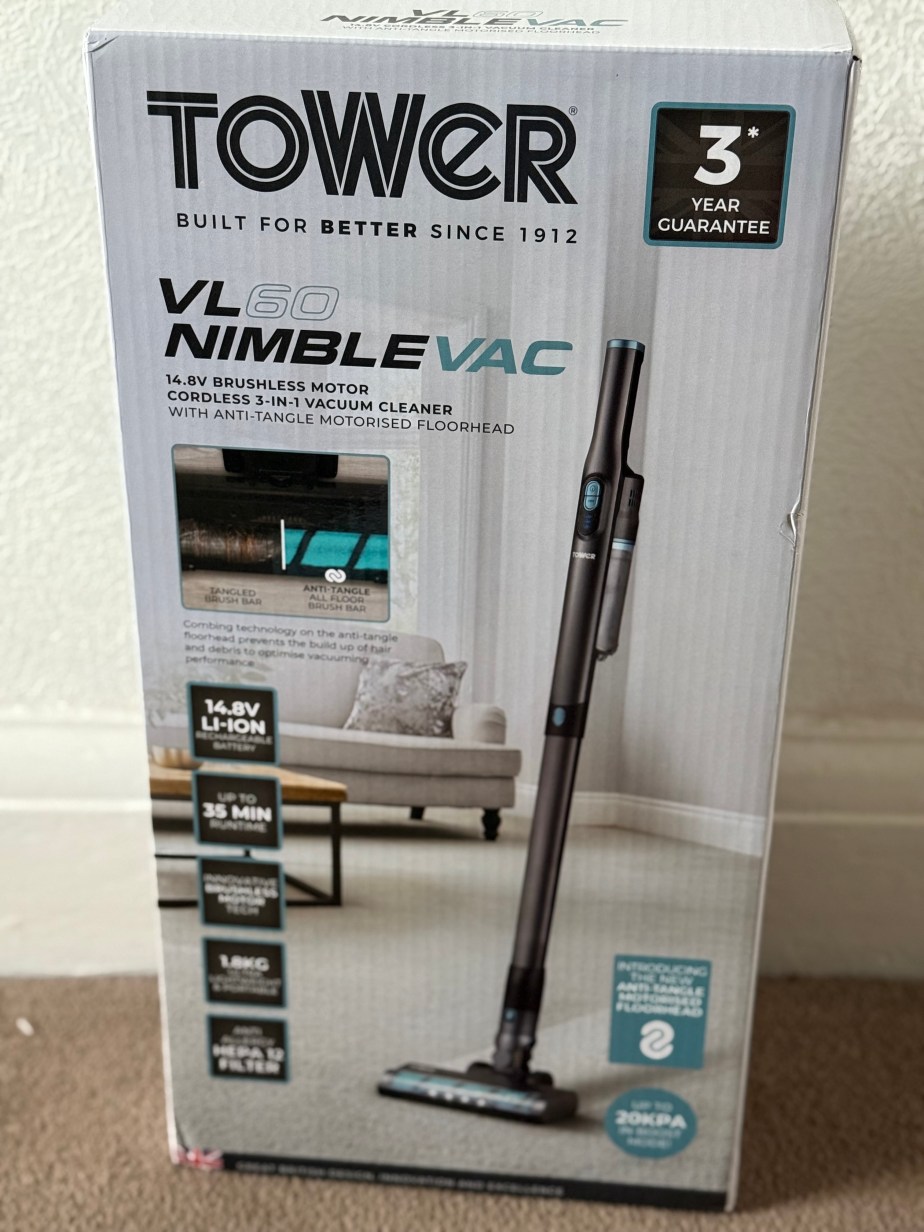
This vacuum cleaner is seriously impressive!  We were sent the Tower VL60 Cordless Vacuum to try out as part of their Black Friday sale and I wasn’t expecting much for a cheaper vacuum cleaner but I was pleasantly surprised by the power, ease of use and efficiency of it. Even better, it’s part of the Tower Black Friday sale so it’s cheaper than normal too!

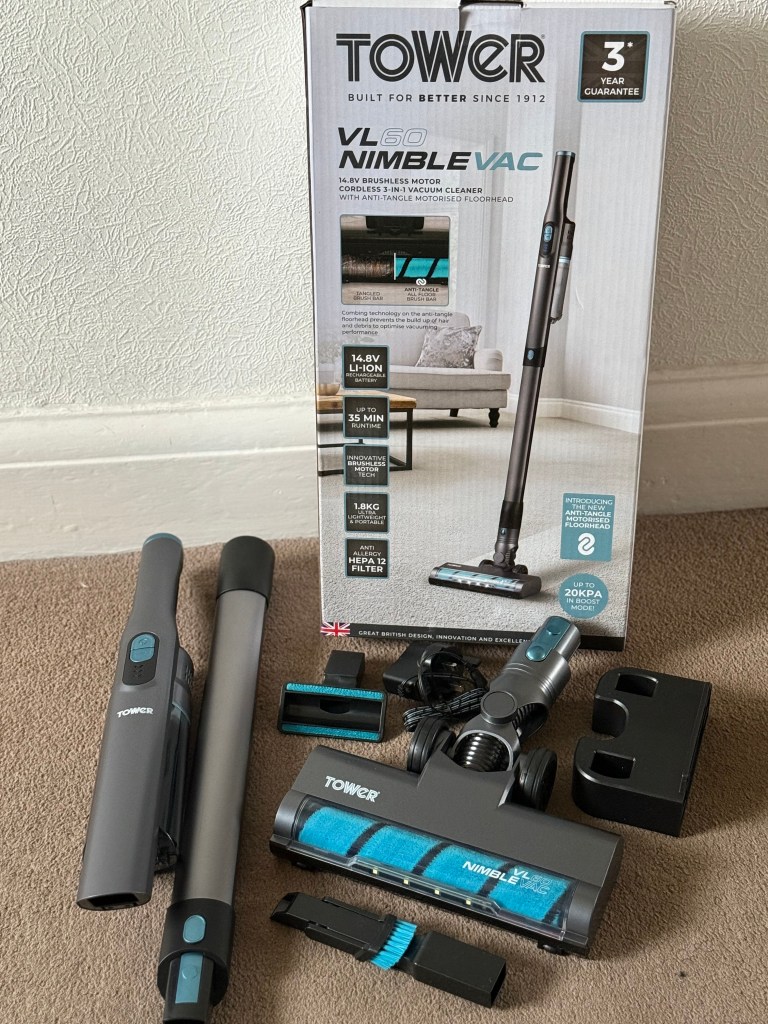
The Tower VL60 NimbleVac Cordless Vacuum is delivered in pieces but doesn’t need much explanation to put it together.  The accessories include the charging plug, which is small enough to sit in a drawer between charges, and there’s a bracket for the wall if you need it mounted. The other accessories include a nozzle, sofa brush and velvet brush roller as well as the everyday single brush roller.  They’re pretty much the same accessories as you would find with a mains powered vacuum cleaner so there’s no need to have both with this cleaner.

Putting together the vacuum cleaner is just clicking it together and you’re ready to go. There are two speeds to the motor for cleaning; regular and max, both of which are on the handle.  I used the regular speed for just testing out the vacuum, and I was surprised at how well it picked up on my hallway carpet.  I was also impressed with how unbelievably quiet it is! You can easily talk over the noise of the motor and it’s less likely to frighten pets. I would go as far as saying that it wouldn’t disturb a sleeping child either, which can only be a bonus! There’s a really handy light on the front to show where you’re heading and the whole brush head swivels really easily and is light to use. In fact, I can pick up the whole cordless vacuum easily with just one hand.

The VL60 is lighter than my other make of cordless vacuum and I can store it easier because it comes apart with just a click, and is smaller too.  There’s a light on the handle to show how much charge you have and it lights up as you charge it too. I haven’t been able to use it long enough to see how quickly the charge runs out, but the literature says the regular speed cleaning lasts 35 minutes and the max speed is 15 minutes.  Speaking of the max speed, I tried it out but I didn’t have a need to use it because the regular speed kept up with the cleaning I needed to do.

There is no bag on this vacuum cleaner, just a dust tank which holds 300ml. I vacuumed my whole house, including the hard floors and it wasn’t full, so I assume there is more than enough room for most households to clean comfortably. The HEPA filter removes 99.95% of fine particles down to 0.3 microns, and whilst using it, I realised the dust doesn’t come back into the room but stays there in the tank until you remove it. This is great for allergies especially in the spring and summer when pollen can easily get into the house and needs removing from the air and soft furnishings.

I’m really impressed with this vacuum especially given the price and the physical size of it. It works great around the house but I also think it would work well in a caravan due to it’s size and weight and the accessories that mean it can be hand held. Fabulous for long car journeys too when you have to clean up after the children!

Available on special offer for Black Friday at £74.99 (usual price £99.99):

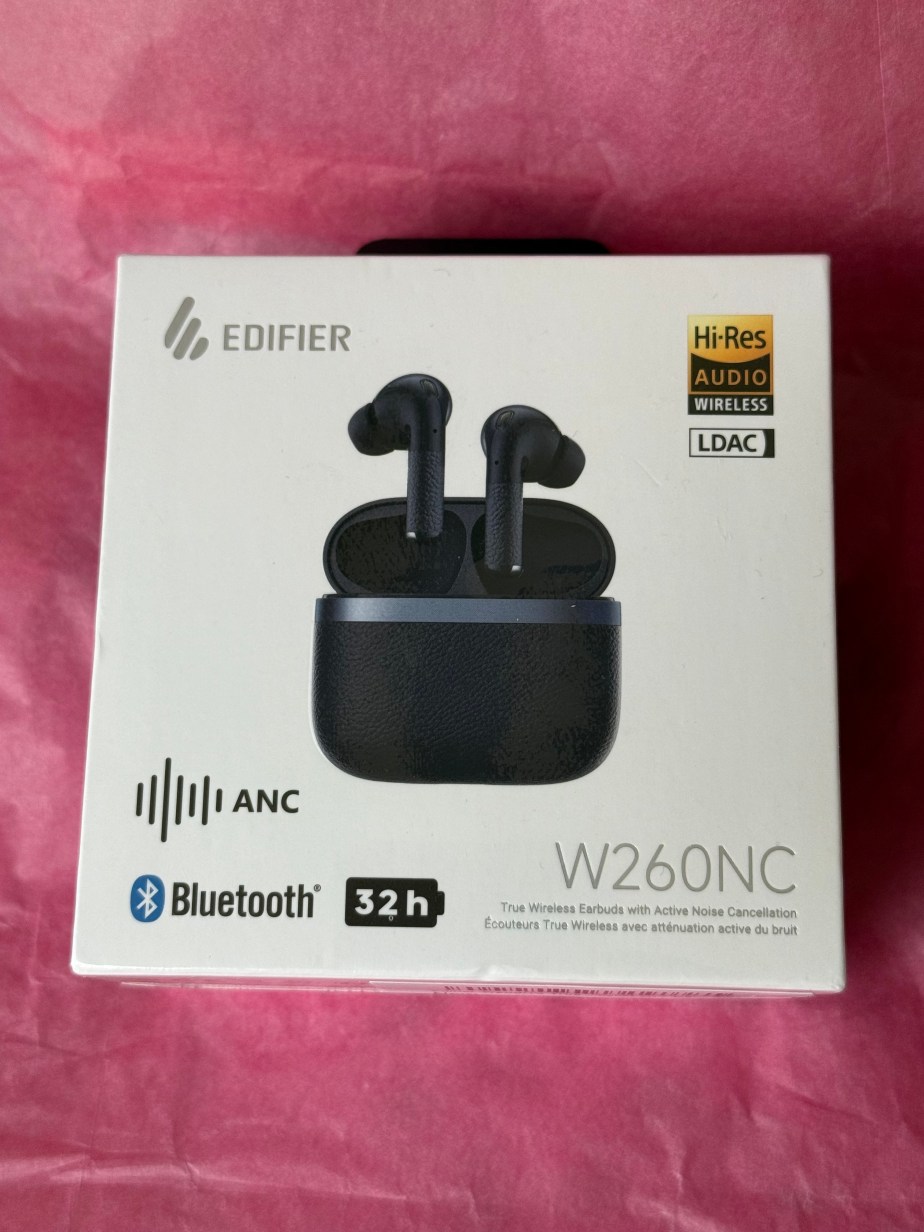
Edifier W260NC Active Noise Cancellation Earbuds

Disclaimer – We received this item free for the purpose of this review/feature but all words and opinions are our own.

Everyone needs headphones nowadays and especially headphones which you can travel with, whether it’s for gaming, watching TV on the go or even sports. Edifier have these wireless W260NC headphones which are both noise cancelling and Bluetooth v5.3 and fit into this neat little box which is also used for charging.

The sound quality is excellent and with a latency of 0.08 seconds you can use them to watch TV or a movie, and equally brilliant for gaming.  Gaming with wireless headphones is much easier and I find social media when you’re on public transport is so much easier with wireless earbuds, especially when they’re this small and fit into their box and then your pocket so easily.

Technically, these headphones are advanced. There’s 6 microphones on them for taking phone calls or recording video and there’s -45dB noise cancelling.  They really do shut out a lot of noise and when you’re on noisy transport or someone else in the room is watching TV or gaming, you can’t hear a thing! There are up to 8 hours of playback per charge and I really like the wearing detection so that if you fall asleep, need to run or walk fast or are knocked on public transport, the headphones stop playing until you put the earbuds in again. The 6mm and 10mm duel drives give a richer sound too.

Make sure you have the up to date software or phone for the Bluetooth v5.3 otherwise the earbuds won’t connect, and the Edifier Connex app has more controls to let you play with the sound quality. 

The all-round Edifier W260NC Earbuds make a great gift this Christmas for anyone who enjoys their music, gaming or just getting some quiet time.

Available from £62.66 at: https://www.amazon.co.uk/Edifier-W260NC-Cancellation-Microphones-Dual-Dynamic-Dark-Blue/dp/B0CTJL37R9?th=1

Marshall Minor IV Earbuds

Disclaimer: We received this product free of charge for the purpose of this review and all thoughts and opinions are our own.

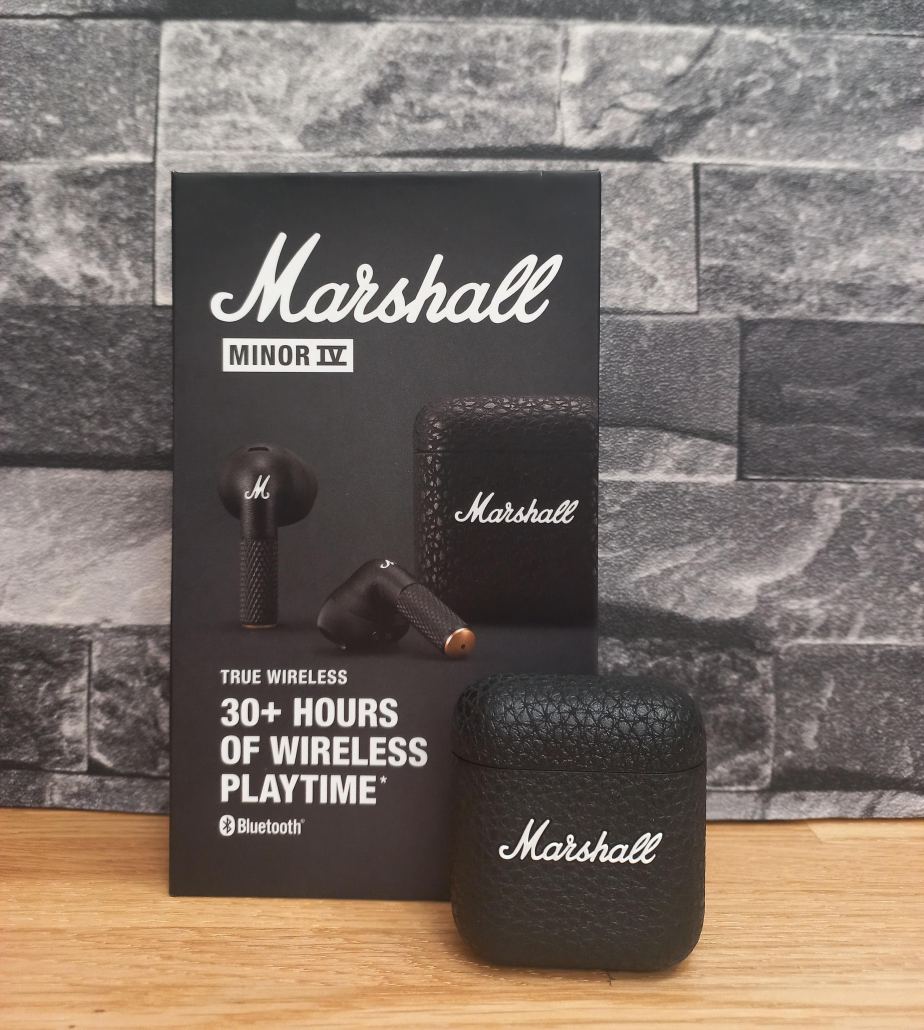
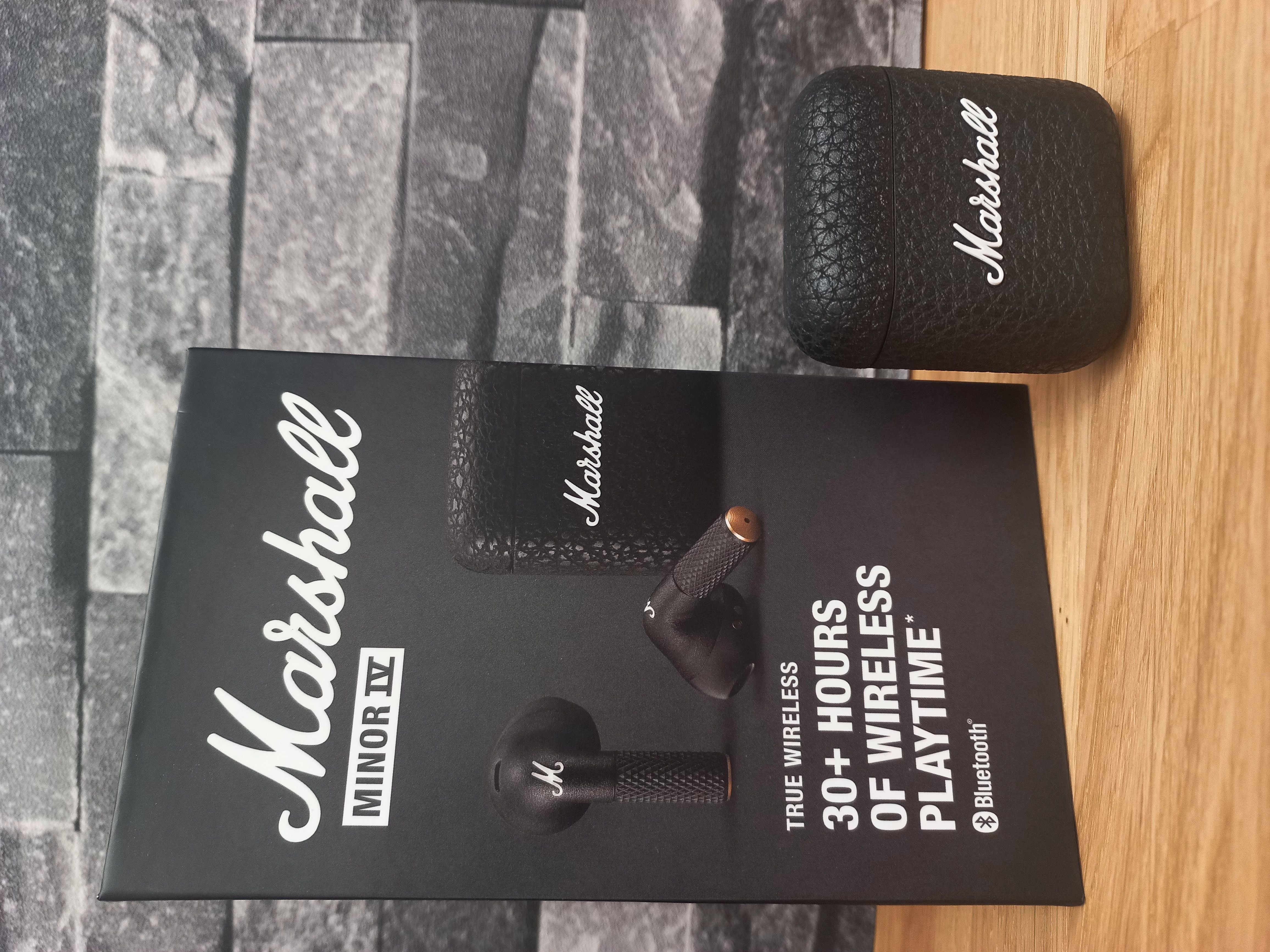
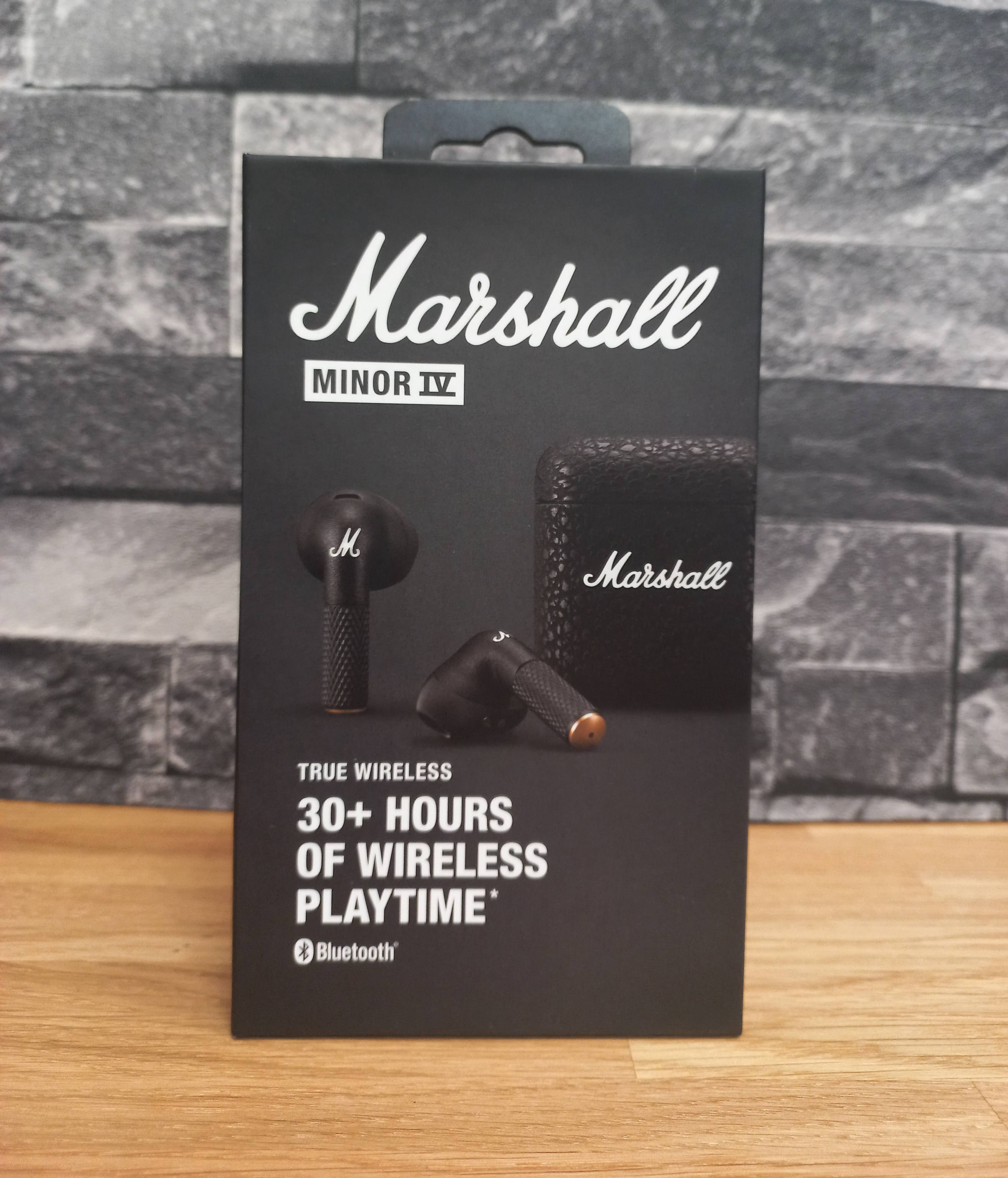
If you’re starting to think of Christmas gifts then you can’t go wrong with a pair of earbuds, especially a cool pair like the Marshall Minor IV earbuds. First off, let’s talk about looks, because when you’re dealing with Marshall gear, you know they’re going for that whole rockstar on tour vibe—even if your tour is mostly the supermarket and the occasional jog. These little guys are oozing with Marshall aesthetic, and you’ve got that iconic logo on the charging case. Classic black with brass accents? Check. Textured case that makes you feel like you’re holding a mini guitar amp in your pocket? Double check. It’s like they took the essence of a stage amp and shrunk it down into something you can pop in your ears.

Now, here’s the thing about design: they’re open-fit. Which is just fancy talk for “they don’t have rubber tips jamming into your ears like you’re getting an ear exam.” Depending on who you are, that’s either a win or a dealbreaker. Me? I wasn’t sure but after wearing these for a week or so have found them comfortable and secure. It’s like getting that smooth, carefree sound without the deep-pressure sensation of in-ears. One thing to bear in mind, the open fit lets a lot of the outside world in and there is no background noise reduction.

For tiny earbuds, the Minor IVs hold their own. Marshall’s really got the mids and highs dialled in – vocals come through super clear, and the treble’s crisp enough that you’ll notice those delicate high-hats or twangy guitar riffs. The bass isn’t exactly bone-rattling, though. I’d say it’s more tastefully understated. Not the kind of bass that you’ll feel in your teeth, but it’s balanced, not too muddy. If you’re a basshead, you might be left wanting a bit more thump, but for everything else – rock, jazz, podcasts it’s solid.

Marshall claims 7 hours of playtime, and an extra 24 hours from the charging case. In my field test – by which I mean doing normal human things and listening to music while pretending to be productive – the battery held up pretty close to that. And let’s face it, if you’re listening to music for 7 straight hours and not stopping, either you’re on an epic road trip or your hobbies are way more intense than mine.

Touch controls are simple to use and can be changed using the Marshall App which also gives you access to firmware updates, battery management settings and equaliser options. Connectivity is good, they’re Bluetooth LE ready and I had no problems connection them to my phone.

The Minor IV has wireless charging, which is great but if, like me, you’re yet to embrace the latest technology you can fall back onto USB-C (cable included) when you need to juice it up old school.

So, what’s the verdict? The Marshall Minor IV aren’t your “I need absolute isolation and my skull to rumble” earbuds. They’re more your “I want to look cool while listening to Led Zeppelin and still hear the barista call my name” earbuds. They’ve got style, decent sound, and comfort—if you like the open-fit feel—and that classic Marshall attitude that says, “Yeah, I rock. But, you know, casually.”

Would I recommend them? If you’re a Marshall fan and like your earbuds with a side of swagger, absolutely. They won’t replace your high-end over-ear headphones or some fancy active noise-cancelling buds, but for daily casual listening with a splash of rockstar flair? Yeah, they’ll do just fine.

RRP £119.99

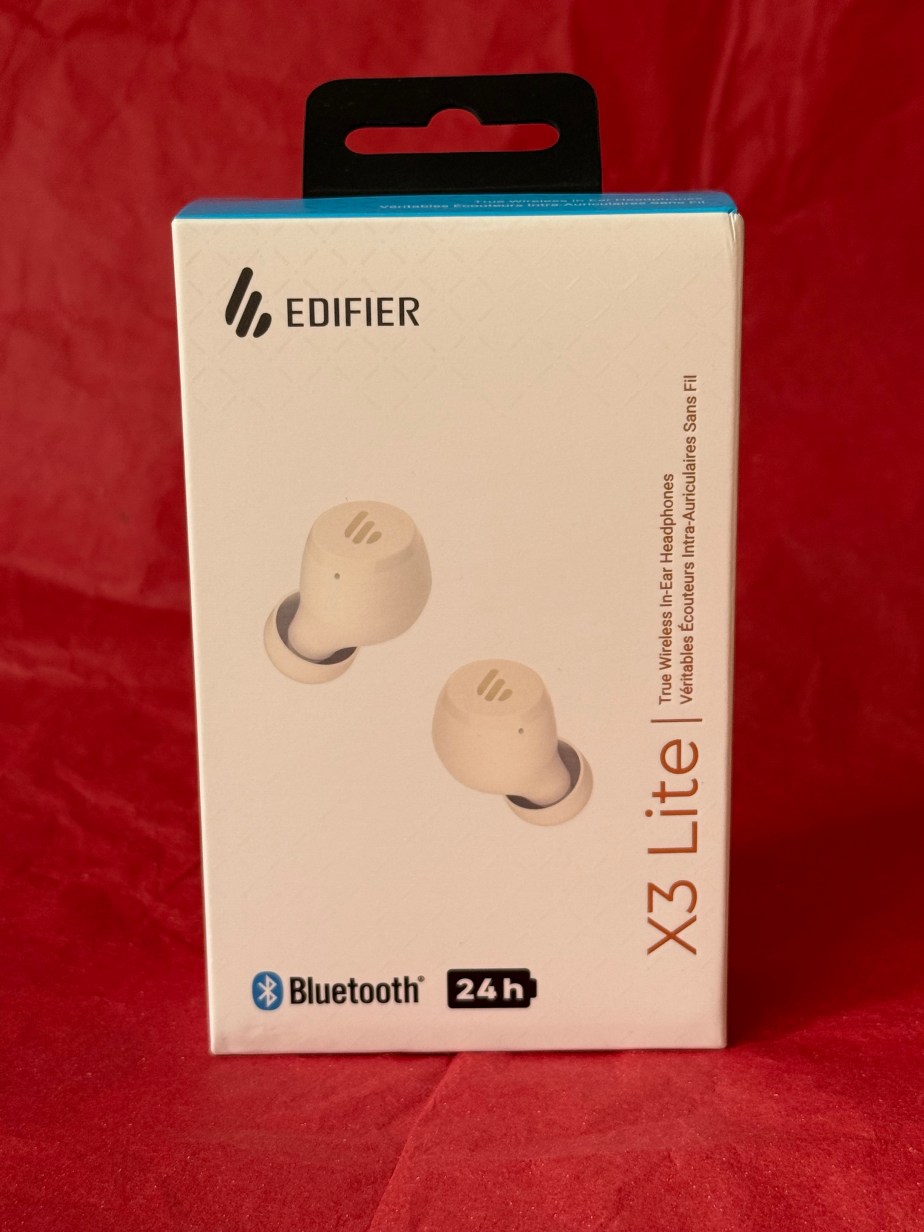
Edifier X3 Lite Wireless Bluetooth Ear Buds

Disclaimer – We received this item free for the purpose of this review/feature but all words and opinions are our own.

Christmas present alert!  Edifier have these brilliant Wireless Bluetooth Ear Buds for just £29.99 and they’re perfect for the gym, commuting or even as stocking fillers for children. We’re always losing headphones so who can turn their nose up at another pair?

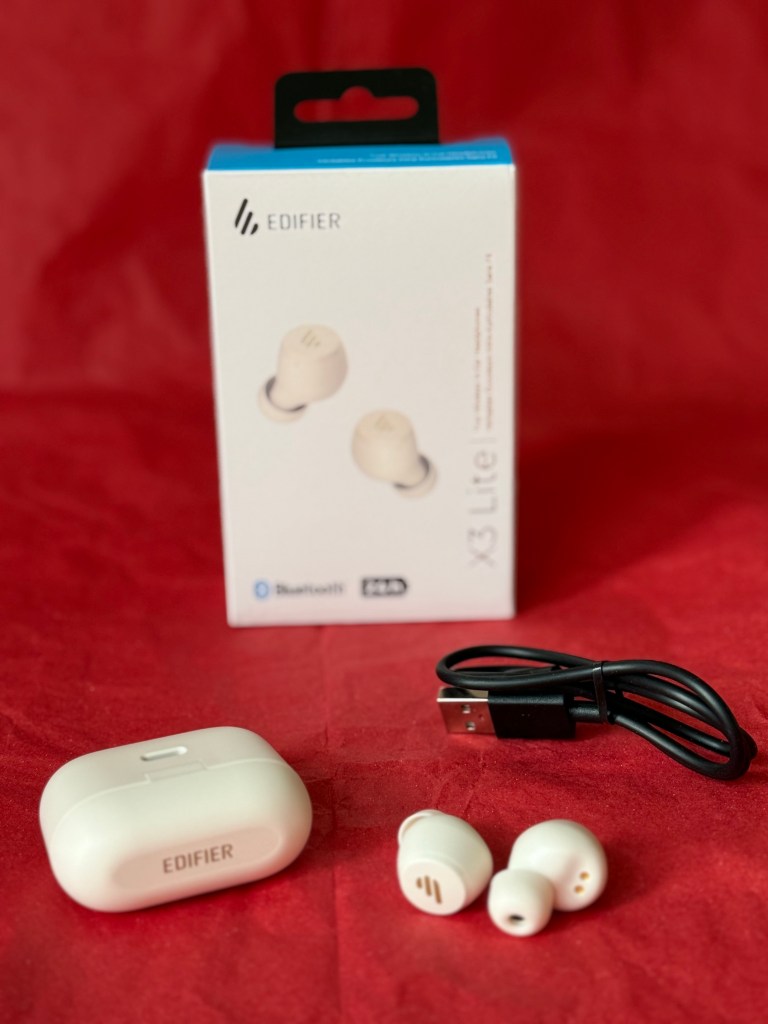
The Edifier X3 Lite (here in ivory colour) have 24 hour battery life when fully charged. They come with their own case which doubles as a charging unit and the Type-C charging cable in included so you can charge it from your laptop or any USB socket whilst you’re on the go. When the red light is blinking, it’s still charging – no red light means fully charged and ready to go! The earbuds connect to your phone with Bluetooth, which is done by tapping the touch panel on each earbud 5 times to be in pairing mode. Depending on your phone (or other Bluetooth device), follow the instructions to pair with the earbuds. 

The earbuds have touch control so you don’t need to fumble for your phone each time. Each ear bud (left and right) has similar controls such as tap three times on the left to skip back a track, or three times on the right to go forward. You can also use the touch controls to answer and hang up on calls, or hold down for 2 seconds to reject a call.

As well as being Bluetooth 5.3, they are noise cancelling but with human voice ambient sound. The box also contains spare silicone buds which I believe are a different size to the ones fitted – perfect for children to use. They’re not waterproof but they are water resistant which means they don’t get affected by sweat or light rain.  They feel really, really light in your ears and the case is light and easy to put in a pocket if you’re out and about.

Available from £29.99 at: https://www.amazon.co.uk/Edifier-Lite-Cancellation-Microphones-Customization/dp/B0CG8L288V/ref=sr_1_1_sspa?crid=20JGZ3QFG56PE&dib=eyJ2IjoiMSJ9.QR_2YJTQr4DXW2MZcbdIDOpCanFqVLxhSzBO6caxz83B8BOh7_HxQ6R-WWtuZTY7zRvMsYUnsSZhuBTO8u3a3pHoov-G-dskI7KyM_97GI04JgvJTugzyj85h3fDLsWBvJmXPhjyfK-Y-3v7aFn9TYulS37_jsi2oYzVYjJkYbEzkgwC6SrIKN9dSvL3fsCSGE0lT3Uor3OLSZ-cC5t64hmrYSmu_xOdVf7cdMCctmk.C9gjZqPDxe7FuMyQnJDcWOwwOGns-DHmhmKIfnEP2XY&dib_tag=se&keywords=edifier+x3+lite&nsdOptOutParam=true&qid=1729008161&sprefix=edifier+X3+Lite%2Caps%2C73&sr=8-1-spons&sp_csd=d2lkZ2V0TmFtZT1zcF9hdGY&psc=1

Marshall Emberton III Bluetooth Speaker

Disclaimer: We received this product as a review sample but all thoughts and opinions are our own

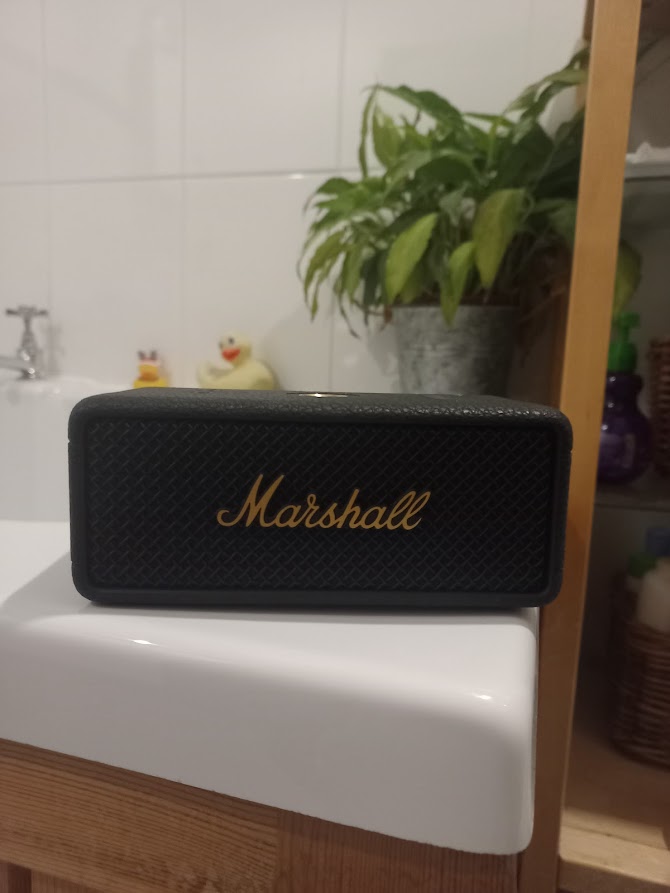
Let’s talk about the Marshall Emberton III Bluetooth speaker. If you’re familiar with the Marshall brand, you already know they embrace a rock ‘n’ roll aesthetic, and the Emberton III is no exception, resembling a mini guitar amp, earning full marks for style. The classic black and brass design is timeless, looking just as at home on your coffee table as it does out in the wild. That’s key because you’re buying this speaker as much for its visual appeal as its sound quality.

Speaking of sound, the Emberton III delivers an impressive performance for its size. It won’t shake the room, but for a compact speaker, it packs a punch. The bass is rich without being muddy, and the highs are clear and crisp. It avoids the common pitfall of small speakers where everything turns into a flat mess at high volumes. Does it rival professional studio monitors? No, but that’s not the point, you’re not mixing tracks in your bathroom, you just want great sound while you shower. Maybe the Emberton III is overqualified for such casual listening, but that’s part of the fun.

The battery life is a respectable 30 hours on a full charge, and it only takes 2 hours to recharge and the simple 10-bar LED gauge keeps you aware of the remaining battery.

The IP67 rating means it’s dustproof and water-resistant. While I wouldn’t suggest tossing it in a pool, it can handle sawdust in the garage or a splash from a drink on the patio without missing a beat.

Control-wise, the brass joystick on top lets you adjust volume and skip tracks with a tactile, old-school feel, like turning a radio dial, which is far more satisfying than a touchscreen. It features Bluetooth 5.1 with Bluetooth LE support, and in my tests, it maintained a stable connection throughout the house. The speaker also comes with a companion app, and whilst not essential, it does offer firmware updates, EQ settings, and battery management.

So final thoughts? The Marshall Emberton III is like that tool in your workshop you don’t necessarily need but really want. It’s not the cheapest option, but you’re paying for the cool factor as much as the audio quality. It’s got style, it’s tough and has enough sonic oomph sound to keep you energised while working on those endless DIY projects.

Is it overkill for casual listening? Probably. Would I still recommend it? Absolutely. Because sometimes, you just want to blast some tunes and feel like you’re backstage at Woodstock – even if in reality you’re just doing a spot of DIY in the garage!!

RRP £149.99

Swan Slow Cooker

Disclaimer – We received this item free for the purpose of this review/feature but all words and opinions are our own.

Take note, winter, we are ready for you!  As the evenings draw on it’s time for a different kind of dinner and those in the know use a slow cooker.  It’s not just that you can cook food for longer and get a better texture to meat and vegetables, but if you time the slow cooking properly, you can either come in from work or when you are out of the evening and the whole house smells amazing, plus dinner is ready! Swan have sent us a slow cooker from their Nordic Range to try out, and we couldn’t wait.

If you’ve never used a slow cooker before then it’s great for beginners.  There’s a ceramic bowl in the middle, a lid on top (to keep the heat and the steam in) and it’s all surrounded by the slow cooker itself which heats the whole ceramic pot to one of 3 temperatures; low, high or on auto. With the ceramic pot in place, add the food (more on that later) and anything else like vegetables, herbs, spices etc and the lid as well. If you don’t add the lid then the pot and therefore the food doesn’t heat up enough to cook.  You’ll notice that the lid isn’t the best fit. This is to allow tiny gaps for the steam to escape. Once the food is cooked, you can lift the ceramic bowl from the cooker or as I do, I just take the food out and let the rest of the cooker cool down before I wash it up. 

What are the temperature settings?

Low Setting – this is typically around 75C-80C and is great for vegetables or reheating. Food rarely burns at this temperature so if you’re not sure how long you’re going to be out for, this is your safest bet. If you do cook meat at this setting though, you’ll need to brown it off first.

High Setting – everything else is cooked at this temperature, which is around 85C-90C and therefore there can be times when there is a touch of boiling, and the steam will need to escape.  This temperature is great for baking and for meats.

Auto Setting – this is a great alternative to both previous setting as it starts cooking on the higher temperature, then switches to low for the remained of the cooking time. 

What about the timing though? Slow cookers don’t have timers on them, they’re designed to cook food slowly over 6-9 hours. The secret to cooking the food well is learning about the timings needed. Like with all new ovens, you have to learn how it works to be able to judge what time you need, but as a general rule, if something takes 15-30 minutes to cook then try it on 4-6 hours on low.  If the traditional cooking time is 60 minutes, then 6-8 hours on low or auto setting.  

When it comes to adding food, you can prepare it in the ceramic pot the night before, store in the fridge then transfer to the slow cooker the next day and start cooking. Alternatively, preparing dinner around lunchtime and throwing in all your favourite vegetables with whichever meat you choose, you can create a masterpiece with whatever you have in the fridge. You don’t need to stir the food and lifting the slow cooker lid means the whole cooker loses temperature and puts back the cooking time.  What you do need though, is some kind of liquid. It’s usually half of what you would use in a traditional recipe though, but it really helps the cooking if you have some kind of sauce, gravy or stock with the meat.  It’s at this point that you can add the spices and herbs that add all the flavour to the meat you’re cooking. 

Using the Swan Slow Cooker couldn’t be easier and it’s great for anyone who is new to cooking, students or if you’re busy with family life. It’s an alternative to the oven, air fryer or BBQ too, giving a different texture and a different flavour to anything you cook. There’s only 1 control on the front with the temperature settings and as long as you can plug it into electricity, there isn’t much else needed. When we were young, my Mum used to take a slow cooker on holiday with us in our caravan and it was fabulous coming in from a day out and being able to eat straight away.  Like with a BBQ, the same food cooks differently than in an oven so you get a completely different experience.

I’ve loved experimenting with the Swan Slow Cooker and trying out beef, stew, sausages and even baking.  There’s so much you can use it for, that’s half the fun!

Swan Nordic Slow Cooker currently on sale at £28.99 online: https://shop.swan-brand.co.uk/collections/slow-cookers/products/swan-35l-nordic-slow-cooker

Tile Bluetooth Trackers for Back to School

Disclaimer – We received this item free for the purpose of this review/feature but all words and opinions are our own.

As September approaches and many children will be starting a new school and indeed, many teenagers will be going off to university for the first time, there is a lot to remember. There is also responsibilities to take care of that weren’t there before. Tile have a range of fancy trackers that can help aid that responsibility and we were sent the Tile Pro and Tile Mate to try out – before school start again!

The Tile products work as trackers linked to an app on your phone (or website or device) whereby you can locate the Tile tracker and hence anything that it’s attached to. This could be a set of keys, car keys, purse or wallet, rucksack, sports equipment or even a car or wandering pet!  Once you have the app and sign up one Tile tracker then the possibilities become endless especially for someone who is always losing something…

The Tile Mate (£19.99) has a range of 250 ft (or 76 metres) which makes it ideal for finding anything in the house, but also for finding something left in the car whilst you’re still in the house, or if you’re at the office and wondering if your house keys are in the car outside.  The battery lasts up to 3 years although it isn’t replaceable but the use of the app is free. You can activate the ring on it from the app so that you can find it in a hurry and it’s water resistant too (which means it can be on the outside of a school bag and still endure the rain). This is great for kids going to school when they can’t find their PE kit or are always losing their house keys before they get home!

The next product up in the Tile range is the Tile Pro (£29.99). This tracker has a range of up to 400 ft or 120 metres, so much further and has more uses. All of the trackers can be used multiple ways thanks to the keyring design where they can be clipped to keys or kept in a pocket. The Tile Pro is especially good for car keys but as it has a larger range, I would use this at the airport to keep tabs on the luggage when it’s in the airport.  The Tile Pro is also great for keeping on toddlers and small children in busy places so that you can track them on your app if you need to. Think about a summer festival or busy park and 120 metres is a large area to be scouring to find a missing small person!  There’s a really loud ring on this Tile Pro too so you can hear it from much further away and it has a reciprocal button on it so if you, or your child press the button, it alerts the app on the phone it’s attached to. If you have a Year 6 child at primary school this year, the Tile Pro is often enough range to track your child to and from school if you live close enough, and ensures you know where they are at all times.

Tile Mate and Tile Pro available from the Tile online shop at: https://www.tile.com/en-gb

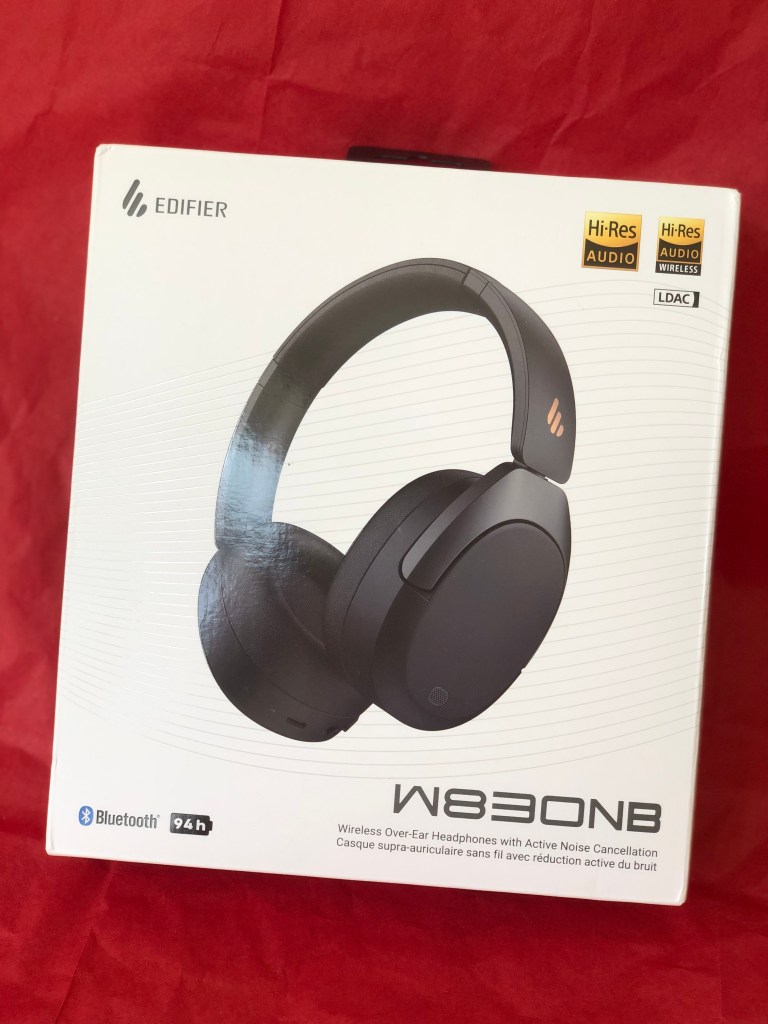
New Edifier W830NB headphones Over-ear Headphones

Disclaimer – We received this item free for the purpose of this review/feature but all words and opinions are our own.

Edifier are increasingly a big name in speaker and headphones and the new Edifier W830NB .are no exception. This over-ear, over-head headphones are an improvement to the already fantastic value for money Edifier models headphones out there.  We were sent a pair to try out this week, and of course report back to you!

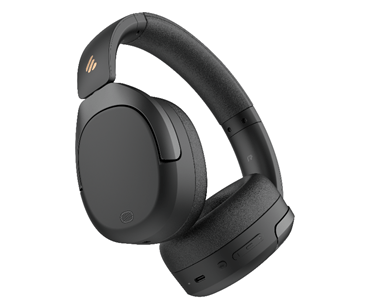
These Edifier W830NB come in three colours; gray, sandwhite and these black ones.  The headphones are noise-cancelling which means you can’t hear much outside of what you are listening to, but you can turn on ambient sound. There’s also a nifty ability to turn on High Noise Cancellation too using the buttons on the earpiece. This feature is great for children as the button is annotated with a voice so they know which setting they’re on without having to take the headphones off and look for a light. Makes life much easier if you’re snuggled up with the headphones set just right and you don’t want to move!

There are lots of technical terms with these Edifier W830NB headphones so I’ll try and keep them easy to understand.  The ear pieces are high quality speakers for better sound, there’s an 18% increase in the noise cancellation on these headphones compared to previous models and the focus of the sound is different to give a more all-round cinema like quality to the audio.  In addition, there’s also technology on the ambient sound which allows human voices to be heard where other outside noises are filtered out. The headphones are also easily foldable for travel or even carrying in a handbag or on the commute thanks to the swivel ear pieces.

It’s super easy to connect the headphones through Bluetooth. I connected to my laptop by just pressing the Bluetooth button on the headset until the blue light came on, then opening my laptop Bluetooth settings and the headphones were immediately found. This added the Edifier W830NB to my library of Bluetooth products so that whenever I turn the headphones on again, the laptop finds them and connects. Not all laptops or devices work the same way though, and if they can’t connect to your headphones, check that your device is Bluetooth V5.4 compatible, which is the latest technology and what these Edifier W830NB are built with.

The Edifier W830NB headphones use a USB-C port on the earpiece to charge.  There’s a staggering 94 hours play time on a full charge but we haven’t had a chance to test them for that long yet! 94 hours is the play time with ambient noise cancellation off; with ANC on it’s still a massive 54 hours. Charging time isn’t long either, with a part charge of 15 minutes giving you 10 hours listening time.  The USB-C cable acts as a wired cable so that if you do run out of charge, you can switch to wired if necessary.

The usual high-quality, easy functioning of Edifier makes these Edifier W830NB headphones suitable for the whole family without being over priced and over complicated. Excellent sound quality and lightweight enough to carry anywhere too! 

Usually £79.99 at: https://www.amazon.co.uk/Edifier-W830NB-Headphones-Cancelling-Multipoint-Black/dp/B0D2VH915C?th=1

Sonic Spa Pro from Sonic Dental

Disclaimer – We received this item free for the purpose of this review/feature but all words and opinions are our own.

Not many of us have dentures anymore but plenty of people, including myself have retainers after orthodontic work or mouth guards to prevent teeth grinding at night. Don’t forget the sports mouth guards too and each of them cost a bomb as they have to be specially made. All of these dental appliances need cleaning and despite best efforts, an electric toothbrush doesn’t always get them clean.

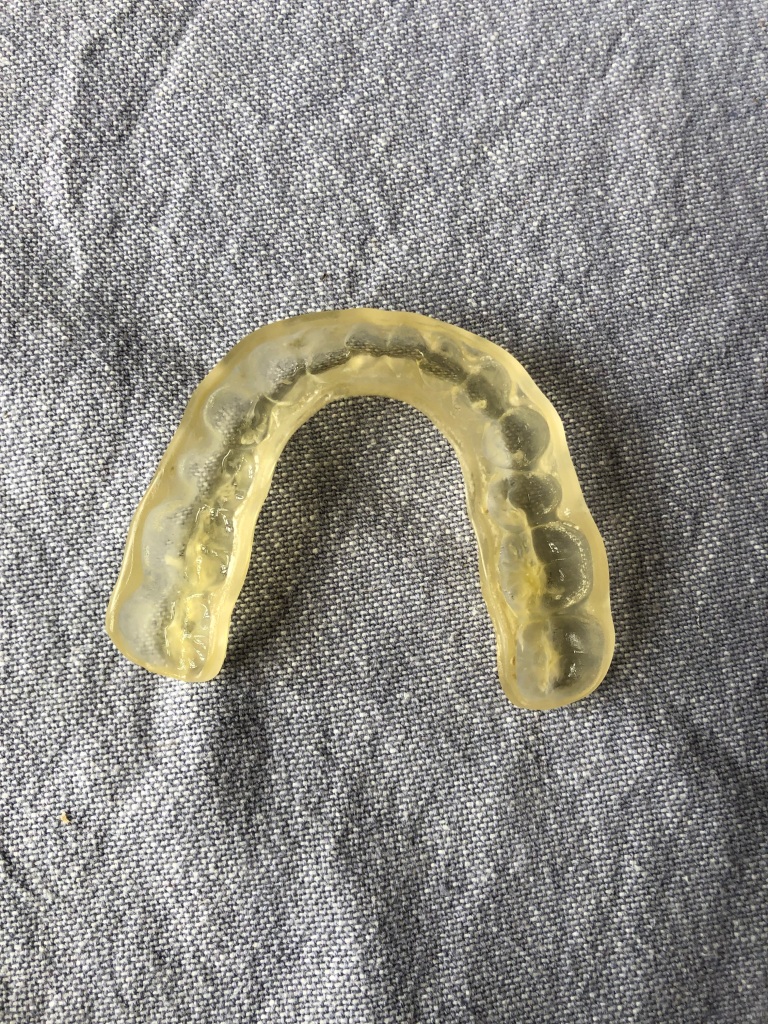
I wear a mouth guard at night to protect my teeth from grinding. The appliance, shown in these photos, is made of a type of tough plastic and has to be custom made. It costs over £140 so you want to make them last as long as possible. The Sonic Spa Pro is designed for dentures and dental appliances to be able to get them clean where brushing alone can’t. I was sent a Sonic Spa Pro to test and as my mouth guard hasn’t been sonically cleaned before, I was so keen to get the stubborn limescale marks off of it without using harmful products.

The Sonic Spa Pro is not a very big appliance and certainly not complicated to use. The white ‘dome’ actually looks a bit like a big tooth! The box comes with the power cord and some cleaning tablets which dissolve in the water. There’s nothing else needed.  Inside the sonic machine, there is a tank which you fill with water, drop in the cleaning tablet and then the dental appliance and then close the lid. The handy instructions on the top give you a quick reference of how to use it as you’re unlikely to keep instruction manuals for something you don’t usually use very often. The button on the top is held down for 2 seconds to give a 3 minute sonic clean, or hold it down a second time for a 5 minute clean. It’s that simple!

You can walk away from the Sonic Spa Pro and leave it working. There’s a tiny ringing sounds that emits from it, presumably the sonic waves doing their magic, then once it’s finished you can open and see what kind of clean you’ve attained!  The Sonic Spa Pro also cleans jewellery and some stationery items like brass nail nibs (great if you’re an artist or calligrapher) and small metal items. The Sonic Spa Pro uses UV as well as sonic to clean so there are actually lots of items which could be cleaned. The included tablets are for dental appliances only though, and they are designed to leave a minty taste to your appliances whilst also killing 99.9% of odours and bacteria.

Once the appliance has been cleaned, fish it out of the water and either dry it or let it dry. In my case, once I had dried the mouth guard I could see it needed another clean so this time I did a deep clean. We live in an extremely hard water area so the calcium build up is enormous and because the appliance is custom made, the nooks and crannies of teeth make it impossible to get clean with just an electric toothbrush.

When I removed it for the second time and dried off the mouth guard, I could see that a lot of the calcium deposits were less caked on.  There were still traces there, like little grains of sand in some of the deeper pockets but it was a lot less.  This was the first time I had properly sonic cleaned it though so I thought it might take a few tries. You can see in the before and after photos that there is an improvement though!

Next time I clean using the Sonic Spa Pro I’ll make sure to use warmer water and let the appliance soak a bit longer after the deep clean to allow for the cleaning tablet to work deeper.  I haven’t had a chance to try the Sonic Spa Pro on any other jewellery or household items, but now that I’ve seen an improvement, I’m seriously looking at what I have around the house that needs some sonic treatment…

Currently available for £69.95 at: https://uk.sonicdental.co/products/the-sonic-spa?shpxid=80ecc2ff-7d1e-4e8d-a4e5-4e69c2a06f3c

Edifier MS50A Speaker

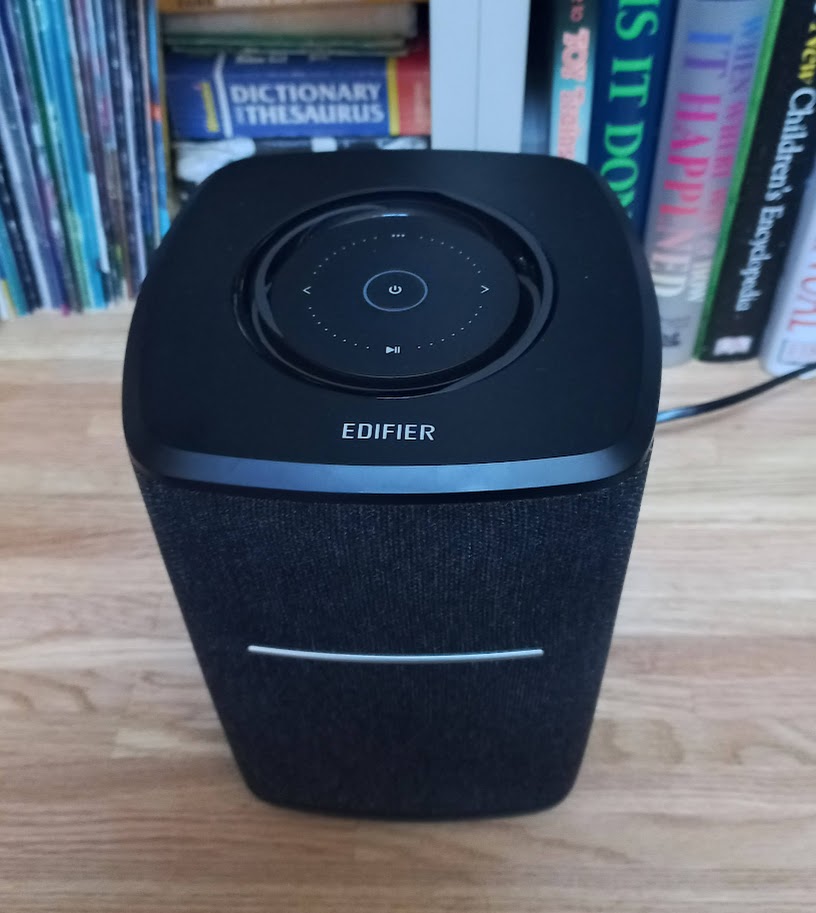
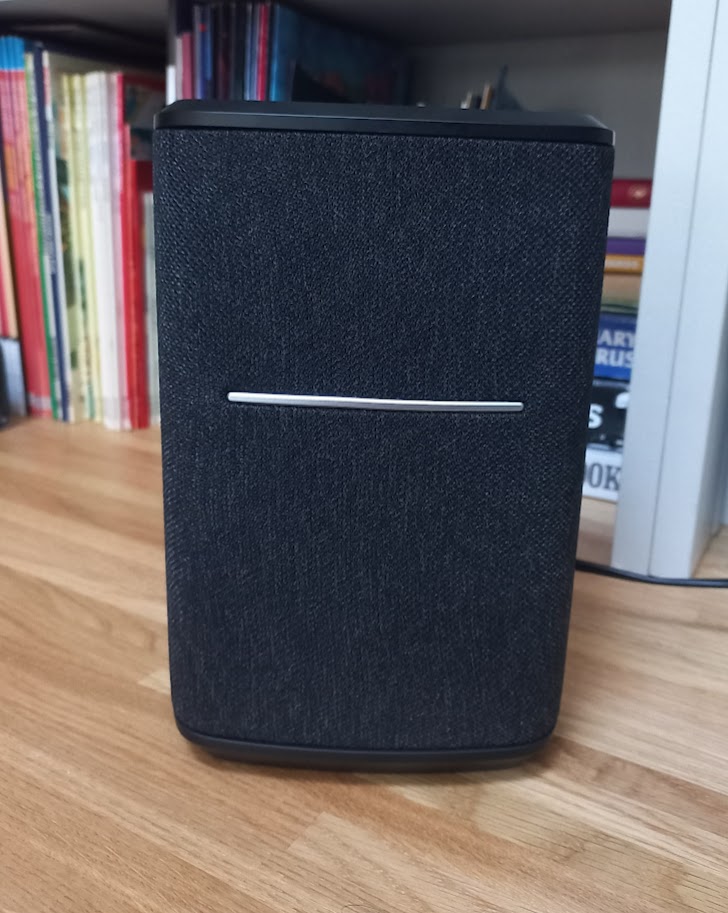
The MS50A is a high quality smart speaker from Edifier with both Bluetooth 5. and Wi-Fi connection. As soon as I took it out of the box, I was impressed with both the quality and design of the speaker. At over 2kg it feels solid, the wooden case gives it a luxurious feel and it will look at home in most living rooms. The speakers are covered with a black fabric with a metallic accent and all the controls are on the top of the unit.

Primarily this speaker is intended to be used with streaming connections, connected to Alexa and then Spotify, Tidal, Apple Airplay and other sources directly rather than through your phone. That said, the built-in Bluetooth allows direct connections if needed and switching source is as simple as a press of the touch controls. One thing that is not provided is a 3.5mm jack for a line in, not always necessary but an option that I like to see included.

As I’ve come to expect from Edifier, the speaker sounds really good. The 25W 4” main driver handles the bass and mid tones with a 15W tweeter handling the higher frequencies. Music is full bodied and sounds rich with no distortion even with the volume cranked up.

Of course with a single speaker you’re not going to get stereo sound but using the app multiple devices can be setup into a left and right speaker pair. Alternatively, if you have more devices then groups can be created giving a multi-room sound system.

The speaker features Smart Touch Control and to control the volume you simply move your fingertips clockwise/ anti clockwise on top of the circle on the top of the speaker, switch songs by touching the previous/next icons, pause/play music by the lower icon, mute/turn off the speaker by a short/long-press on the middle button. The white and blue LED indicators on the top of the speaker indicate the signal connection of Wi-Fi streaming and Bluetooth 5.0 systems

Overall, I am really impressed with the Edifier MS50A, it is a great speaker in both sound and looks and at £110.49 it’s not going to break the bank. 

Available from Amazon here

Read some of our other Edifier speaker reviews

Edifier MP230 Portable Bluetooth Speaker

Edifier MP100 Plus Bluetooth Speaker

Tozo – OpenReal Headphones

Disclaimer: We received this product free of charge for the purpose of this review and all thoughts and opinions are our own.

When I’m out and about, commuting or working in the garden I really enjoy listening to music and audiobooks. I own a few different types or headphones and it depends on what activity I am doing as to which pair I decide to wear. When I’m walking or commuting on my bike, I use a pair of bone conducting headphones as they allow me to stay aware of my surroundings but the one downside is that the audio quality isn’t as good, so I tend to listen to spoken word rather than music when I am wearing them.

The Open Ear Design of the Tozo OpenReal headphones get round this problem by using a pair of high quality speakers positioned over your ear. The design allows me to hear what is going on around me without compromising on sound quality.

Talking of sound, it is generated from a pair of 16.2mm drivers and they give a great sound quality, reproducing a full range of frequencies with no distortion. The accompanying app allows access to a graphic equaliser to further tune the sound to your preference. With the speakers sitting over the ear there is very little contact with your skin and so none of the sweaty feeling that can come when wearing other headphones for longer periods.

I found the headphones easy to setup and operate and controlling the headphones is simple, there are two physical buttons on the right side and a single touchpad for quick music control or answering a phone call. Connection uses Bluetooth 5.3 for reduced power consumption and better sound quality. There is a brief user guide included in the box but I managed to get them up and running without reading it!

The battery life is good, the manufacturer claims 16 hours of listening from a 1.5 hour charge with a couple of hours from a quick 10 minute top-up, I haven’t timed this but they will certainly last me for a few days before they need charging.

I’m really impressed with these headphones, they are perfect for commuting and with Father’s Day coming up they would also make a great gift for active Dad’s.

RRP £59.99 available from Amazon

Omnilux Mini Skin Corrector

Disclaimer – We received this item free for the purpose of this review/feature but all words and opinions are our own.

What I’m about to show you is a new gadget that is revolutionary in skincare.  You might have heard of infrared LED light being used to correct flaws on facial skin, but the Omnilux Mini Skin Corrector takes it to a new level with the ease and versatility of this new product.

At first, I wondered where the actual Skin Corrector was. In this tiny box, a round, malleable disk with a tiny 2-pin charge point was in a box all on its own, with a USB 2-pin charger and a box of hydrocolloid Skin Corrector patches. I struggled to see where the actual appliance was but if you watch the video online (link below), you not only see how the device works but what it can do.

The Omnilux Mini Skin Corrector is a portable, very lightweight device which emits near infrared LED light onto your skin.  It doesn’t need a lead, it charges from a USB port using the lead provided then once the charge light goes green, it’s ready to use. By placing one of the Skin Corrector patches over the 6 LED lights on the back, it attaches to your skin to emit healing light to work on the layers of your skin.  You don’t plug it in, you don’t need to sit still with it. The light does its thing and all you have to do is sit with it on!

You only need between 3 and 5 treatments a week, with each treatment lasting 10 minutes. The lights work on the layers of your skin to boost collagen and reduce fine lines, inflammation, redness and pigmentation. The red wavelength (633nm) reduces inflammation, pigmentation, and redness and helps prompt cellular repair and circulation for a more vibrant complexion. The near-infrared wavelength works on the deeper layers of your skin to help produce new collagen and elastin products to help lump and firm the skin.

It’s completely painless and has no side-effects and gets to work straight away. I sat with it on in a targeted area under my eyes whilst I was typing or watching TV. It’s very slightly warm from the LED lights but that’s it, you don’t even notice it. The Omnilux Hydrocolloid Patches keep the device adhered to the skin so that you can move around easily (no one wants to sit there holding it!) but they also feed the skin with the infused Vitamin C and azelaic acid. Once the 10 minute session is up, it turns itself off so you don’t even have to worry about how long you’re using it for.

The Omnilux Mini Skin Corrector is 100% natural, using the power of light waves to generate collagen in the skin. Safe to use, it’s been cleared for use by the FDA (in the USA) and is brilliantly portable and able to be used by all skin types.  I particularly like how small and lightweight it is so that it can even go on holiday with you or you can wear it without having to worry about the weight on your skin, which no doubt would damage the elasticity over time.

How did it work? Well, I’ve been trying it for a few weeks now and I can see plumper skin! There’s a luminosity to my skin that I wasn’t expecting and I really enjoyed being able to sit and have this painless, intervention free method to help me feel like I’m doing something productive with my skin care. Once I took the device off, there was a little redness from the adhesive, but I’m aware that it was also penetrating products into my skin. The area felt slightly warm, like I had been sleeping on that side of my face and turned over but underneath you could see the skin was plumper.  Using it several times a week, you can see a slight difference after just 4 or 5 sessions and you feel a difference when you touch your face. It can be used under eyes, for pigmentation and for fine lines, so I have been moving it around and getting my mini-facials in whenever I’m sitting indoors. It’s genius!

More Hydrocolloid Patches can be bought on the Omnilux website as they’re one time use only, but the Omnilux Mini Skin Corrector works a treat, and feels like a real treat on the skin too. I can’t wait until the winter months when I can brighten my skin even without a holiday!

Available from £96.80: https://omniluxled.com/products/skin-corrector