Hoover Robot Vacuum Cleaner HG4

Disclaimer: we received this product free of charge for the purpose of this review and all thoughts and opinions are our own.

Sometimes you don’t realise how much you need something until you have it. For me, vacuuming was a daily chore, thanks to my two sons who constantly trail dirt into the house and whilst I knew robot vacuums existed, I just didn’t think that they would be up to the challenge, but I’m very pleased to say I have been proved wrong!

As a fan of smart home technology I already had a few smart appliances around the home, so setting up the Hoover HG4 robot was pretty simple. The instructions were easy to follow and within minutes it was connected to our WiFi and the app was up and running. Before we could start though we needed to make sure that the floors were clear so a bit of a tidy up was necessary to get the loose cables and abandoned shoes out of the way and once done the robot was ready to tackle the floors. On it’s first trip it carefully mapped out the layout of our home, tracking the walls and identifying where the furniture is. The app shows the robot’s progress and I was fascinated to see how the laser was able to “see” the walls and features of our home, even down to individual chair and table legs.

The following day I scheduled the hoover to clean the entire downstairs floor whilst I was at work. I couldn’t resist checking it’s progress on the app but I was astonished when I came home and saw just how noticeably clean the floors were! Every room had been thoroughly vacuumed and the robot had returned to the charging point ready for the next cleaning session.

Once the mapping is complete the app allows you to name individual rooms and to create cleaning schedules. Now the robot cleans the hallway and porch every morning while the rest of the house is tackled througout the week. Although most rooms are carpeted, a few rooms have hard floors and different options can be chosen for these rooms, for example I’ve chosen a lower power vacuum for the tiled kitchen floor.

While we’ve made an effort to keep floors clear, there were some early hiccups, shoelaces in the hall caused a tangle and the robot has been stuck under a table. Fortunately, these issues were easily resolved by using the app’s virtual wall and no-go zone features to restrict access to trouble spots.

The robot’s cleaning performance has genuinely impressed me. Even the edges of the carpet are cleaned thanks to the side brush that sweeps dust toward the centre. It’s easy to maintain with a spare brush, extra filter, and a handy cleaning tool included to keep everything running smoothly. Emptying the dustbin is quick and easy too, there’s a small bin at the back of the robot that lifts out and can easily be carried to the bin.

After seeing how clean my house is I can confidently say I won’t be going back to a manual vacuum cleaner ever again – the Hoover HG4 robot has certainly earned it’s place in our home!

RRP £249
Tower VL60 NimbleVac Cordless Vacuum

Disclaimer – We received this item free for the purpose of this review/feature but all words and opinions are our own.

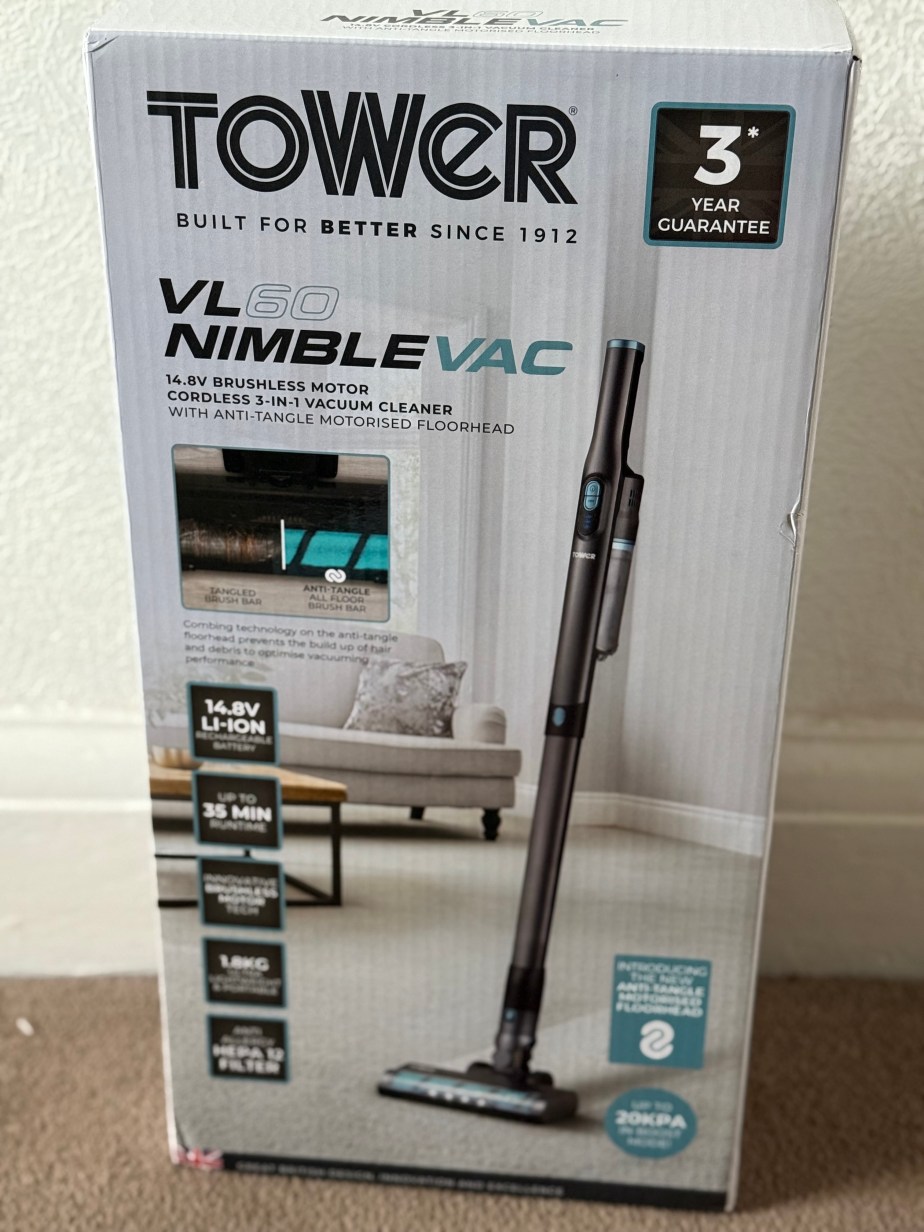
This vacuum cleaner is seriously impressive!  We were sent the Tower VL60 Cordless Vacuum to try out as part of their Black Friday sale and I wasn’t expecting much for a cheaper vacuum cleaner but I was pleasantly surprised by the power, ease of use and efficiency of it. Even better, it’s part of the Tower Black Friday sale so it’s cheaper than normal too!

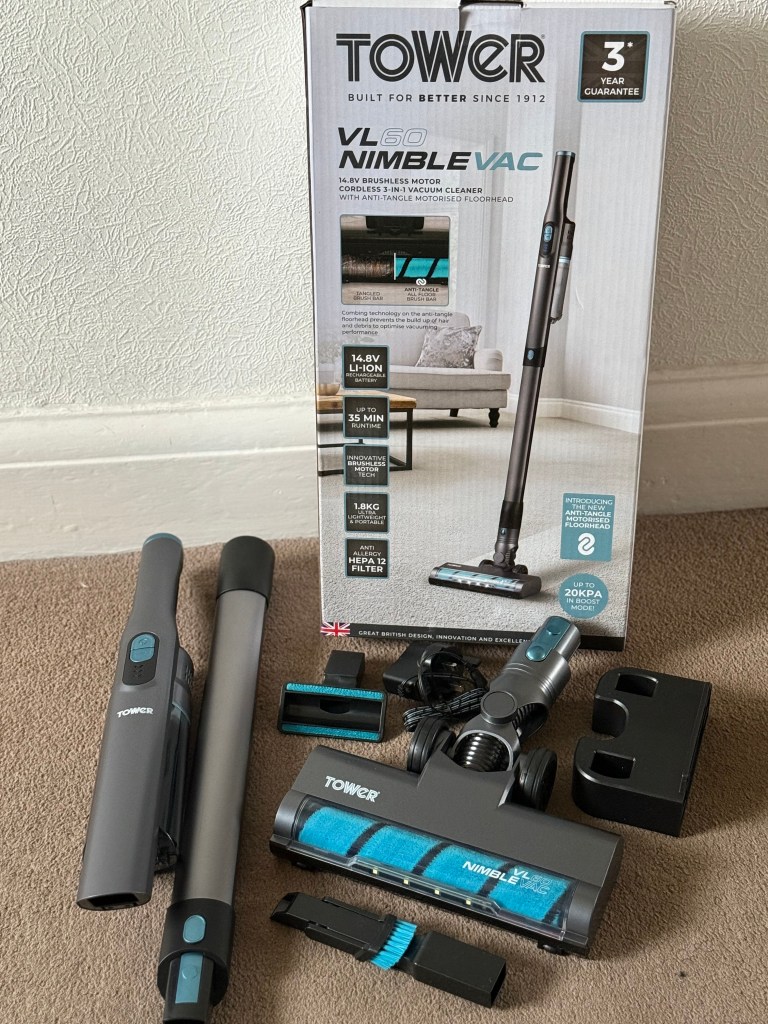
The Tower VL60 NimbleVac Cordless Vacuum is delivered in pieces but doesn’t need much explanation to put it together.  The accessories include the charging plug, which is small enough to sit in a drawer between charges, and there’s a bracket for the wall if you need it mounted. The other accessories include a nozzle, sofa brush and velvet brush roller as well as the everyday single brush roller.  They’re pretty much the same accessories as you would find with a mains powered vacuum cleaner so there’s no need to have both with this cleaner.

Putting together the vacuum cleaner is just clicking it together and you’re ready to go. There are two speeds to the motor for cleaning; regular and max, both of which are on the handle.  I used the regular speed for just testing out the vacuum, and I was surprised at how well it picked up on my hallway carpet.  I was also impressed with how unbelievably quiet it is! You can easily talk over the noise of the motor and it’s less likely to frighten pets. I would go as far as saying that it wouldn’t disturb a sleeping child either, which can only be a bonus! There’s a really handy light on the front to show where you’re heading and the whole brush head swivels really easily and is light to use. In fact, I can pick up the whole cordless vacuum easily with just one hand.

The VL60 is lighter than my other make of cordless vacuum and I can store it easier because it comes apart with just a click, and is smaller too.  There’s a light on the handle to show how much charge you have and it lights up as you charge it too. I haven’t been able to use it long enough to see how quickly the charge runs out, but the literature says the regular speed cleaning lasts 35 minutes and the max speed is 15 minutes.  Speaking of the max speed, I tried it out but I didn’t have a need to use it because the regular speed kept up with the cleaning I needed to do.

There is no bag on this vacuum cleaner, just a dust tank which holds 300ml. I vacuumed my whole house, including the hard floors and it wasn’t full, so I assume there is more than enough room for most households to clean comfortably. The HEPA filter removes 99.95% of fine particles down to 0.3 microns, and whilst using it, I realised the dust doesn’t come back into the room but stays there in the tank until you remove it. This is great for allergies especially in the spring and summer when pollen can easily get into the house and needs removing from the air and soft furnishings.

I’m really impressed with this vacuum especially given the price and the physical size of it. It works great around the house but I also think it would work well in a caravan due to it’s size and weight and the accessories that mean it can be hand held. Fabulous for long car journeys too when you have to clean up after the children!

Available on special offer for Black Friday at £74.99 (usual price £99.99):

Edifier W260NC Active Noise Cancellation Earbuds

Disclaimer – We received this item free for the purpose of this review/feature but all words and opinions are our own.

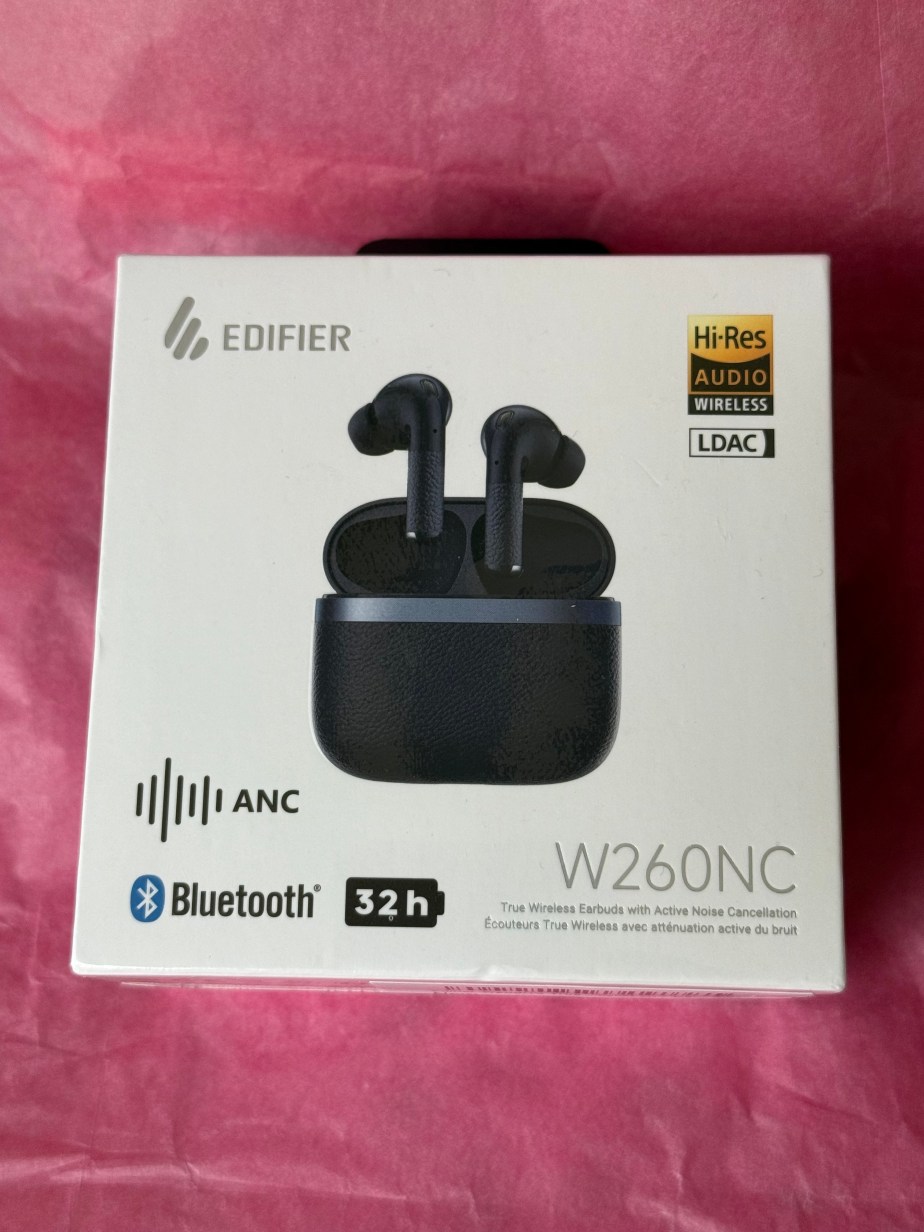
Everyone needs headphones nowadays and especially headphones which you can travel with, whether it’s for gaming, watching TV on the go or even sports. Edifier have these wireless W260NC headphones which are both noise cancelling and Bluetooth v5.3 and fit into this neat little box which is also used for charging.

The sound quality is excellent and with a latency of 0.08 seconds you can use them to watch TV or a movie, and equally brilliant for gaming.  Gaming with wireless headphones is much easier and I find social media when you’re on public transport is so much easier with wireless earbuds, especially when they’re this small and fit into their box and then your pocket so easily.

Technically, these headphones are advanced. There’s 6 microphones on them for taking phone calls or recording video and there’s -45dB noise cancelling.  They really do shut out a lot of noise and when you’re on noisy transport or someone else in the room is watching TV or gaming, you can’t hear a thing! There are up to 8 hours of playback per charge and I really like the wearing detection so that if you fall asleep, need to run or walk fast or are knocked on public transport, the headphones stop playing until you put the earbuds in again. The 6mm and 10mm duel drives give a richer sound too.

Make sure you have the up to date software or phone for the Bluetooth v5.3 otherwise the earbuds won’t connect, and the Edifier Connex app has more controls to let you play with the sound quality. 

The all-round Edifier W260NC Earbuds make a great gift this Christmas for anyone who enjoys their music, gaming or just getting some quiet time.

Available from £62.66 at: https://www.amazon.co.uk/Edifier-W260NC-Cancellation-Microphones-Dual-Dynamic-Dark-Blue/dp/B0CTJL37R9?th=1

Marshall Minor IV Earbuds

Disclaimer: We received this product free of charge for the purpose of this review and all thoughts and opinions are our own.

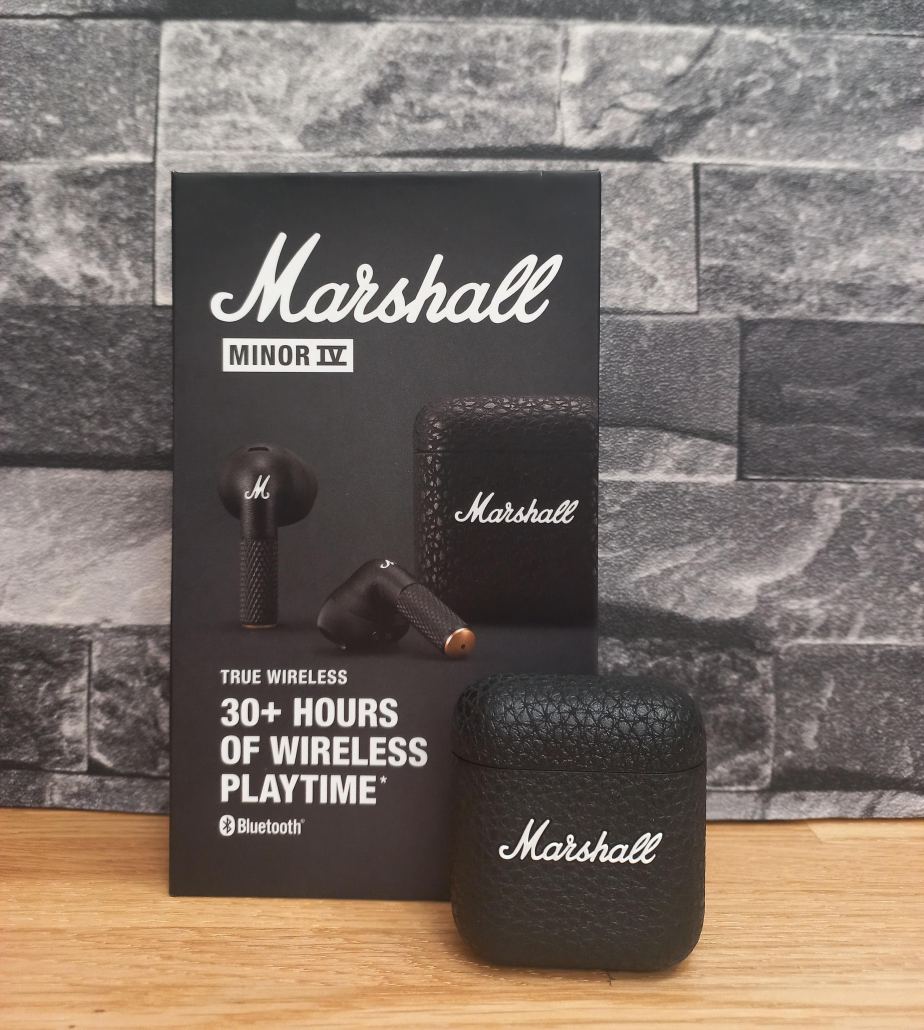
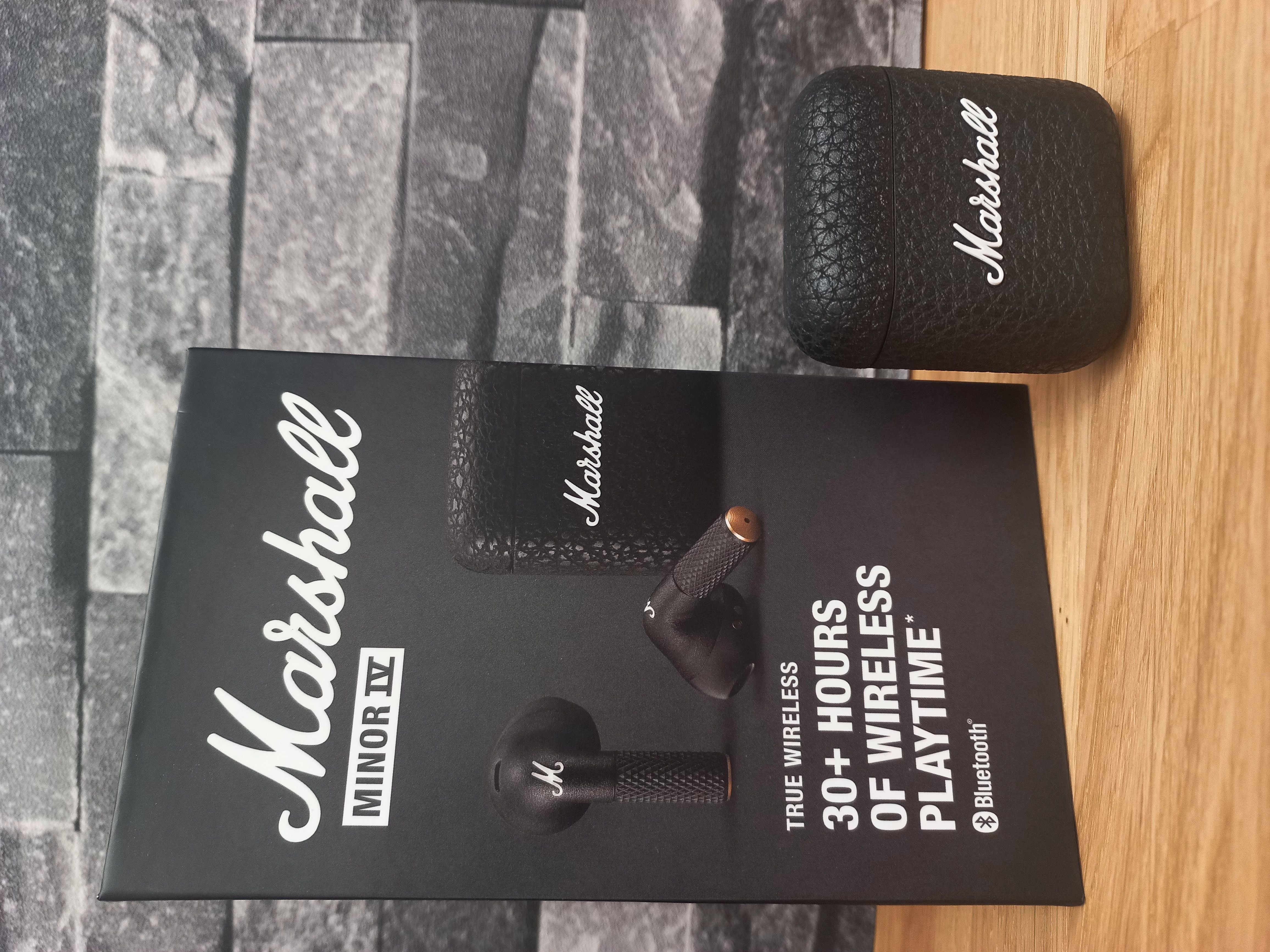
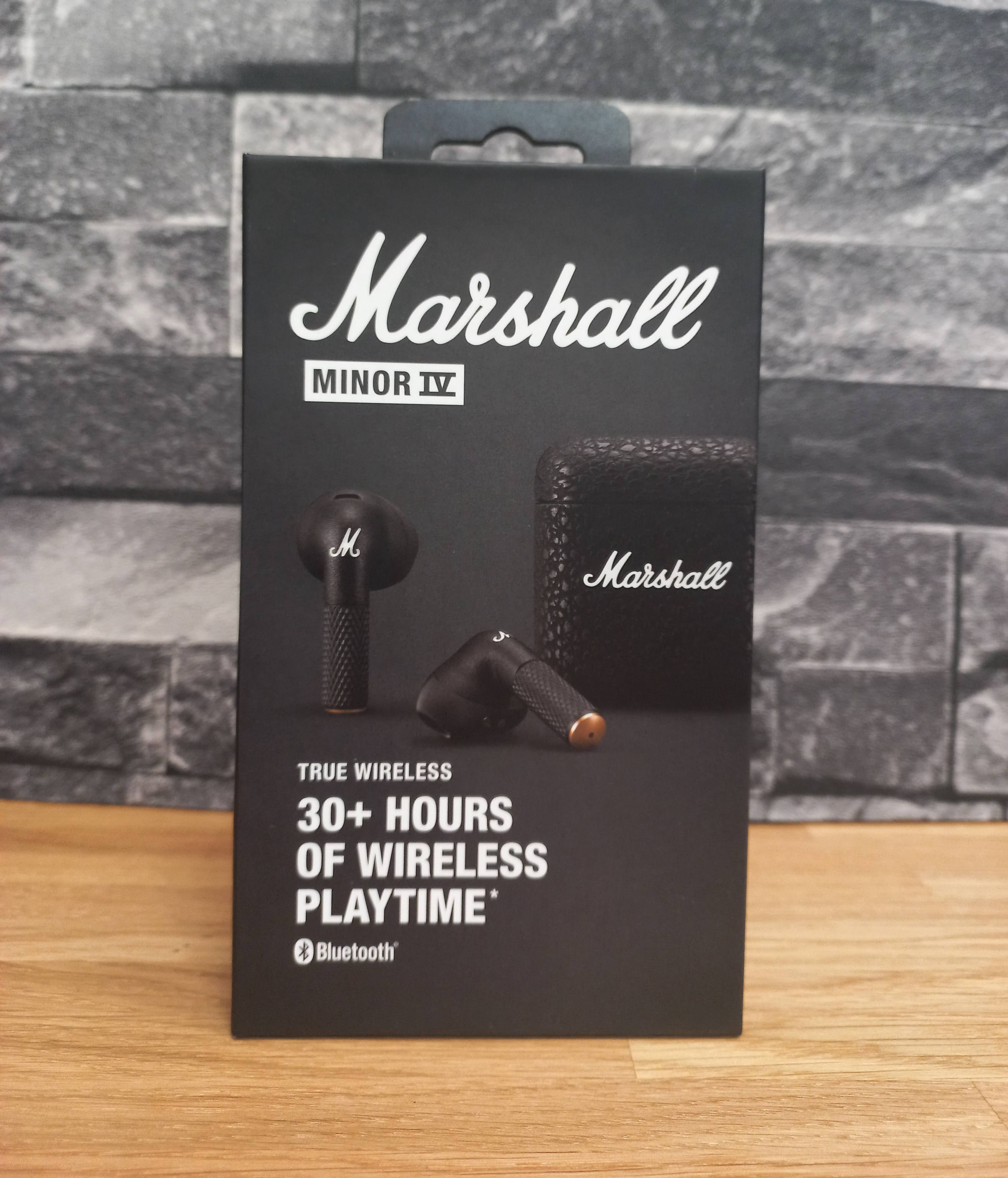
If you’re starting to think of Christmas gifts then you can’t go wrong with a pair of earbuds, especially a cool pair like the Marshall Minor IV earbuds. First off, let’s talk about looks, because when you’re dealing with Marshall gear, you know they’re going for that whole rockstar on tour vibe—even if your tour is mostly the supermarket and the occasional jog. These little guys are oozing with Marshall aesthetic, and you’ve got that iconic logo on the charging case. Classic black with brass accents? Check. Textured case that makes you feel like you’re holding a mini guitar amp in your pocket? Double check. It’s like they took the essence of a stage amp and shrunk it down into something you can pop in your ears.

Now, here’s the thing about design: they’re open-fit. Which is just fancy talk for “they don’t have rubber tips jamming into your ears like you’re getting an ear exam.” Depending on who you are, that’s either a win or a dealbreaker. Me? I wasn’t sure but after wearing these for a week or so have found them comfortable and secure. It’s like getting that smooth, carefree sound without the deep-pressure sensation of in-ears. One thing to bear in mind, the open fit lets a lot of the outside world in and there is no background noise reduction.

For tiny earbuds, the Minor IVs hold their own. Marshall’s really got the mids and highs dialled in – vocals come through super clear, and the treble’s crisp enough that you’ll notice those delicate high-hats or twangy guitar riffs. The bass isn’t exactly bone-rattling, though. I’d say it’s more tastefully understated. Not the kind of bass that you’ll feel in your teeth, but it’s balanced, not too muddy. If you’re a basshead, you might be left wanting a bit more thump, but for everything else – rock, jazz, podcasts it’s solid.

Marshall claims 7 hours of playtime, and an extra 24 hours from the charging case. In my field test – by which I mean doing normal human things and listening to music while pretending to be productive – the battery held up pretty close to that. And let’s face it, if you’re listening to music for 7 straight hours and not stopping, either you’re on an epic road trip or your hobbies are way more intense than mine.

Touch controls are simple to use and can be changed using the Marshall App which also gives you access to firmware updates, battery management settings and equaliser options. Connectivity is good, they’re Bluetooth LE ready and I had no problems connection them to my phone.

The Minor IV has wireless charging, which is great but if, like me, you’re yet to embrace the latest technology you can fall back onto USB-C (cable included) when you need to juice it up old school.

So, what’s the verdict? The Marshall Minor IV aren’t your “I need absolute isolation and my skull to rumble” earbuds. They’re more your “I want to look cool while listening to Led Zeppelin and still hear the barista call my name” earbuds. They’ve got style, decent sound, and comfort—if you like the open-fit feel—and that classic Marshall attitude that says, “Yeah, I rock. But, you know, casually.”

Would I recommend them? If you’re a Marshall fan and like your earbuds with a side of swagger, absolutely. They won’t replace your high-end over-ear headphones or some fancy active noise-cancelling buds, but for daily casual listening with a splash of rockstar flair? Yeah, they’ll do just fine.

RRP £119.99

Edifier X3 Lite Wireless Bluetooth Ear Buds

Disclaimer – We received this item free for the purpose of this review/feature but all words and opinions are our own.

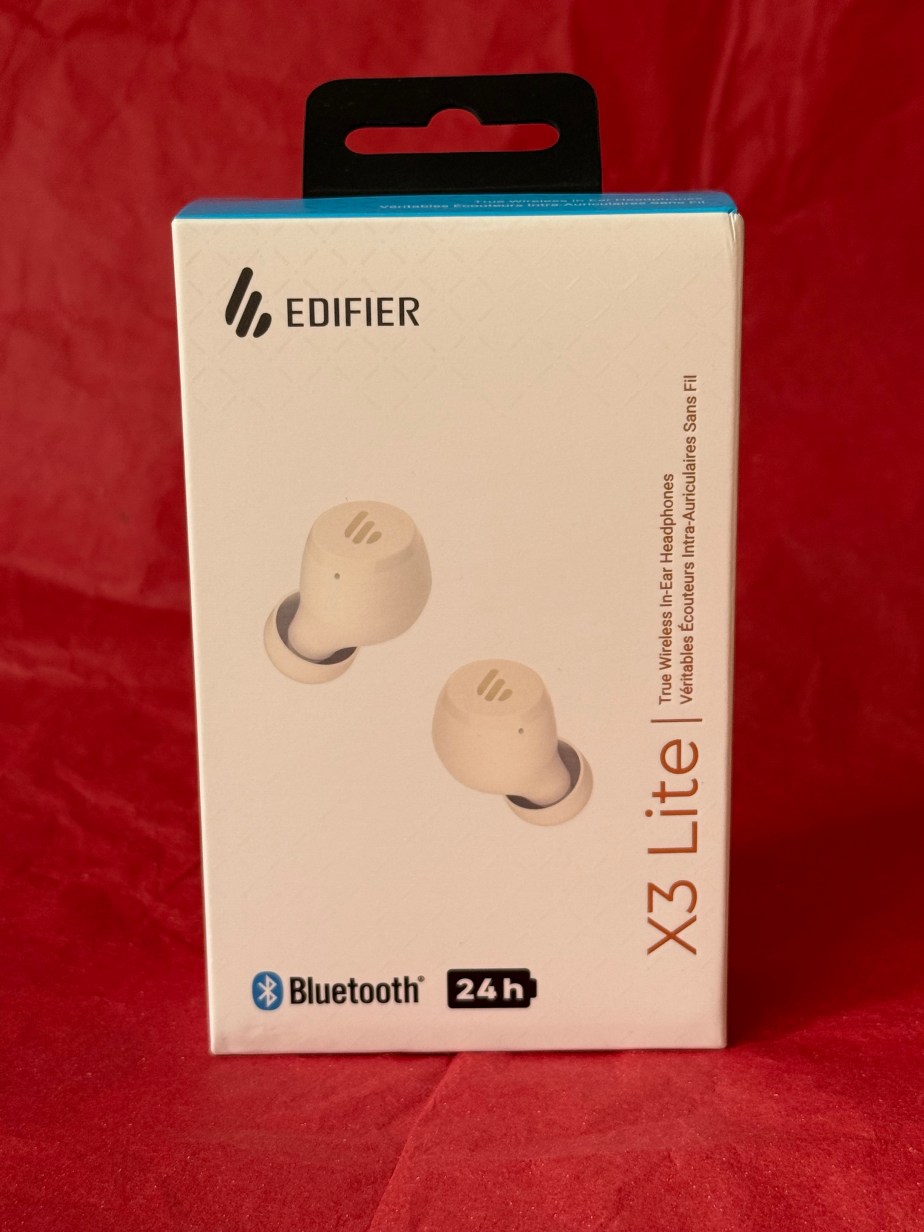
Christmas present alert!  Edifier have these brilliant Wireless Bluetooth Ear Buds for just £29.99 and they’re perfect for the gym, commuting or even as stocking fillers for children. We’re always losing headphones so who can turn their nose up at another pair?

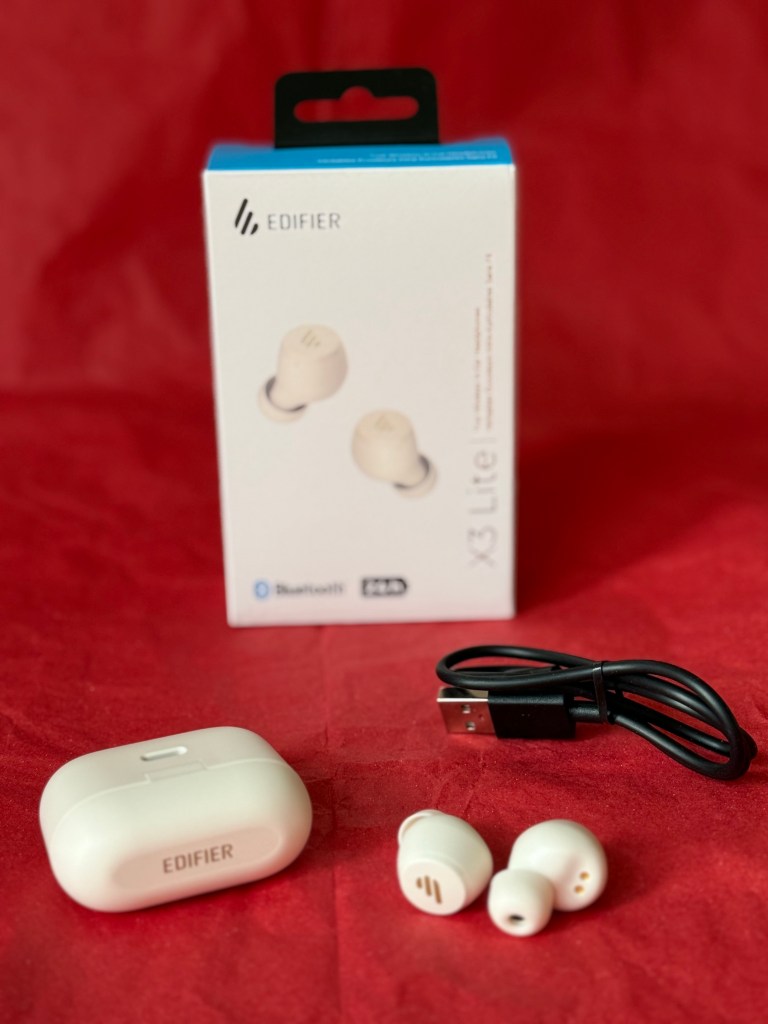
The Edifier X3 Lite (here in ivory colour) have 24 hour battery life when fully charged. They come with their own case which doubles as a charging unit and the Type-C charging cable in included so you can charge it from your laptop or any USB socket whilst you’re on the go. When the red light is blinking, it’s still charging – no red light means fully charged and ready to go! The earbuds connect to your phone with Bluetooth, which is done by tapping the touch panel on each earbud 5 times to be in pairing mode. Depending on your phone (or other Bluetooth device), follow the instructions to pair with the earbuds. 

The earbuds have touch control so you don’t need to fumble for your phone each time. Each ear bud (left and right) has similar controls such as tap three times on the left to skip back a track, or three times on the right to go forward. You can also use the touch controls to answer and hang up on calls, or hold down for 2 seconds to reject a call.

As well as being Bluetooth 5.3, they are noise cancelling but with human voice ambient sound. The box also contains spare silicone buds which I believe are a different size to the ones fitted – perfect for children to use. They’re not waterproof but they are water resistant which means they don’t get affected by sweat or light rain.  They feel really, really light in your ears and the case is light and easy to put in a pocket if you’re out and about.

Available from £29.99 at: https://www.amazon.co.uk/Edifier-Lite-Cancellation-Microphones-Customization/dp/B0CG8L288V/ref=sr_1_1_sspa?crid=20JGZ3QFG56PE&dib=eyJ2IjoiMSJ9.QR_2YJTQr4DXW2MZcbdIDOpCanFqVLxhSzBO6caxz83B8BOh7_HxQ6R-WWtuZTY7zRvMsYUnsSZhuBTO8u3a3pHoov-G-dskI7KyM_97GI04JgvJTugzyj85h3fDLsWBvJmXPhjyfK-Y-3v7aFn9TYulS37_jsi2oYzVYjJkYbEzkgwC6SrIKN9dSvL3fsCSGE0lT3Uor3OLSZ-cC5t64hmrYSmu_xOdVf7cdMCctmk.C9gjZqPDxe7FuMyQnJDcWOwwOGns-DHmhmKIfnEP2XY&dib_tag=se&keywords=edifier+x3+lite&nsdOptOutParam=true&qid=1729008161&sprefix=edifier+X3+Lite%2Caps%2C73&sr=8-1-spons&sp_csd=d2lkZ2V0TmFtZT1zcF9hdGY&psc=1

Marshall Emberton III Bluetooth Speaker

Disclaimer: We received this product as a review sample but all thoughts and opinions are our own

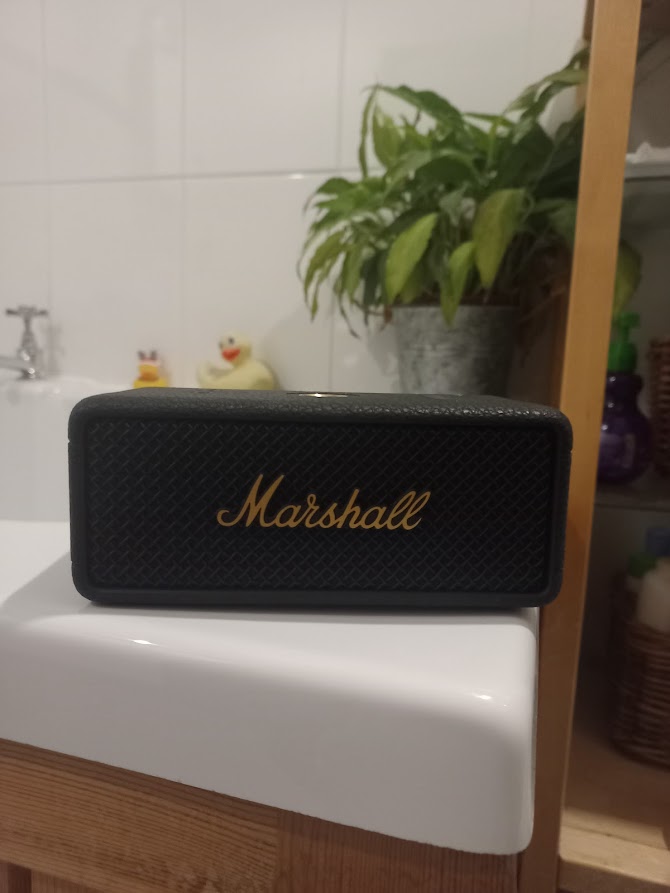
Let’s talk about the Marshall Emberton III Bluetooth speaker. If you’re familiar with the Marshall brand, you already know they embrace a rock ‘n’ roll aesthetic, and the Emberton III is no exception, resembling a mini guitar amp, earning full marks for style. The classic black and brass design is timeless, looking just as at home on your coffee table as it does out in the wild. That’s key because you’re buying this speaker as much for its visual appeal as its sound quality.

Speaking of sound, the Emberton III delivers an impressive performance for its size. It won’t shake the room, but for a compact speaker, it packs a punch. The bass is rich without being muddy, and the highs are clear and crisp. It avoids the common pitfall of small speakers where everything turns into a flat mess at high volumes. Does it rival professional studio monitors? No, but that’s not the point, you’re not mixing tracks in your bathroom, you just want great sound while you shower. Maybe the Emberton III is overqualified for such casual listening, but that’s part of the fun.

The battery life is a respectable 30 hours on a full charge, and it only takes 2 hours to recharge and the simple 10-bar LED gauge keeps you aware of the remaining battery.

The IP67 rating means it’s dustproof and water-resistant. While I wouldn’t suggest tossing it in a pool, it can handle sawdust in the garage or a splash from a drink on the patio without missing a beat.

Control-wise, the brass joystick on top lets you adjust volume and skip tracks with a tactile, old-school feel, like turning a radio dial, which is far more satisfying than a touchscreen. It features Bluetooth 5.1 with Bluetooth LE support, and in my tests, it maintained a stable connection throughout the house. The speaker also comes with a companion app, and whilst not essential, it does offer firmware updates, EQ settings, and battery management.

So final thoughts? The Marshall Emberton III is like that tool in your workshop you don’t necessarily need but really want. It’s not the cheapest option, but you’re paying for the cool factor as much as the audio quality. It’s got style, it’s tough and has enough sonic oomph sound to keep you energised while working on those endless DIY projects.

Is it overkill for casual listening? Probably. Would I still recommend it? Absolutely. Because sometimes, you just want to blast some tunes and feel like you’re backstage at Woodstock – even if in reality you’re just doing a spot of DIY in the garage!!

RRP £149.99

Swan Slow Cooker

Disclaimer – We received this item free for the purpose of this review/feature but all words and opinions are our own.

Take note, winter, we are ready for you!  As the evenings draw on it’s time for a different kind of dinner and those in the know use a slow cooker.  It’s not just that you can cook food for longer and get a better texture to meat and vegetables, but if you time the slow cooking properly, you can either come in from work or when you are out of the evening and the whole house smells amazing, plus dinner is ready! Swan have sent us a slow cooker from their Nordic Range to try out, and we couldn’t wait.

If you’ve never used a slow cooker before then it’s great for beginners.  There’s a ceramic bowl in the middle, a lid on top (to keep the heat and the steam in) and it’s all surrounded by the slow cooker itself which heats the whole ceramic pot to one of 3 temperatures; low, high or on auto. With the ceramic pot in place, add the food (more on that later) and anything else like vegetables, herbs, spices etc and the lid as well. If you don’t add the lid then the pot and therefore the food doesn’t heat up enough to cook.  You’ll notice that the lid isn’t the best fit. This is to allow tiny gaps for the steam to escape. Once the food is cooked, you can lift the ceramic bowl from the cooker or as I do, I just take the food out and let the rest of the cooker cool down before I wash it up. 

What are the temperature settings?

Low Setting – this is typically around 75C-80C and is great for vegetables or reheating. Food rarely burns at this temperature so if you’re not sure how long you’re going to be out for, this is your safest bet. If you do cook meat at this setting though, you’ll need to brown it off first.

High Setting – everything else is cooked at this temperature, which is around 85C-90C and therefore there can be times when there is a touch of boiling, and the steam will need to escape.  This temperature is great for baking and for meats.

Auto Setting – this is a great alternative to both previous setting as it starts cooking on the higher temperature, then switches to low for the remained of the cooking time. 

What about the timing though? Slow cookers don’t have timers on them, they’re designed to cook food slowly over 6-9 hours. The secret to cooking the food well is learning about the timings needed. Like with all new ovens, you have to learn how it works to be able to judge what time you need, but as a general rule, if something takes 15-30 minutes to cook then try it on 4-6 hours on low.  If the traditional cooking time is 60 minutes, then 6-8 hours on low or auto setting.  

When it comes to adding food, you can prepare it in the ceramic pot the night before, store in the fridge then transfer to the slow cooker the next day and start cooking. Alternatively, preparing dinner around lunchtime and throwing in all your favourite vegetables with whichever meat you choose, you can create a masterpiece with whatever you have in the fridge. You don’t need to stir the food and lifting the slow cooker lid means the whole cooker loses temperature and puts back the cooking time.  What you do need though, is some kind of liquid. It’s usually half of what you would use in a traditional recipe though, but it really helps the cooking if you have some kind of sauce, gravy or stock with the meat.  It’s at this point that you can add the spices and herbs that add all the flavour to the meat you’re cooking. 

Using the Swan Slow Cooker couldn’t be easier and it’s great for anyone who is new to cooking, students or if you’re busy with family life. It’s an alternative to the oven, air fryer or BBQ too, giving a different texture and a different flavour to anything you cook. There’s only 1 control on the front with the temperature settings and as long as you can plug it into electricity, there isn’t much else needed. When we were young, my Mum used to take a slow cooker on holiday with us in our caravan and it was fabulous coming in from a day out and being able to eat straight away.  Like with a BBQ, the same food cooks differently than in an oven so you get a completely different experience.

I’ve loved experimenting with the Swan Slow Cooker and trying out beef, stew, sausages and even baking.  There’s so much you can use it for, that’s half the fun!

Swan Nordic Slow Cooker currently on sale at £28.99 online: https://shop.swan-brand.co.uk/collections/slow-cookers/products/swan-35l-nordic-slow-cooker

Tile Bluetooth Trackers for Back to School

Disclaimer – We received this item free for the purpose of this review/feature but all words and opinions are our own.

As September approaches and many children will be starting a new school and indeed, many teenagers will be going off to university for the first time, there is a lot to remember. There is also responsibilities to take care of that weren’t there before. Tile have a range of fancy trackers that can help aid that responsibility and we were sent the Tile Pro and Tile Mate to try out – before school start again!

The Tile products work as trackers linked to an app on your phone (or website or device) whereby you can locate the Tile tracker and hence anything that it’s attached to. This could be a set of keys, car keys, purse or wallet, rucksack, sports equipment or even a car or wandering pet!  Once you have the app and sign up one Tile tracker then the possibilities become endless especially for someone who is always losing something…

The Tile Mate (£19.99) has a range of 250 ft (or 76 metres) which makes it ideal for finding anything in the house, but also for finding something left in the car whilst you’re still in the house, or if you’re at the office and wondering if your house keys are in the car outside.  The battery lasts up to 3 years although it isn’t replaceable but the use of the app is free. You can activate the ring on it from the app so that you can find it in a hurry and it’s water resistant too (which means it can be on the outside of a school bag and still endure the rain). This is great for kids going to school when they can’t find their PE kit or are always losing their house keys before they get home!

The next product up in the Tile range is the Tile Pro (£29.99). This tracker has a range of up to 400 ft or 120 metres, so much further and has more uses. All of the trackers can be used multiple ways thanks to the keyring design where they can be clipped to keys or kept in a pocket. The Tile Pro is especially good for car keys but as it has a larger range, I would use this at the airport to keep tabs on the luggage when it’s in the airport.  The Tile Pro is also great for keeping on toddlers and small children in busy places so that you can track them on your app if you need to. Think about a summer festival or busy park and 120 metres is a large area to be scouring to find a missing small person!  There’s a really loud ring on this Tile Pro too so you can hear it from much further away and it has a reciprocal button on it so if you, or your child press the button, it alerts the app on the phone it’s attached to. If you have a Year 6 child at primary school this year, the Tile Pro is often enough range to track your child to and from school if you live close enough, and ensures you know where they are at all times.

Tile Mate and Tile Pro available from the Tile online shop at: https://www.tile.com/en-gb

New Edifier W830NB headphones Over-ear Headphones

Disclaimer – We received this item free for the purpose of this review/feature but all words and opinions are our own.

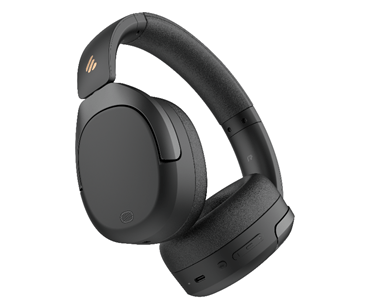
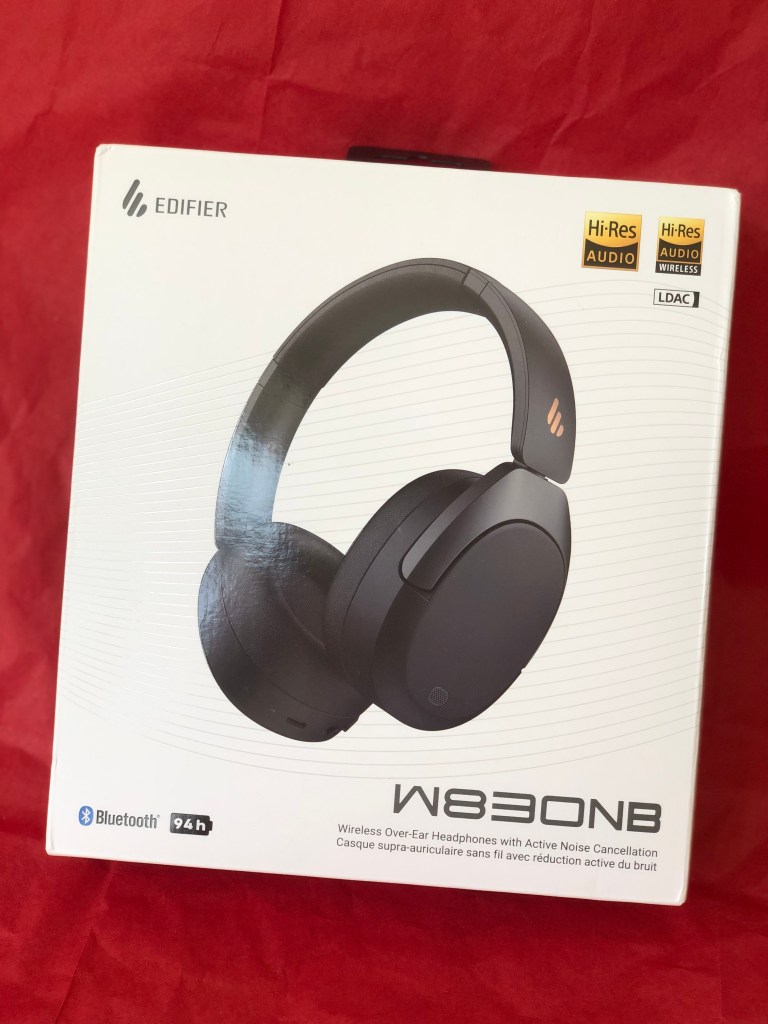
Edifier are increasingly a big name in speaker and headphones and the new Edifier W830NB .are no exception. This over-ear, over-head headphones are an improvement to the already fantastic value for money Edifier models headphones out there.  We were sent a pair to try out this week, and of course report back to you!

These Edifier W830NB come in three colours; gray, sandwhite and these black ones.  The headphones are noise-cancelling which means you can’t hear much outside of what you are listening to, but you can turn on ambient sound. There’s also a nifty ability to turn on High Noise Cancellation too using the buttons on the earpiece. This feature is great for children as the button is annotated with a voice so they know which setting they’re on without having to take the headphones off and look for a light. Makes life much easier if you’re snuggled up with the headphones set just right and you don’t want to move!

There are lots of technical terms with these Edifier W830NB headphones so I’ll try and keep them easy to understand.  The ear pieces are high quality speakers for better sound, there’s an 18% increase in the noise cancellation on these headphones compared to previous models and the focus of the sound is different to give a more all-round cinema like quality to the audio.  In addition, there’s also technology on the ambient sound which allows human voices to be heard where other outside noises are filtered out. The headphones are also easily foldable for travel or even carrying in a handbag or on the commute thanks to the swivel ear pieces.

It’s super easy to connect the headphones through Bluetooth. I connected to my laptop by just pressing the Bluetooth button on the headset until the blue light came on, then opening my laptop Bluetooth settings and the headphones were immediately found. This added the Edifier W830NB to my library of Bluetooth products so that whenever I turn the headphones on again, the laptop finds them and connects. Not all laptops or devices work the same way though, and if they can’t connect to your headphones, check that your device is Bluetooth V5.4 compatible, which is the latest technology and what these Edifier W830NB are built with.

The Edifier W830NB headphones use a USB-C port on the earpiece to charge.  There’s a staggering 94 hours play time on a full charge but we haven’t had a chance to test them for that long yet! 94 hours is the play time with ambient noise cancellation off; with ANC on it’s still a massive 54 hours. Charging time isn’t long either, with a part charge of 15 minutes giving you 10 hours listening time.  The USB-C cable acts as a wired cable so that if you do run out of charge, you can switch to wired if necessary.

The usual high-quality, easy functioning of Edifier makes these Edifier W830NB headphones suitable for the whole family without being over priced and over complicated. Excellent sound quality and lightweight enough to carry anywhere too! 

Usually £79.99 at: https://www.amazon.co.uk/Edifier-W830NB-Headphones-Cancelling-Multipoint-Black/dp/B0D2VH915C?th=1

Sonic Spa Pro from Sonic Dental

Disclaimer – We received this item free for the purpose of this review/feature but all words and opinions are our own.

Not many of us have dentures anymore but plenty of people, including myself have retainers after orthodontic work or mouth guards to prevent teeth grinding at night. Don’t forget the sports mouth guards too and each of them cost a bomb as they have to be specially made. All of these dental appliances need cleaning and despite best efforts, an electric toothbrush doesn’t always get them clean.

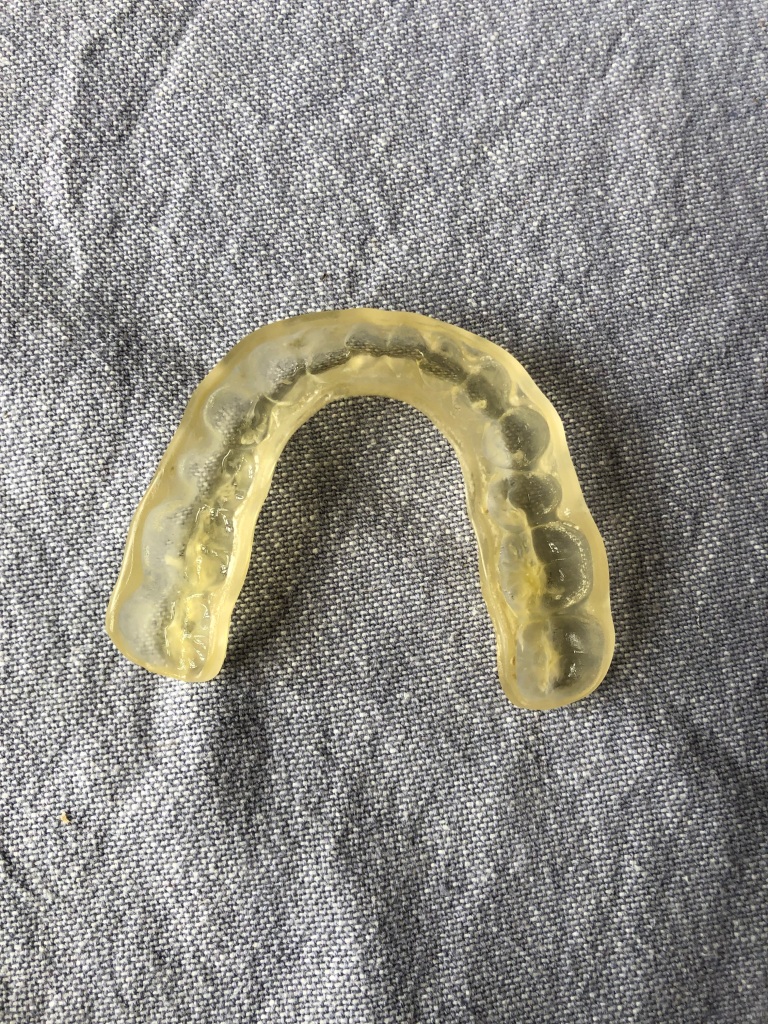
I wear a mouth guard at night to protect my teeth from grinding. The appliance, shown in these photos, is made of a type of tough plastic and has to be custom made. It costs over £140 so you want to make them last as long as possible. The Sonic Spa Pro is designed for dentures and dental appliances to be able to get them clean where brushing alone can’t. I was sent a Sonic Spa Pro to test and as my mouth guard hasn’t been sonically cleaned before, I was so keen to get the stubborn limescale marks off of it without using harmful products.

The Sonic Spa Pro is not a very big appliance and certainly not complicated to use. The white ‘dome’ actually looks a bit like a big tooth! The box comes with the power cord and some cleaning tablets which dissolve in the water. There’s nothing else needed.  Inside the sonic machine, there is a tank which you fill with water, drop in the cleaning tablet and then the dental appliance and then close the lid. The handy instructions on the top give you a quick reference of how to use it as you’re unlikely to keep instruction manuals for something you don’t usually use very often. The button on the top is held down for 2 seconds to give a 3 minute sonic clean, or hold it down a second time for a 5 minute clean. It’s that simple!

You can walk away from the Sonic Spa Pro and leave it working. There’s a tiny ringing sounds that emits from it, presumably the sonic waves doing their magic, then once it’s finished you can open and see what kind of clean you’ve attained!  The Sonic Spa Pro also cleans jewellery and some stationery items like brass nail nibs (great if you’re an artist or calligrapher) and small metal items. The Sonic Spa Pro uses UV as well as sonic to clean so there are actually lots of items which could be cleaned. The included tablets are for dental appliances only though, and they are designed to leave a minty taste to your appliances whilst also killing 99.9% of odours and bacteria.

Once the appliance has been cleaned, fish it out of the water and either dry it or let it dry. In my case, once I had dried the mouth guard I could see it needed another clean so this time I did a deep clean. We live in an extremely hard water area so the calcium build up is enormous and because the appliance is custom made, the nooks and crannies of teeth make it impossible to get clean with just an electric toothbrush.

When I removed it for the second time and dried off the mouth guard, I could see that a lot of the calcium deposits were less caked on.  There were still traces there, like little grains of sand in some of the deeper pockets but it was a lot less.  This was the first time I had properly sonic cleaned it though so I thought it might take a few tries. You can see in the before and after photos that there is an improvement though!

Next time I clean using the Sonic Spa Pro I’ll make sure to use warmer water and let the appliance soak a bit longer after the deep clean to allow for the cleaning tablet to work deeper.  I haven’t had a chance to try the Sonic Spa Pro on any other jewellery or household items, but now that I’ve seen an improvement, I’m seriously looking at what I have around the house that needs some sonic treatment…

Currently available for £69.95 at: https://uk.sonicdental.co/products/the-sonic-spa?shpxid=80ecc2ff-7d1e-4e8d-a4e5-4e69c2a06f3c

Edifier MS50A Speaker

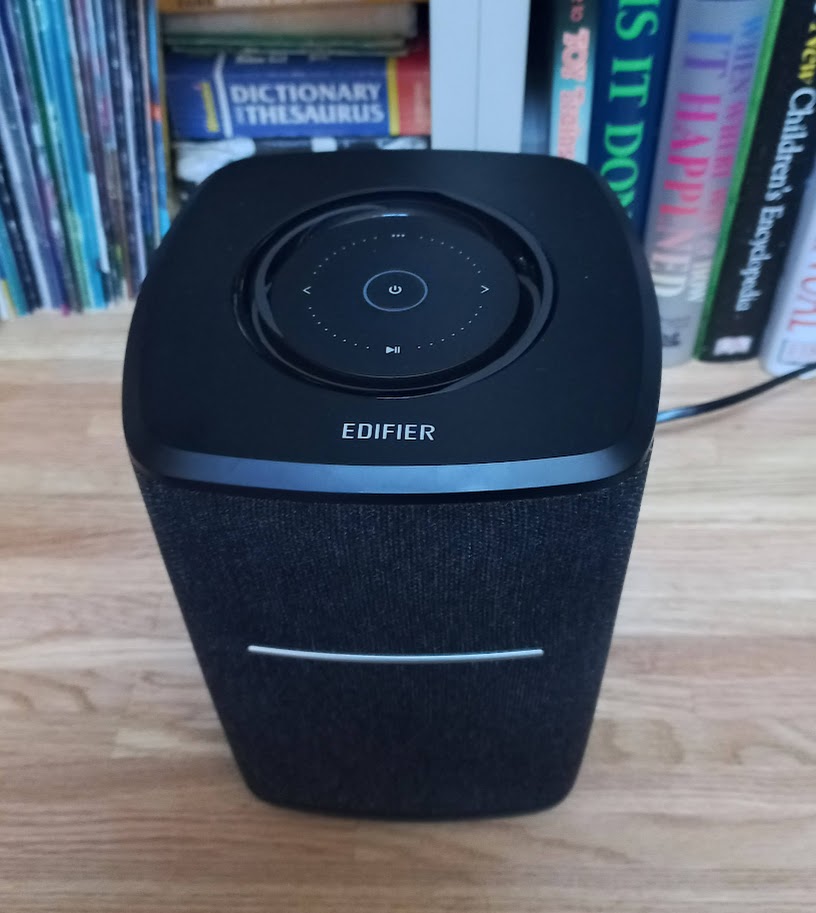
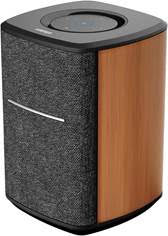
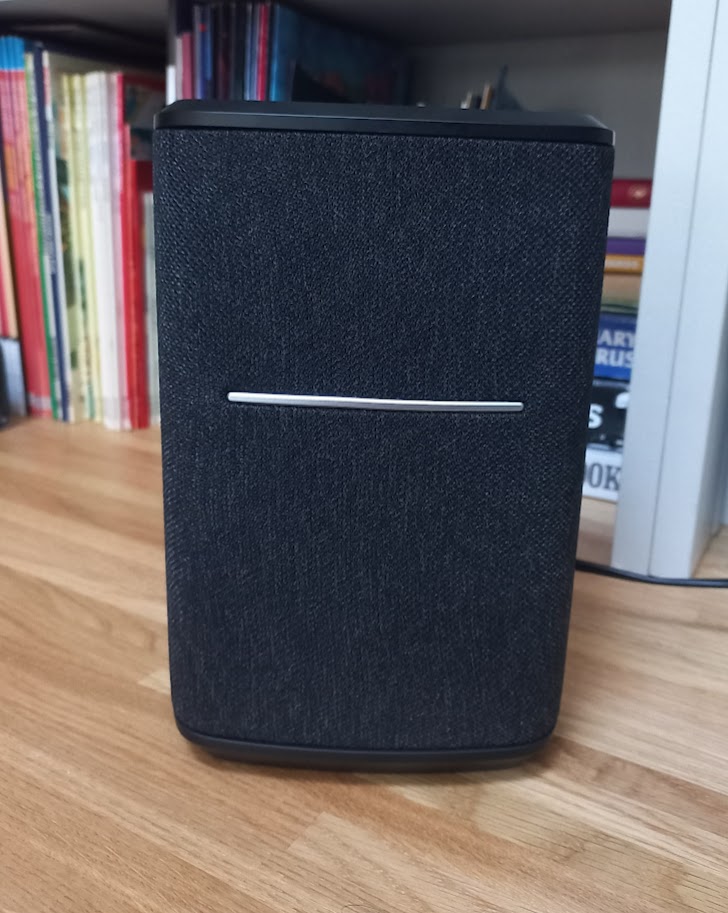
The MS50A is a high quality smart speaker from Edifier with both Bluetooth 5. and Wi-Fi connection. As soon as I took it out of the box, I was impressed with both the quality and design of the speaker. At over 2kg it feels solid, the wooden case gives it a luxurious feel and it will look at home in most living rooms. The speakers are covered with a black fabric with a metallic accent and all the controls are on the top of the unit.

Primarily this speaker is intended to be used with streaming connections, connected to Alexa and then Spotify, Tidal, Apple Airplay and other sources directly rather than through your phone. That said, the built-in Bluetooth allows direct connections if needed and switching source is as simple as a press of the touch controls. One thing that is not provided is a 3.5mm jack for a line in, not always necessary but an option that I like to see included.

As I’ve come to expect from Edifier, the speaker sounds really good. The 25W 4” main driver handles the bass and mid tones with a 15W tweeter handling the higher frequencies. Music is full bodied and sounds rich with no distortion even with the volume cranked up.

Of course with a single speaker you’re not going to get stereo sound but using the app multiple devices can be setup into a left and right speaker pair. Alternatively, if you have more devices then groups can be created giving a multi-room sound system.

The speaker features Smart Touch Control and to control the volume you simply move your fingertips clockwise/ anti clockwise on top of the circle on the top of the speaker, switch songs by touching the previous/next icons, pause/play music by the lower icon, mute/turn off the speaker by a short/long-press on the middle button. The white and blue LED indicators on the top of the speaker indicate the signal connection of Wi-Fi streaming and Bluetooth 5.0 systems

Overall, I am really impressed with the Edifier MS50A, it is a great speaker in both sound and looks and at £110.49 it’s not going to break the bank. 
Available from Amazon here

Read some of our other Edifier speaker reviews

Edifier MP230 Portable Bluetooth Speaker

Edifier MP100 Plus Bluetooth Speaker

Tozo – OpenReal Headphones

Disclaimer: We received this product free of charge for the purpose of this review and all thoughts and opinions are our own.

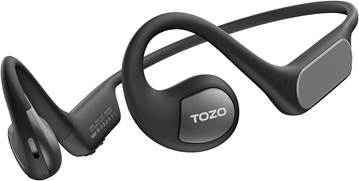
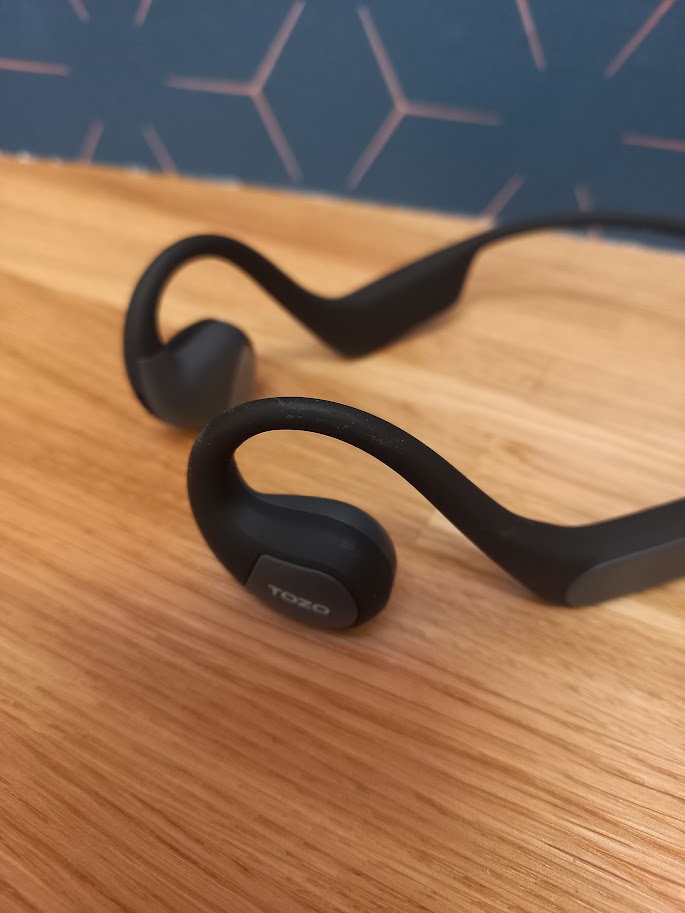
When I’m out and about, commuting or working in the garden I really enjoy listening to music and audiobooks. I own a few different types or headphones and it depends on what activity I am doing as to which pair I decide to wear. When I’m walking or commuting on my bike, I use a pair of bone conducting headphones as they allow me to stay aware of my surroundings but the one downside is that the audio quality isn’t as good, so I tend to listen to spoken word rather than music when I am wearing them.

The Open Ear Design of the Tozo OpenReal headphones get round this problem by using a pair of high quality speakers positioned over your ear. The design allows me to hear what is going on around me without compromising on sound quality.

Talking of sound, it is generated from a pair of 16.2mm drivers and they give a great sound quality, reproducing a full range of frequencies with no distortion. The accompanying app allows access to a graphic equaliser to further tune the sound to your preference. With the speakers sitting over the ear there is very little contact with your skin and so none of the sweaty feeling that can come when wearing other headphones for longer periods.

I found the headphones easy to setup and operate and controlling the headphones is simple, there are two physical buttons on the right side and a single touchpad for quick music control or answering a phone call. Connection uses Bluetooth 5.3 for reduced power consumption and better sound quality. There is a brief user guide included in the box but I managed to get them up and running without reading it!

The battery life is good, the manufacturer claims 16 hours of listening from a 1.5 hour charge with a couple of hours from a quick 10 minute top-up, I haven’t timed this but they will certainly last me for a few days before they need charging.

I’m really impressed with these headphones, they are perfect for commuting and with Father’s Day coming up they would also make a great gift for active Dad’s.

RRP £59.99 available from Amazon
Omnilux Mini Skin Corrector

Disclaimer – We received this item free for the purpose of this review/feature but all words and opinions are our own.

What I’m about to show you is a new gadget that is revolutionary in skincare.  You might have heard of infrared LED light being used to correct flaws on facial skin, but the Omnilux Mini Skin Corrector takes it to a new level with the ease and versatility of this new product.

At first, I wondered where the actual Skin Corrector was. In this tiny box, a round, malleable disk with a tiny 2-pin charge point was in a box all on its own, with a USB 2-pin charger and a box of hydrocolloid Skin Corrector patches. I struggled to see where the actual appliance was but if you watch the video online (link below), you not only see how the device works but what it can do.

The Omnilux Mini Skin Corrector is a portable, very lightweight device which emits near infrared LED light onto your skin.  It doesn’t need a lead, it charges from a USB port using the lead provided then once the charge light goes green, it’s ready to use. By placing one of the Skin Corrector patches over the 6 LED lights on the back, it attaches to your skin to emit healing light to work on the layers of your skin.  You don’t plug it in, you don’t need to sit still with it. The light does its thing and all you have to do is sit with it on!

You only need between 3 and 5 treatments a week, with each treatment lasting 10 minutes. The lights work on the layers of your skin to boost collagen and reduce fine lines, inflammation, redness and pigmentation. The red wavelength (633nm) reduces inflammation, pigmentation, and redness and helps prompt cellular repair and circulation for a more vibrant complexion. The near-infrared wavelength works on the deeper layers of your skin to help produce new collagen and elastin products to help lump and firm the skin.

It’s completely painless and has no side-effects and gets to work straight away. I sat with it on in a targeted area under my eyes whilst I was typing or watching TV. It’s very slightly warm from the LED lights but that’s it, you don’t even notice it. The Omnilux Hydrocolloid Patches keep the device adhered to the skin so that you can move around easily (no one wants to sit there holding it!) but they also feed the skin with the infused Vitamin C and azelaic acid. Once the 10 minute session is up, it turns itself off so you don’t even have to worry about how long you’re using it for.

The Omnilux Mini Skin Corrector is 100% natural, using the power of light waves to generate collagen in the skin. Safe to use, it’s been cleared for use by the FDA (in the USA) and is brilliantly portable and able to be used by all skin types.  I particularly like how small and lightweight it is so that it can even go on holiday with you or you can wear it without having to worry about the weight on your skin, which no doubt would damage the elasticity over time.

How did it work? Well, I’ve been trying it for a few weeks now and I can see plumper skin! There’s a luminosity to my skin that I wasn’t expecting and I really enjoyed being able to sit and have this painless, intervention free method to help me feel like I’m doing something productive with my skin care. Once I took the device off, there was a little redness from the adhesive, but I’m aware that it was also penetrating products into my skin. The area felt slightly warm, like I had been sleeping on that side of my face and turned over but underneath you could see the skin was plumper.  Using it several times a week, you can see a slight difference after just 4 or 5 sessions and you feel a difference when you touch your face. It can be used under eyes, for pigmentation and for fine lines, so I have been moving it around and getting my mini-facials in whenever I’m sitting indoors. It’s genius!

More Hydrocolloid Patches can be bought on the Omnilux website as they’re one time use only, but the Omnilux Mini Skin Corrector works a treat, and feels like a real treat on the skin too. I can’t wait until the winter months when I can brighten my skin even without a holiday!

Available from £96.80: https://omniluxled.com/products/skin-corrector

Ikago Smart Mug and Heat Coaster Pro

Disclaimer – We received this item free for the purpose of this review/feature but all words and opinions are our own.

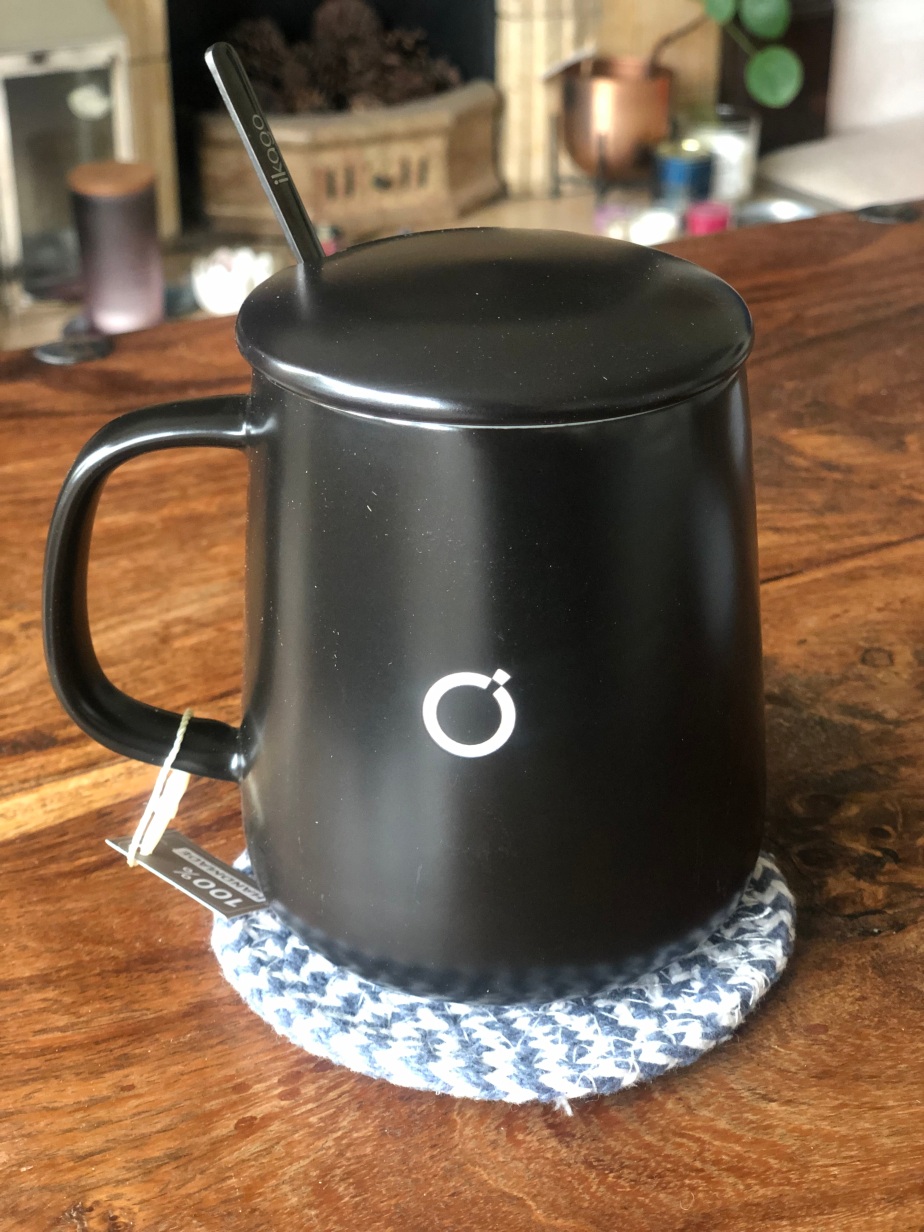
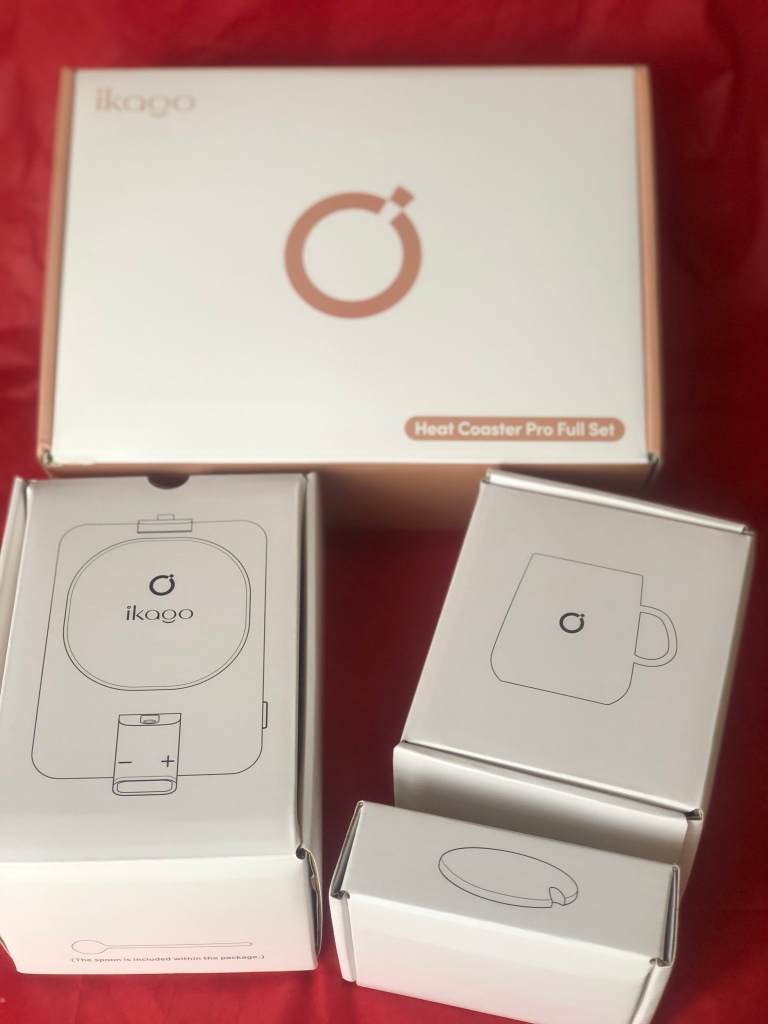
I had seen heated mug warmers on Instagram and wondered how good they were and whether the price (much more than a coffee mug!) was worth it so I was intrigued to find out when we were sent the Ikago Heat Coaster Pro.  Perfect as a gift that you didn’t know you needed, this is brilliant for parents whose coffee always goes cold when there are small children around, or if you’re in a long meeting and want hot coffee throughout!

What is it? The Ikago Heat Coaster Pro is an electric heating pad which plugs into a normal electrical socket.  The ceramic mug which is part of the set is placed on top of the coaster and is kept at a constant temperature using the infrared emitter.  This means that as long as the coaster is plugged in and your mug is sitting on it, the temperature of your coffee (or other beverage!) is kept constant until you either drink it… or top it up!

To use, unpack all the equipment. As well as the heated coaster the ceramic mug is included, along with a lid and a spoon. The mug is actually quite attractive and 100% handmade and I was surprised it was a slightly bigger size than I expected.  The lid is needed to keep the heat in so that the temperature can be kept constant and the spoon works with the infrared emitter.

Plug the coaster into the wall and the lights come on, but you need to press the power button at the side. The coaster will only heat up with the mug on the plate so make sure you have your coffee made and in the mug before you put it on. To change the temperature, use the display – and + signs to reach temperature sup to 65 Centigrade (150 Fahrenheit). You probably don’t know the exact temperature you like your coffee to be at, so this may take some trial and error before you get the right temperature!  Don’t worry about remembering the exact number though, the Ikago Heat Coaster Pro will remember the last temperature and make sure your coffee is heated to that.

This is actually a really fun gift to receive because it’s not just a novelty item, it’s really useful and has longevity, it’s easy to use and the fun of getting it set up and discovering ‘your temperature’ and getting it right is all part of the process. It took me just 2 attempts to get the temperature right and actually allowed me to have a hot drink and not be distracted by filling up the mug when it got cold. I think it’s a brilliant idea for anyone working from home or who needs to concentrate as in time, I will get used to having the Ikago Smart Mug Warmer by my side and can rely on it.

It’s not ideal for warming a cup from cold, so it’s always best to have the drink hot first and either warm it slightly or keep it at the same temperature.  NEVER use anything other than the ceramic mug as infrared and the radio waves can affect plastic, glass and quartz so best to stay away for safety reasons.

I think I’ll be using the Ikago Smart Mug and Heat Coaster Pro for a long time to come, and you can expect this gift from me in the future!

Available from £54 at: https://www.amazon.co.uk/ikago-Smart-Mug-Warmer-Thermometry/dp/B0BML12VKN?th=1

SJCam C200 Pro Action Camera

Disclaimer – We received this item free for the purpose of this review/feature but all words and opinions are our own.

What’s better than taking up a new action hobby or sport in 2024? Making a movie of it! Father’s Day has cranked up a notch this year with the high definition SJCam C200 Pro Action Camera.

This camera is absolutely tiny! At less than 7 centimetres tall, it fits inside your pocket, let alone in your hand luggage to go on holiday, or even to take on days out. The 20 MP quality can record in 4K at 30 fps and has an impressive average of 120 minutes battery time. The field of vision is 135 degrees and records in jpeg with features such as time lapse, slow-mo and can even be used as a webcam.

Less of the technical details though and more about what fun you can have with the camera!  The small size makes it easy to adapt to different environments and because it’s waterproof and has a touch screen, you can use it for all sorts of activities. On holiday, it can be used at the beach or by the pool, or you can attach it to one of the enclosed mounts and put on a bike or take on a hike with you. Inside the box is a waterproof case, back clip, frame mount, base mount, curved and flat mount and other accessories including a cleaning cloth, adhesive stickers and USB cable. Everything you need. In case you were worries about how much room this takes up as a box, everything packs into a box which is smaller than the size of a brick!

The SJCam C200 Pro has a built-in stabiliser, giving you anti-shake video thanks to gyro technology and it has automatic face recognition so that you can focus on the action, and not just randomly filmed footage. This makes sense when you realise this is a camera that you don’t look through the view finder, it’s very much a ‘stick it up and go’ type camera where you rely on the settings and view the content later.  The controls are all from the 1.3” touch screen which is easy to use, but it’s not obvious by looking at the camera that it’s also waterproof to 30 metres (98 foot).  It’s excellent for all adventures, but imagine taking it on a high-speed boat ride? Or even surfing or sailing? 

You can share all the footage via Wifi too, so anyone with a phone or device can see a copy of what you’ve captured. I prefer to remove the SD card from the device though and put the card in a computer to transfer the data faster. I wish I could say I was an expert at editing film, but with the right software, you can have some expert level editing going on with really high quality movies from the SJCam C200 Pro.

There are more features to the SJCam C200 Pro but they’re all a bit high tech for a beginner like me. What I will say though, is that taking this camera out and playing with it has really encouraged me to try out some different sports that I wouldn’t normally, just to see how good it can look on camera. It’s also made me explore my video editing software on my Mac so that I can start to use the video I do have and learn how to use the more advanced features of SJCam S200 Pro. So if you’re looking for a project this summer, or want motivation to get into a new sport and keep your hand in photography, this is an excellent way of discovering a world I hadn’t even thought of.

Even better, if you want to get your teenager off their phone and outside more, you could do worse than buy them an SJCam C200 Pro and tell them to go out and explore, just to get the camera working for them. For less than £130, you never know what Kelly Slater or Bode Miller it might inspire.

Available from £129 at: https://shop.sjcam.com/product/cameras/action-cameras/c200-pro

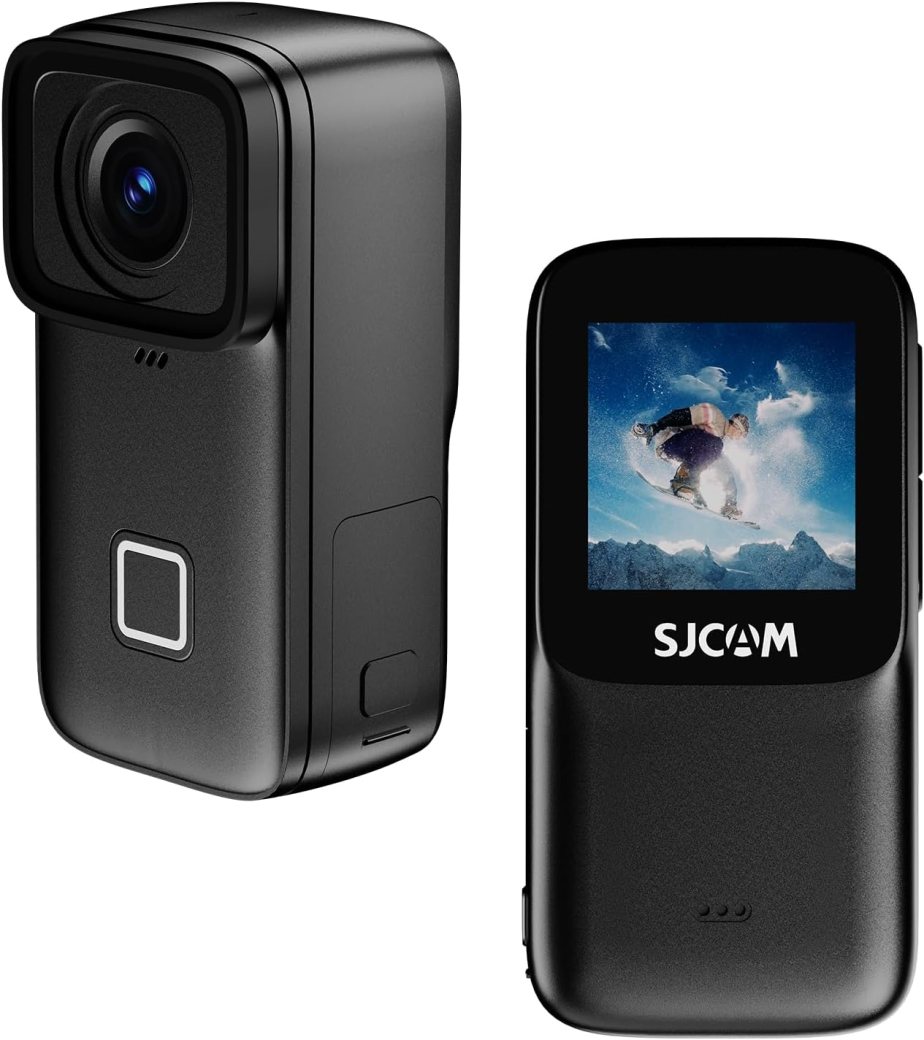
SJCAM C300 Action Camera

Disclaimer: We received this product free of charge for the purpose of this review and all thoughts and opinions are our own.

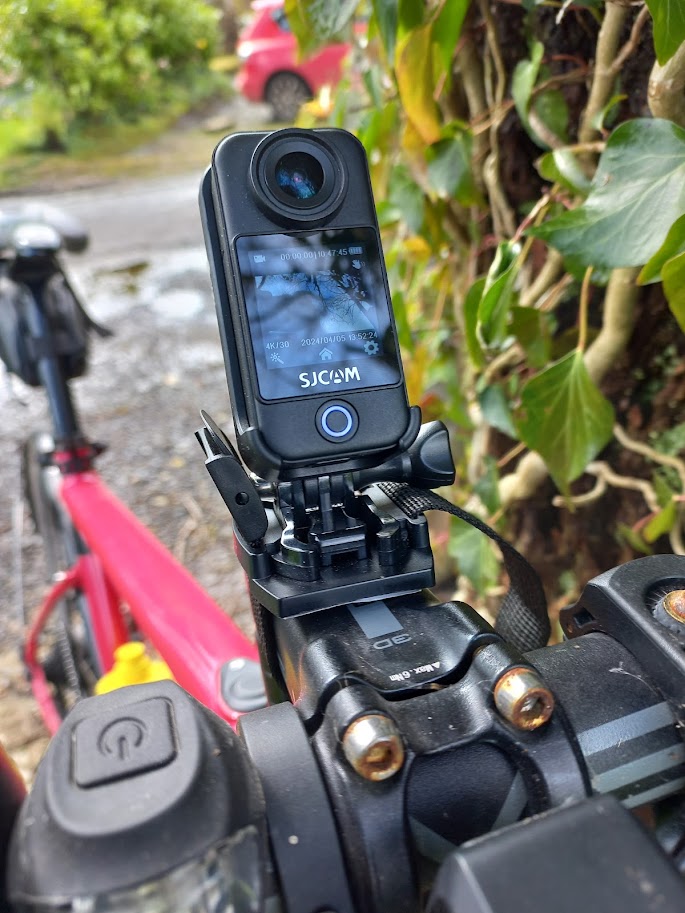
In this digital age it seems everyone is documenting their lives on social media and for those who enjoy the great outdoors then an action camera is an essential for recording all those adventurous activities. Designed to be mounted, whether that’s on the handlebars of a mountain bike, a helmet when climbing, skiing or canoeing or on a chest mount for hiking and trail running, they are great for capturing the action in places where you need to have your wits about you and your hands free. They also tend to be more robust and waterproof meaning they will survive your adventures and capture the action no matter what the conditions!  

We’ve been trying out the SJCAM C300 Action Camera over the last couple of weeks and have been really impressed with it.  The key features are

  • Waterproof up to 30m with waterproof case
  • 4K resolution and 20MP lens
  • Remote control bracelet to easily control recordings and taking photos
  • Immersive first-person view with the clip to position on your chest
  • Adopts extra-large aperture to increase light intake by 40% to for low light shooting
  • 1.3” Dual touch colour screen and 154° wide-angle lens to take pictures from the best angle
  • App control

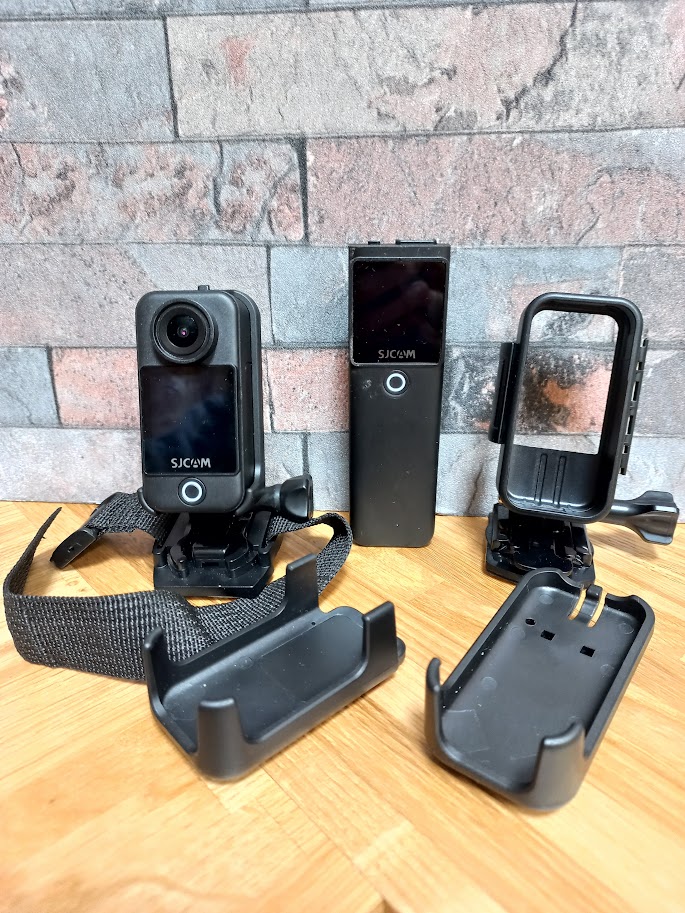
Included with the camera are two batteries and a selection of mounts including one that claims to be waterproof to a 30m depth! I’m not a fan of water so I won’t be putting this to the test but I’m sure lots of people will find this a great feature. There is also a USB cable, instructions and a cleaning cloth.

The camera can be paired with either of the batteries, the smaller 1000mAh battery gives a compact size that will fit into the waterproof mount but only has a single display. The larger battery at 2800mAh gives much longer recording times and a second display on the rear of the camera but does not fit into the waterproof mount. Instead, it does offer a standard ¼” tripod mount which allows me to use some of my other camera mounts.

Controlling the camera is easy, there is just a single button on the body which doubles as the power control and the shutter button, other settings are accessed using the 1.3” touch screens. They worked well but I certainly wouldn’t want to use anything smaller! Swipe from the top gives options such as playback or switching display whilst video settings are changed by tapping an icon at the bottom of the screen. A swipe from the left switches quickly from video to photo, a feature that I use quite a lot – it allows me to grab a quick picture without swapping cameras. 

Another option for controlling the camera is to connect your phone to its WiFi and use the SJCAM app. This allows quick access to all the image and camera settings plus you can take control from a distance. The app also allows images and videos to be transferred to your phone although I prefer to connect to my PC with a USB cable and transfer files that way.

I don’t tend to carry video cameras in my hand, preferring a tripod or other mount but I did take some handheld video and was very impressed with how easy it was to frame the shot using the dual screens and also how steady the video was using the gyroscopic stabilisation. It definitely worked well and smoothed out the jerkiness you get when holding a video camera.

A much more realistic test came when I mounted the camera in its waterproof case to my bike (I purchased a go-pro mount for my Garmin GPS mount). I’m not a fan of wearing a camera on a helmet but video shot from my bike in the past has always been very unstable. After a two hour ride, I was very pleased with the results, the video was crisp with good colour and most importantly smooth. My only gripe is that the default video clip length is just 3 minutes which makes transferring and editing the video a bit of a pain. This is a setting that can be changed to a more reasonable 10 minutes.

This weekend I’ve been working in the garden so thought I’d try out one of the other modes, timelapse video. I setup the camera using one of the mounts strapped to a fence post and then got to work. Over the day I moved the camera a few times and looking back at the footage I’m really happy with the results, I’m much more likely to use a timelapse that condenses hours into a few minutes than try editing a day long video down into something more interesting.

When you are not using the camera for adventurous activities it can also be used as a dash cam to record when you are driving, this will be great for all those scenic routes but is also invaluable in the unfortunate event of an accident.

There are also a couple of other modes that I haven’t had chance to try yet such as slow motion video, starry night and even a fishing mode!

I’m very happy with the camera and its performance and I’m looking forward to taking it on lots of adventures this summer!

RRP £129.99

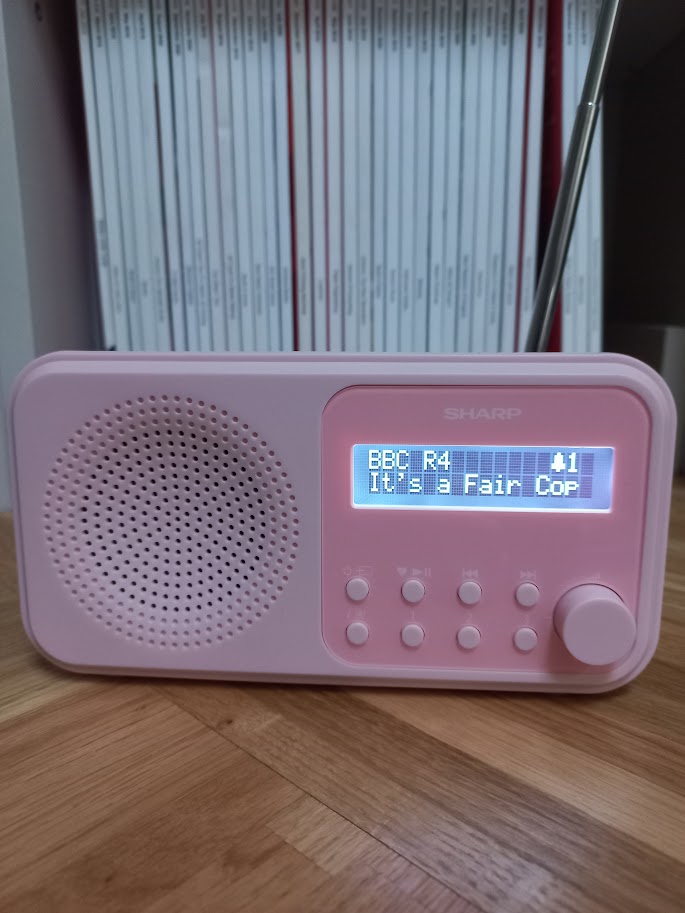
Sharp Tokyo DR-P420 Radio

Disclaimer: We received this product free of charge for the purpose of this review and all thoughts and opinions are our own.

I’m a real fan of the radio and as well as listening to it in the car I also enjoy listening to it at home on my portable FM radio.  As an avid radio listener, I was very pleased to be given the opportunity to try a Tokyo DR-P420 from SHARP as not only is it much newer and nicer looking than my ancient radio, a DAB radio offers a much wider choice of radio stations.

The Tokyo DR-P420 is a small, portable radio which offers both digital and analogue radio along with Bluetooth streaming. It can be powered by 4 AA batteries for portable listening or from a USB supply using the provided cable.

Setting up the radio is really simple, the radio automatically searches for radio stations and then up to 20 favourites can be stored for both DAB and FM radio. Three of the favourites can be recalled using buttons on the panel, the rest with an extra button press. The time is picked up automatically and is displayed when the radio is in standby.

When you’ve had enough of the radio, you can also stream music from your phone using Bluetooth 5.0 and the buttons on the front panel can then be used to play, pause and skip tracks as well as controlling the volume.

Whatever you’re listening to, the sound quality from the single speaker is excellent and is loud enough to fill most rooms. If the rest of your family don’t appreciate your choice in radio stations or music then don’t worry as you can also listen through headphones as there is a headphone socket on the rear of the radio.

The radio now has a permanent spot on my desk but it can also be used as a clock radio when powered from USB. Two different alarms can be set with options for weekday or weekends, and each allows a choice of alarm with either a radio pre-set or buzzer to wake you.

I really love the Sharp Tokyo DR-P420, it is easy to set up has excellent sound quality and with all the extra stations I’m finding I’m listening to the radio even more now!

Available in Black, Steel Blue, Blossom Pink and Snowy White

RRP £39.99 available from Currys, Robert Dyas, Amazon and The Range

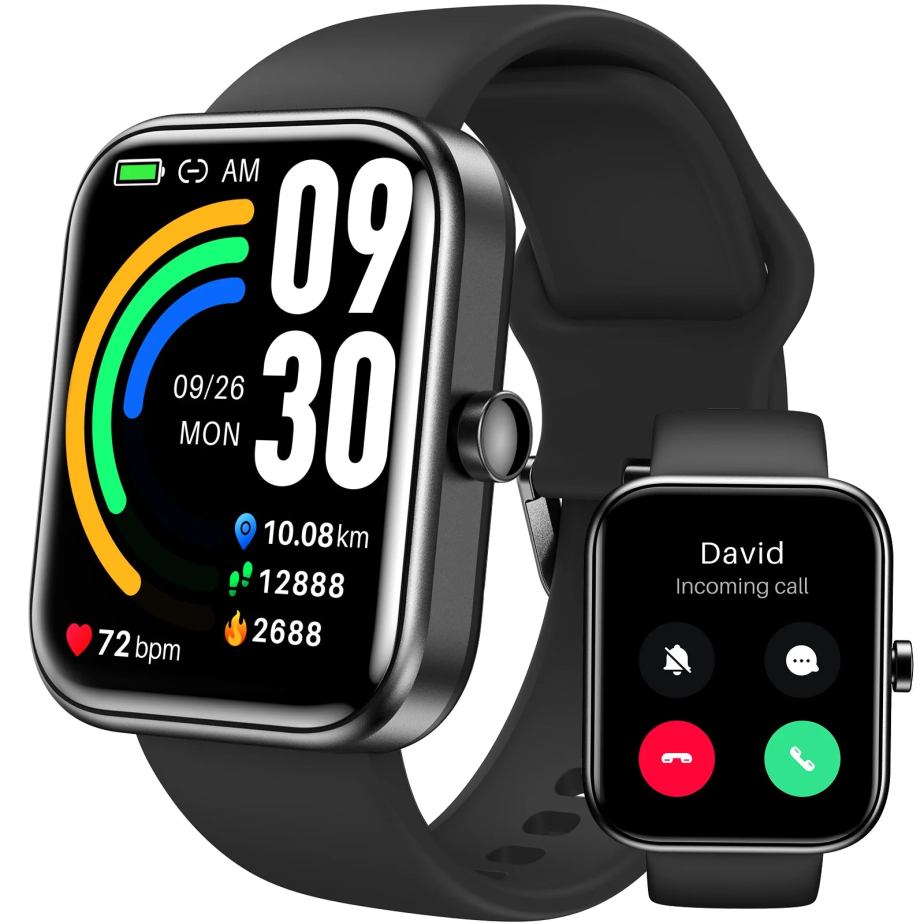
TOZO S3Ultimate Smart Watch

Disclaimer – We received this item free for the purpose of this review/feature but all words and opinions are our own.

Combine a watch, sports monitor and health monitor with the TOZO S3Ultimate Smart Watch for a stylish wear this summer.

Smart watches have come a long way with most of us using them on daily basis and replacing the mechanical watches that only tell the time and the date at best. The TOZO S3Ultimate Smart Watch contains multiple functions and the latest technology and at less than £50 it costs roughly the same as a cheap watch but with all the benefits.  We were sent one to try this week and to see how well it worked and I tracked it during my Park Run and gym sessions to see how well it worked and whether it gave me what I wanted.

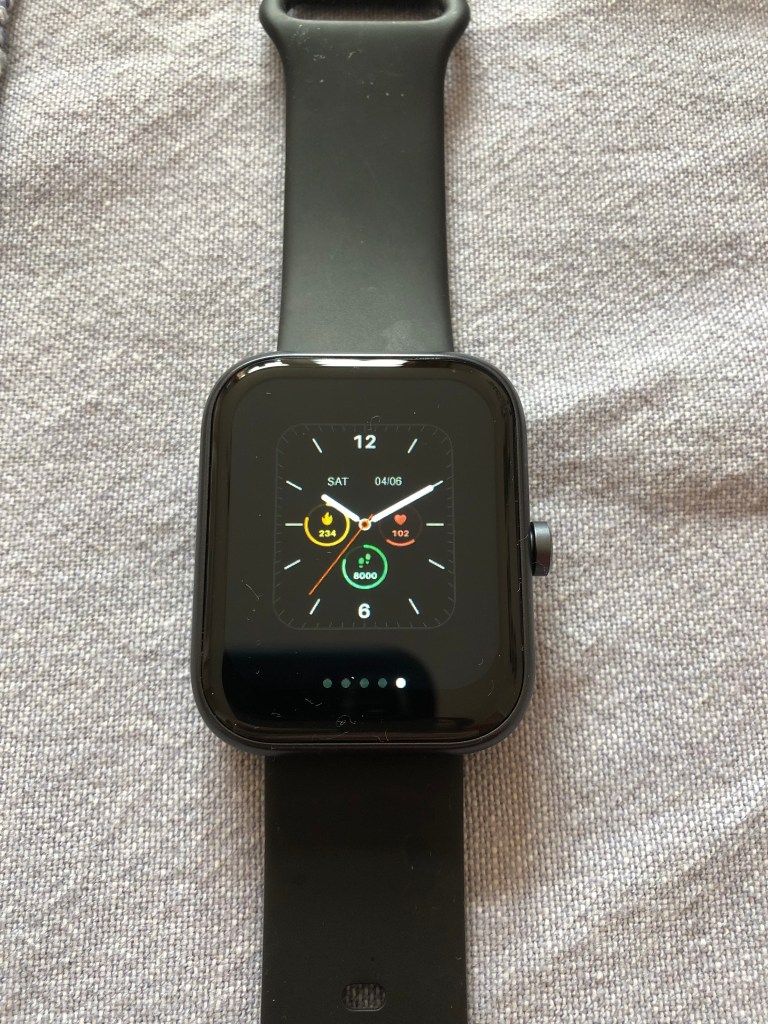
The first aspect of the TOZO S3Ultimate Smart Watch is the screen. It’s 1.83 inches, square and has the touch functionality that makes it distinguishable from the old-fashioned watch. The coloured screen shows information it gathers from throughout the day including date, time, bpm, steps, calories and your sleep information.  Touch and hold the screen to see other displays that are available such as a conventional clock face (if you prefer to see analogue time rather than digital) and a sports display showing your number of steps, distance and calories. The other displays give a variation on the health data and time but in different configurations, depending on how you like to see your summary display.

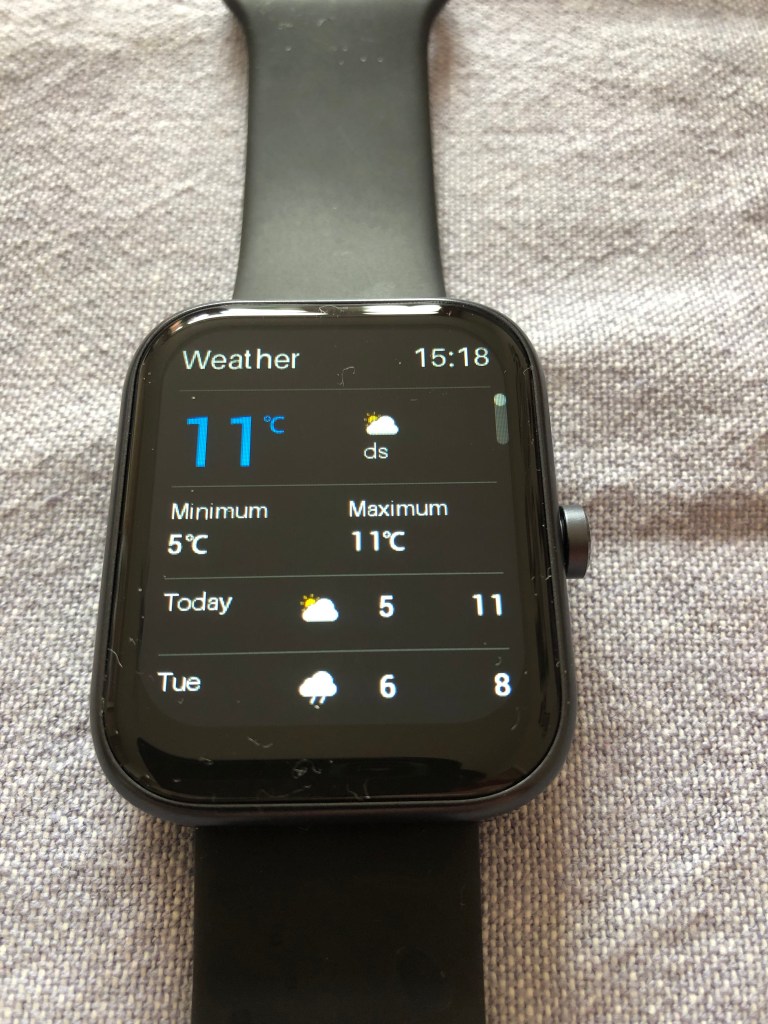
The TOZO S3Ultimate Smart Watch also has a microphone and Bluetooth to connect to your phone (it works with both iPhone and Android) and allows you to call from it.  Connecting to Bluetooth was easy – once the Smart Phone was charged, a QR code comes up and allows you to download the app. The app then takes you through the Bluetooth pairing easily. This makes workouts and running easy as you have free hands and can accept or make calls from the touch of the screen. The Smart Watch also notifies you of new messages and allows you to view older messages that come into your phone. If you swipe the face of the smart phone, you can view all sorts of information if you are link your phone via Bluetooth including the weather, stress levels and activity.

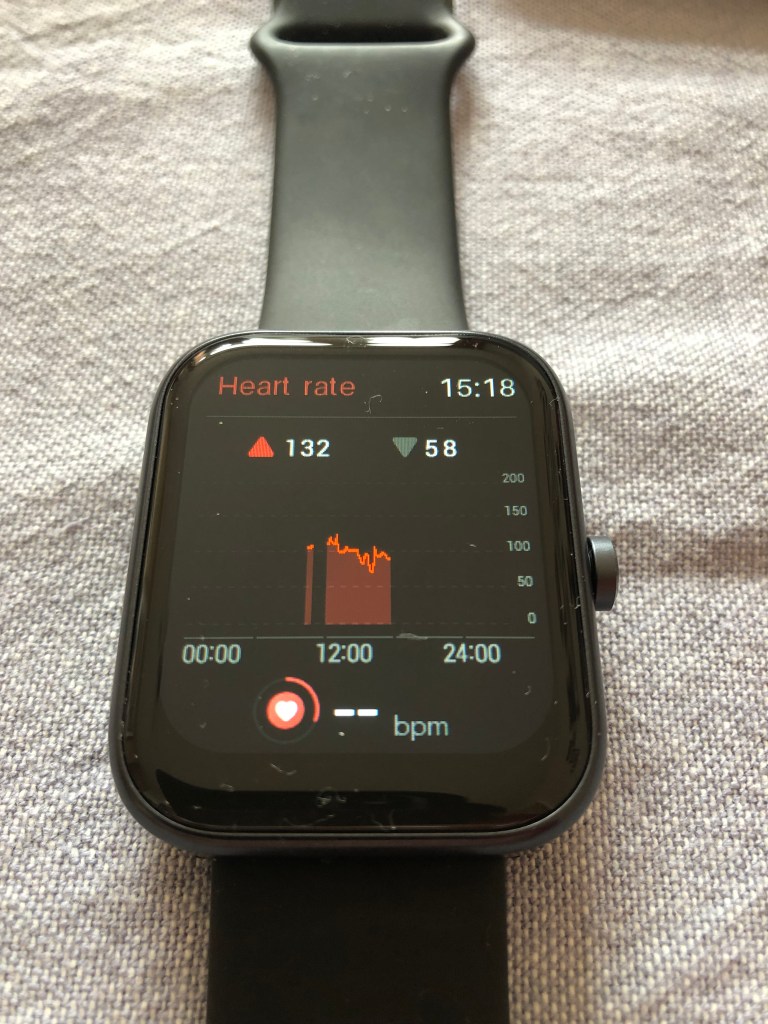
The health monitoring is up there with the best of the smart watches as just by wearing it, your heart rate, sleep, blood oxygen saturation level and activity tracking are stored.  Particularly interesting to me was the blood oxygen saturation level so that I can compare it at rest, night and when exercising as I’ve never had this facility before.  The distance and steps is not new to me, but it was refreshing having it on a different display and being alerted whenever I got to 3 kilometres. On the app though, you can change any of your goals, so I was able to change it to 5 kilometres once I had used the watch for a while.

The watch arrived with no charge at all so I was able to see how long it took.  The cable is included in the pack and works as a magnetic point at one end to attach to the watch and the other end is a USB so you can plug into any socket or any laptop to charge.  It took about 1 ½ hours to charge fully and you can see the percentage charge amount on the display screen. The first full charge lasted about 6 days which is longer than my FitBit and longer than my iPhone, but with different variations of use, the battery will last longer.

The app gives more detailed information on all your stats and includes data such as menstrual health, blood oxygenation and standing amount. One of the areas I was most interested in was the ability to record a specific exercise and see individual information. You can set the watch so that when you press the side button, it comes up with your favourite sport (in this case it was Outdoor Running) and it will calculate your time, steps, bpm and other information relating to your exercise. The more detailed information is on the app which you can look at later. 

The TOZO S3Ultimate Smart Watch has all you need of a watch, the information that you see on your phone and a detailed health monitor, all in one small device.  It’s easy to use, and when you get into the settings and how it works it’s really easy to set up and to make it work for you the way you want it to. For my Park Run, it gave me all the information of my FitBit plus Blood Oxygen Saturation which is new to me, and very interesting.

I would highly recommend the TOZO S3Ultimate Smart Watch as an alternative to the more high end watches which cost a lot, lot more and do the same job just as well. It looks stylish too with the black face and black strap, and dare I say it, looks like it’s a lot more expensive than it is!

Available on Amazon at a discount at the moment but usually £49.99: 

Tower Aquajetplus Carpet Washer

Disclaimer – We received this item free for the purpose of this review/feature but all words and opinions are our own.

With spring here, most of us are thinking about the Spring Cleaning jobs we have to do, especially as its warm enough to open the windows and get some air into the house! This year I really need to concentrate on getting a proper clean done before the really hot weather when it’s so humid so I was delighted to be able to review the Tower Aquajetplus Carpet Washer.

The Tower Aquajetplus Carpet Washer is a mid-range cleaner which means it isn’t the heavy duty, really expensive carpet cleaner you typically hire for a weekend. Instead, this is a cleaner which can clean a whole carpet or just spot clean heavy use areas and then be put away until you need to use it again 6 months later.  This is reflected in the cost, which is usually £119.99 but is on offer at the moment for £79.99.  

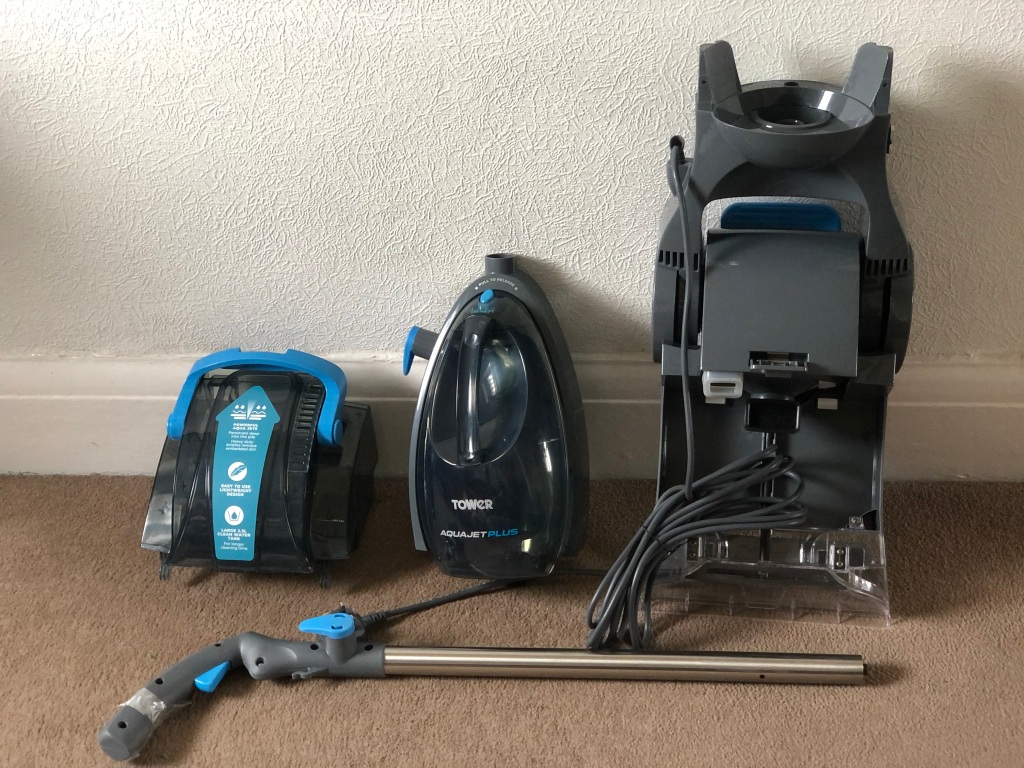
The carpet washer comes mostly assembled with just the handle to put together with the 3 screws included. You’ll need to read the instructions and have a screwdriver handy to attach it but it literally takes a minute to assemble. The rest of the carpet washer comprises of the body (mostly assembled) and a detachable water tank and dirty water reservoir.  They fit together with a click so again, it doesn’t take long. There’s a 5 metre cable to the washer which makes it easier to move around a room and probably fits most UK room sizes.

Using the detergent provided, I filled up the clean water tank with warm tap water.  The tank clips back into the midsection and once you make sure the dirty water reservoir is properly attached (I didn’t and water went everywhere!) then you’re good to go.  Make sure you dry vacuum the whole area first with your usual vacuum cleaner to get rid of large particles. You can decide whether you want to do a whole room or just the busy areas as it does leave the carpet wet for at least a day.  If you have small children around or pets it might be best to do a few rooms and then go away for a weekend without people walking on it and let it dry. Alternatively, you can do smaller areas in the summer when everyone is at work and the heat of the day will dry it quicker.

There is definitely a knack to how you use the washer, and it took me a while and a bit of YouTube to find out how to do it.  The Tower Aquajetplus Carpet Washer washes as you push it away from you and then vacuums up the water as you pull it towards you.  You have to compress the trigger on the handle as you push it away to deploy the water and detergent otherwise it doesn’t work. It is the backward motion of the washer that vacuums up the dirty water otherwise the water sits in the carpet and takes ages to dry.  It takes a few tries on each stretch of carpet to clean and then vacuum the water for the washing to be really effective.  Think of it like mowing a lawn – long straight lines at a slow, even speed but instead of just going over the line once, you have to drag the washer backwards over the same line several times.

It took a while for me to get used to the noise too. It is incredibly loud so I would suggest doing the cleaning when the neighbours aren’t home and especially when no one else in the house is on a call or asleep! Ear defenders or noise cancelling headphones were a must for me.  The washer isn’t particularly heavy so you don’t need to be super fit or have a lot of strength to use it. The clean water tank isn’t that big (maybe 1 litre?) so that brings the weight down but I found that I had to fill it up several times just for my small landing carpet. As you clean, you can see the dirty water being sucked up into the reservoir so you know it’s working, and it becomes a challenge to see the state of the water at the end! To remove the reservoir, just unclip using the blue bar and remove the plug at the back. Be warned though, if you pick it up at the wrong angle, the water runs out through the inlet and not through the plug!

How did it work? Well after I went over the carpet a few times with an empty water tank and just vacuumed up most of the water, I found that it had cleaned the carpet plus it wasn’t soaked as I imagined.  It took about 36 hours to dry, so not the next day but the day after it was dry enough to see that there was a difference in the colour of the carpet as well as the stains.  

Tower Aquajetplus Carpet Washer

Pros:

  • Much cheaper than the hire carpet cleaners and lighter to lift
  • Easy to store as it’s the same size as a vacuum cleaner
  • Gives a very good clean of carpets and doesn’t take long to dry afterwards
  • Great for spot cleaning or heavy use areas and whole rooms if you have time

Cons:

  • Very noisy!
  • It takes a while to work out the knack of how to clean in one direction and vacuum in the other
  • Works better on smaller areas
  • Fiddly to get the clean water tank and dirty water reservoir lined up without water going everywhere.

Available from £79.99 at: 

https://www.towerhousewares.co.uk/carpet-washers/tcw5-aquajetplus-carpet-washer

TOZO Tonal Dots T12 Wireless Earbuds

Disclaimer – We received this item free for the purpose of this review/feature but all words and opinions are our own.

The TOZO Tonal Dots T12 Wireless Earbuds are some nifty headphones which for the price, do everything you expect them to do and more.  We were sent a pair to review this week, which are perfect for the summer and those sports activities that are starting again soon.

The TOZO Tonal Dots T12 are wireless stereo earbuds which come in their own carry case which acts as a charger case too.  The charge case has a digital display to show you how much charge the headphones have, so that you know to charge them or that you have up to 15 hours of full charge left- which is pretty much a whole plane journey or 2 weeks plus of running, gym or walking.  I haven’t needed to recharge them yet, but judging by other TOZO earbuds, it shouldn’t take long with a USB cable fast connection.

The Tonal Dots are easy to connect with Bluetooth 5.3. Yes, you need a phone or appliance with Bluetooth 5.3 but most of us do nowadays, then connecting is easy because my phone (and laptop) could ‘see’ the TOZO headphones when they were in the charge case and kept the connection. There’s a great range to them too; I could walk all over the house and still be connected and the connection didn’t drop at all. Even going outside was no problem. These TOZO Tonal Dots T12 are great for sports because of the distance they connect over, but also because they are waterproof and sweatproof! You can wear these swimming, although I haven’t tested them yet, but with a long connection range it means you can be at the gym and still connected to your phone nearby, or at the pool and your phone be on a lounger somewhere. 

There are 16 preset EQs with the Tonal Dots so that you get the sound you need with whatever music or even audio files you listen to, but you can personalise it too. I liked the quality of the sound with these TOZO earbuds, and how easy it is to change the presets. The Smart Touch control is a must on earbuds, and they work perfectly on these headphones, plus are quickly responsive.

The carry case and compact design make them perfect for travelling and for sports. The wireless charging also makes them easy to charge on the go, so that hotels and planes can charge for you whilst you are travelling or getting unpacked.  The waterproof quality makes them doubly useful and at such a low price (and currently on offer at some places) means you can keep them for work or children are going to love them for their ease and quality but without such a high price.  Perfect birthday presents too!

Available from £39.99: https://www.amazon.co.uk/TOZO-T12-Headphones-Cancelling-Waterproof-Black/dp/B0C8NNCWGL/ref=sr_1_3?dib=eyJ2IjoiMSJ9.ZiSbXPGeasQZix3NSt-dCoSV0TYrPr5_RFgDTIrue3r0xNMQ4v9cRQrcLO-dJa1G7BplSvG5Y8yzzcqzSeFDd66dWqNgjUA9NIs06yPPqkPzgp-tBG22WG46R2Ce3Nlidqpk6tZnDicuCEJF7KZo3Q.reyIJ45G6hWblS4_hEZaHAypzEL7pFgOVfszDcE42Ic&dib_tag=se&keywords=TOZO+tonal+dots&qid=1710172852&sr=8-3

Edifier WH950 NB Headphones

Disclaimer: We received this product free of charge for the purpose of this review and all thoughts and opinions are our own.

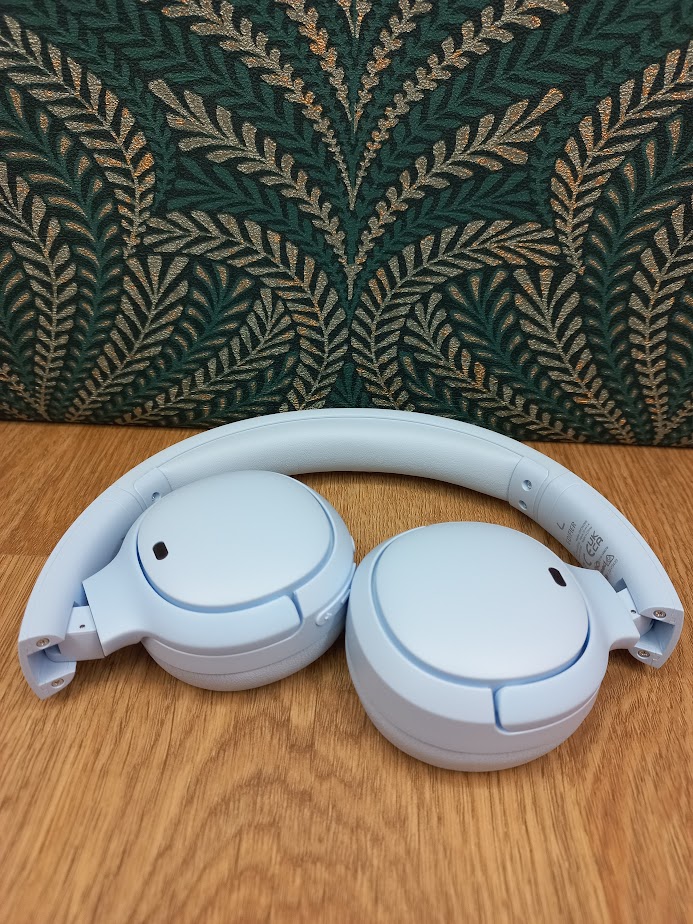
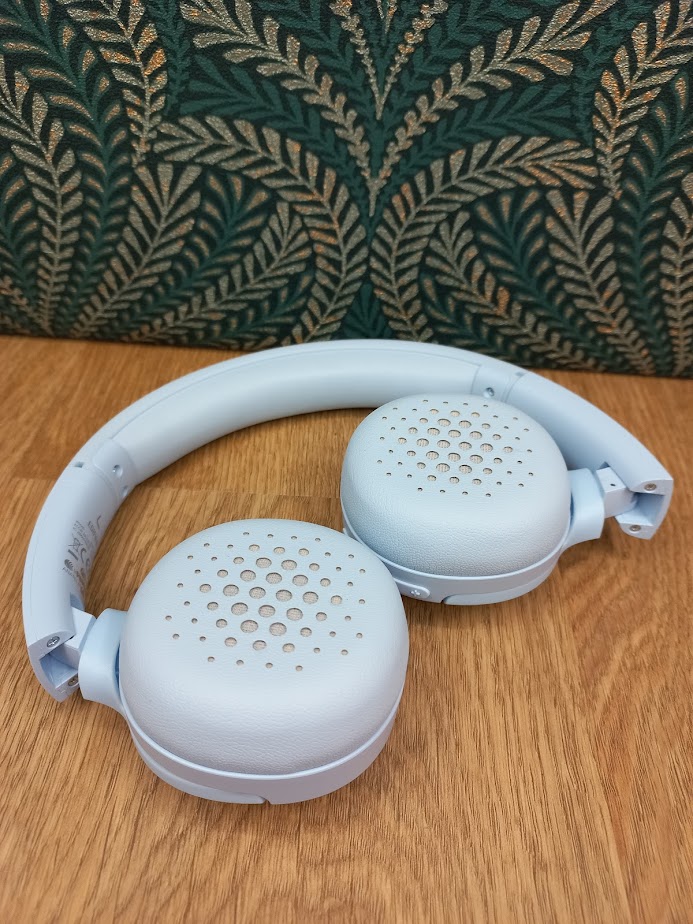
I love listening to music and podcasts so there is always a pair of headphones in my bag. You can’t go wrong with a pair of Edifier headphones and I’m currently using the new WH950 NB headphones which not only look great but are comfortable to wear and most importantly offer a great sound, especially when I’m out and about.

Available in black or ivory with rose gold the wireless headphones are very stylish and well made,  the earcups and headband combine soft leather effect material with memory foam, giving a pair of headphones that are comfortable to wear, even after many hours of use.

That’s a good thing as the battery life of these headphones is quite impressive. Charging from USB-C for 1.5 hours gives up to 55 hours of use (34 with ANC on) and if you’re in a rush just 10 minutes of charging is good for another 7 hours!

The headphones use 40mm titanium film drivers to deliver the sound with a frequency response of 40kHz and the Edifier app gives plenty of options to tune your music with equaliser settings plus different sound modes to get the best from games and movies. With a compatible device the headphones support both Hi-Res Audio and Hi-Res Audio wireless with LDAC certification. Hi-Res audio provides a wide range of detail and clarity so whether you’re listening to music, podcasts, gaming or using them for calls the sound quality is excellent.

I’ve already mentioned how comfortable the headphones are, but the soft over-ear design also helps to block external noise too. When combined with the active noise cancellation it is a great way to listen to music when in noisy environments or travelling as you don’t hear background noise when wearing them. There are also ambient sound and wind reduction modes if needed.

Connection is made with the latest Bluetooth 5.3 so Android users will also benefit from fast pairing.

These headphones are great for travel, folding into the included hard case which also has room for charging and audio cables. They feel very well built, with all moving parts made of metal and I’m confident that these will last me for years to come. They even include an aeroplane headphone adapter so will be perfect for my holidays!

RRP £149.99 available from Amazon

Shure AONIC 50 Gen 2 Wireless Noise Cancelling Headphones

Disclaimer: We received this product free of charge for the purpose of this review and all thoughts and opinions are our own

I’ve just found my new favourite headphones! I’ve been testing a pair of Shure AONIC 50 Gen 2 Wireless Noise Cancelling headphones and I’m in love. I’m a regular headphone user, listening to a range of music plus podcasts and radio programmes and from the moment I put them on I couldn’t help but notice the quality of these headphones. I can tell that they’ve been made by a company that knows the music industry and what is expected from a pair of premium headphones. At 334g they’re not lightweight but I have found them to be very comfortable even when worn for several hours at a time. The pressure of the ear cups is firm but not overly so giving a secure feeling and the padding on the cups and headband is just right.

Most importantly though the sound quality of these headphones is simply outstanding. As soon as I put them on the 50mm drivers delivered high-fidelity sound across a range of music genres. Ordinarily I’m the sort of person that doesn’t tend to play with settings – I generally just put the headphones on and listen to music and if I wasn’t reviewing this pair I wouldn’t have felt the need to play with the settings at all as the sound quality was so good, in fact I would go as far as saying it was excellent, my music was very clear and spoken words on podcasts sounded like I was in the same room.

I have reassessed my position about settings though after using the Shureplus Play app. It offers loads of options for improving and adjusting the sound depending on what I’m listening to. There are the usual pre-set equaliser settings but also full manual control with the option to save my own presets. There is what Shure call a Spatialiser – this technology adjusts the depth of the sound, making the sound stage wider with different effects depending on what I’m listening to. Music, cinema and podcast options are available and I was amazed at the difference. The Snapdragon Sound Technology which is incorporated into these second generation of AONIC 50 Wireless Noise Cancelling Headphones, really gives an outstanding audio experience and no matter what genre of music I listened to the sound was crisp and crystal clear with absolutely no distortion.

Noise cancellation is available using microphones inside and outside the ear cup and is something I use when working in the garden. The level is adjustable and includes a “Max Aware” level so I don’t lose contact with my surroundings. There is even an “Environment Mode” where external sound is mixed with the music allowing conversations whilst listening, I was very impressed.

I generally connect using Bluetooth but all options are covered with analogue and USB-C cables included as is a smart hard case providing useful protection when travelling.

These new headphones have 50% more battery life than the first generation giving up to 45 hours of runtime, so you don’t need to worry about running out of charge on a weekend away. When they do need charging the quick charge feature gives an impressive 5 hour boost with only 15 minutes of charge. 

Supported codecs include aptX, aptX HD, aptX-Adaptive, LDAC, SBC and AAC. The USB connection supports high resolution sound up to 32-bit/384 kHz.

At £349 these are in the higher end price bracket for headphones but they stand head and shoulders above all the headphones that I’ve used in the past so I really do feel they are worth the extra expense. They are such high quality and durable and I know they’ll continue to perform for many years to come.

With Christmas coming up they would make a fantastic gift for a loved one or why not treat yourself – it is Christmas after all!!

Edurino Coding Skills Starter Kit

Disclaimer – We received this item free for the purpose of this review/feature but all words and opinions are our own.

Edurino create playful learning apps on phones and tablets for children aged 4-8 years old. There’s a variety of different apps, each guided by a cartoon character and cover subjects of learning such as numbers & shapes, word games, plants & wildlife and creativity & design.  This Edurino game is for Early Coding Skills – games which stimulate children’s ability to solve puzzles and non-verbal reasoning.  

The Early Coding Skills set from Edurino is guided by the character Luca and uses the Luca figuring and Edurino pen which are included in the starter kit.  You need your own phone or tablet to download the app (there’s a QR code in the instructions to make it easier) and an adult’s email address for the login.  Once the app is downloaded, you put the figurine on the screen so that it reads which starter pack you’re working from, then after entering the login details, you create the character of your child to take part in the story, including their name.

The Edurino Early Coding world takes you on a journey to discover what the Chaos Bugs have done to mess up the factory and along the map, your child solves the puzzles to further the characters along the journey. Some of the puzzles are recognition of shapes and cartoon faces, creating blocks to the right shape in order to fix the wall and simple pattern recognition.  The games are all aimed at children aged 4-8 so they’re not super hard, but if your child gets stuck and can’t ask you for help, they can click on Luca onscreen and ask for help. The Edurino Pen is designed to teach children how to hold a pencil properly (there’s even a tutorial onscreen as part of the app) and uses the pen in different ways to challenge their thinking, but also get them used to using the pen, which works on any touchscreen.

Depending on the age and skill of your child, this game could be finished relatively quickly, or you can replay each of the levels to give them more practice. The levels have different skills which are needed to complete them, and build up to a set of skills needed for coding. Even if your child isn’t interested in coding, the games are straightforward and stimulating that they can sit and complete them without much help.  If you do need to help, it’s pretty easy to work out what you have to do, and the verbal instructions are really easy to follow.

It did take a while to set up though and you need to be connected to the internet. I couldn’t find a way of playing without creating an account either, so you have to be prepared to give your email address over and be able to verify it so if you’re using this to go on holiday or drive somewhere, make sure you set it up first for children otherwise it will become very frustrating!  There’s also places where it directs you to the parent site which is in German, so be prepared to have to re-type to the UK/US version to be able to read in English.

It’s a great way of teaching children the basics of coding and how to problem solve with non-verbal reasoning. The Edurino app is easy to follow for children and safe too with the parental controls which requires the user to be able to read.  It’s quite pricy at £44.95 but that includes the price of the Edurino Pen and the figurine too, which children can place over the pen and play with at another time. Even better, they learn a lot too!

https://www.edurino.co.uk

Available from £44.99 at: https://www.amazon.co.uk/Edurino-Ergonomic-Educational-Recognition-Handwriting/dp/B0CH3TVJD4/ref=sr_1_1_sspa?crid=144HGANAAPZV3&keywords=arduino+starter+kit&qid=1701535184&sprefix=edurino+starter+kit%2Caps%2C114&sr=8-1-spons&sp_csd=d2lkZ2V0TmFtZT1zcF9hdGY&psc=1

Edifier W820NB Plus Noise Cancelling Headphones

Disclaimer – We received this item free for the purpose of this review/feature but all words and opinions are our own.

Imagine it’s Christmas in the year 2000. The Millennium Bug is behind us, but the iPod still hasn’t been invented yet (that was in 2001) and the iPhone is just a pipe dream, not on the market until 2007.  Most of us still have that stereo stack in our houses, you know the one with a turntable, double cassettes and a CD player with two big speakers attached which you probably designed the layout of your living room around when you furnished it.  Somewhere on that massive stereo stack is a headphone jack. Headphones you had to plug in, which would have cost a lot extra on top of that stereo stack and then you had to buy a convertor jack as well so that they could play on any of your devices. Don’t get me started on using headphones on a Walkman!

Nowadays all our music is on our phone. You might want to hear music over your computer too, and the choice of music isn’t just what you have downloaded but there are streaming services like YouTube, replay TV apps and pretty much anything else you want to find on the internet. All that content, and now, you don’t need to plug in any headphones because like the Edifier W820NB Plus, they are all Bluetooth.

The Edifier W820NB Plus headphones connect seamlessly with any device which is Bluetooth enabled. There’s no need to download anything, especially no apps or programmes which need configuring and you don’t even need to plug them into your computer to pair them let alone connect them in any way. The Bluetooth search option on your computer (or phone or any device really) automatically ‘sees’ the headphones, asks you if you want to connect then you can listen straight away. The only time you need to plug in your Edifier headphones is when they need charging, and the total charge time for the Edifier W820NB Plus headphones is 49 hours, so you won’t need to do that very often!

Unlike in Y2K, the Edifier W820NB Plus headphones have added features. These are noise cancelling headphones, which if you’ve never tried them before means that you can’t hear much of the ‘outside world’ when you have them on.  As the music is playing, other noises are drowned out so that all you can hear is the music. Even when there isn’t music playing, there is the noise cancelling effect so that other noises are voided. Traffic, for instance is lessened even without anything playing on the headphones which makes for more peaceful travel, whether you’re a passenger in a car or on a flight and want to block out the white noise.  Perfect for sleeping!

You have the option too of Ambient Sound. This allows for some outside noises to be heard, usually voices, so that you’re not completely isolated. This is great for when you’re at work or working from home and have to be aware of people trying to communicate with you not through the PC or sound system. It prevents you being easily startled and keeps you slightly more in the world than if you had noise cancelling switched on.

The Edifier W820NB Plus also work great whilst travelling because of the Zero Pressure Patent Earcups. The ultra-comfy earpads are made of memory foam and create zero pressure on your ears to make them more comfortable.  When travelling on a plane, this is super handy because the changes in pressure in the cabin don’t affect the fit of the headphones if you’re wearing them for long periods of time. 

All of the controls for the headphones are on the right ear piece. There’s the on/off switch and a volume up and down. You can hold down the volume keys to switch back and forth between tracks too. The ‘M’ button you can see in the photo is for connecting to Bluetooth and turning on and off the ambient sound and noise cancelling features.  With each change in feature, a woman’s voice tells you what’s happening (“ambient sound ON”) with the exception of skipping tracks that would only interrupt what you were listening to anyway.

The Edifier range is known for their quality and ease of use and the Edifier W820NB Plus is no exception. They’re great for work, travel or for the kids and the long battery life and 7 hours of play from 10 minutes of charge is the Christmas icing on the cake.

Available from £79.99 (but currently on sale at £55.99):

Edifier WH500

Disclaimer: We received this product free of charge for the purpose of this review and all thoughts and opinions are our own.

If you’re looking for gift ideas this Christmas you should consider these headphones from Edifier. The WH500 on-ear headphones are a lightweight set of bluetooth headphones in a choice of three colours – light blue, black and white. They’re a compact design with earcups that sit on the ear rather than over, but are quite comfortable and can be worn for long periods. With a foldable design they’re great for travel and as they have a 40 hour battery life you don’t need to worry about running out of charge on a weekend away. When they do need charging (with the included USB-C cable) a 10 minute charge gives an impressive 6 hour boost!

Controls are mounted on the right ear and give access to the most common functions allowing track skip, play / pause, call controls and volume to be adjusted. An extra button allows switching between music mode and game mode – that’s not something I’m too bothered about but I’m told by my teenage son that it reduces the latency which is important for gaming.

Although it isn’t necessary to use the headphones, installing the Edifier Connect app allows other features to be accessed. The prompt volume can be adjusted, a sleep timer set and the headphones can also be reset. Also available is a graphic equaliser and a way to limit the maximum volume – perfect for concerned parents.

The most important feature of course is the sound quality and I was really impressed with the performance of the 30mm drivers, I did try different equaliser settings but preferred the standard setting. Whilst the headphones do not feature active noise cancellation, the cups are well insulated meaning that when I am wearing them I can’t hear background noise.

These are a great pair of lightweight headphones and would be a good buy at the RRP of £40 but I noticed these are currently on a Black Friday offer at Amazon for just £20, making them a real bargain.