Disclaimer- We received the Chicco Balance Bike for the purpose of this review. All thoughts and opinions are our own.
Riding a bike is something everyone should be encouraged to do as it not only keeps us fit but it’s also a more eco friendly mode of transport which is a great benefit for our planet.
Learning to ride a bike can be quite daunting for children, when I was learning I had a set of stabilisers which gave me some confidence to ride.
Bikes have really come on in leaps and bounds since I was a child and balance bikes seem a popular choice amongst parents.
A balance bike is a two wheeled bike which helps children develop the necessary balance on two wheels. Acting as a comfortable stepping stone to a real pedalled bicycle.
The child uses their feet to propel themselves instead of pedals which gives them a greater sense of balance whilst riding.
With Christmas fast approaching I can see the Chicco Balance Bike being well received by any lucky recipient.
This super stylish balance bike not only looks awesome in it’s 3 available colours (Green Rocket, Pink Arrow and Red Bullet) it feels very robust and safe!
Suitable for ages 2-5 years the Chicco Balance Bike will give your little one the confidence to take up bike riding.
With grippy adjustable handle bars, a soft non-slip saddle and anti-puncture wheels the Chicco Balance Bike will develop your child to switch to their first real bicycle without any difficulties or fear.
Disclaimer – We received this item free for the purpose of this review/feature but all words and opinions are our own.
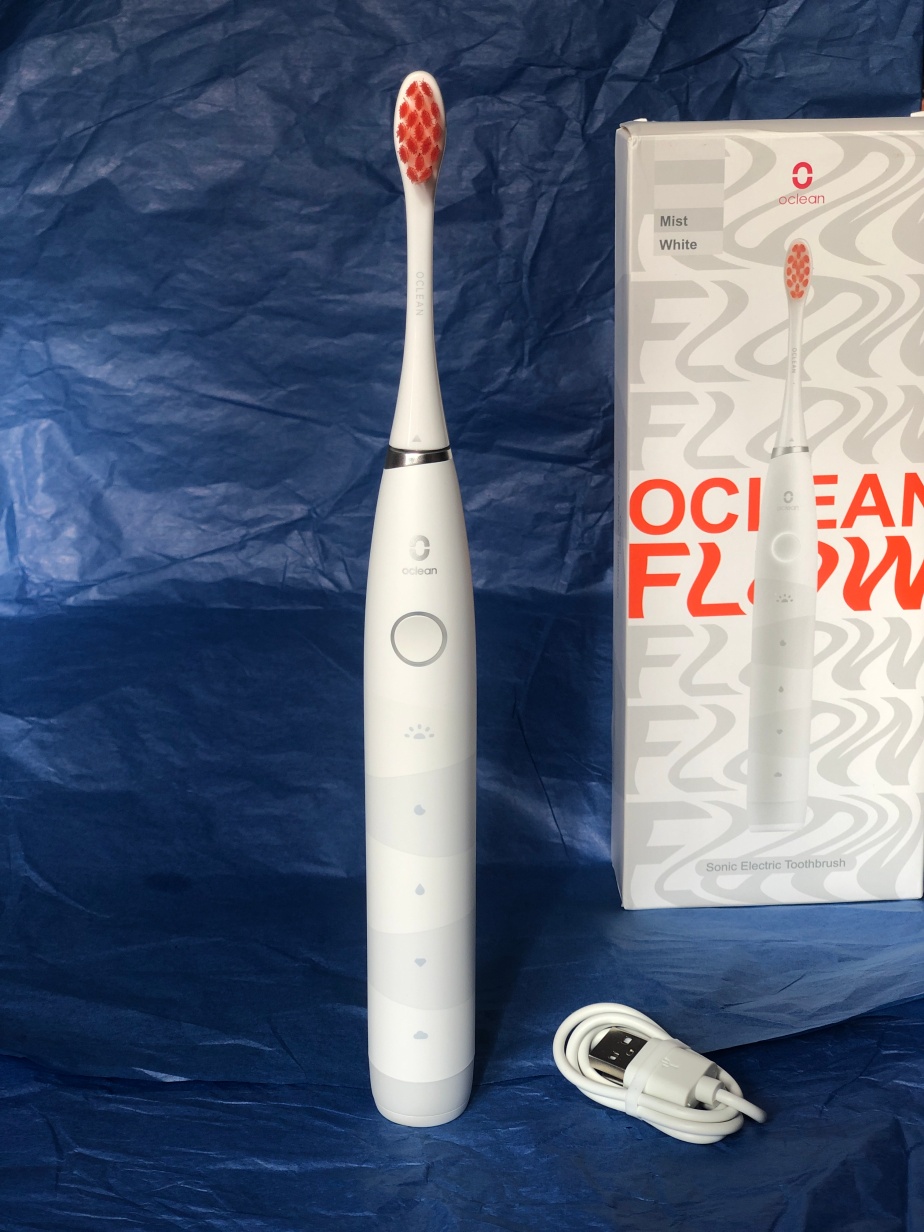
If you’re looking for an electric toothbrush, you will be astounded at both the range available and the price of them! Oclean have launched a reasonably priced toothbrush at less than £25 which is both rechargeable by USB and sonic. They sent us one this week to try out.
The Oclean Flow toothbrush has everything you would expect but at that surprising price. It has Sonic Technology, so that’s sonic speed to the brush oscillation which is 38,000 strokes per minute. It has 5 easy to use brush modes (Morning, Night, Standard, Whitening and General) with a 2-minute smart timer. Flicking through each of the modes is just at the touch of the one on/off button so there isn’t anything complicated to learn or read up about in order to get your routine. You can even do two of the modes back-to-back if you want to go the extra mile.
The toothbrush comes with one brush head which is made of DuPont bristles. I liked the bright orange bristles, which make it much easier to see in the dark mornings! They also act as an indicator to let you know when the brush head needs replacing.
Charging is easy with the USB Type-C lead which comes with the toothbrush. The Type-C port is at the base of the toothbrush which is accessible from a lid which flips open. You know when there is 10% or less charge left in the toothbrush because the round button flashes red to indicate it needs charging. One single charge can last up to 25 weeks though with morning and evening brushing.
When using it, the instructions give you a warning that it may make your gums tingle if you haven’t used an electric toothbrush before, but as I usually do, it wasn’t a problem for me. I liked the firmness of the bristles and how easy it is to use especially with just one control button and nothing too complicated for late at night or early in the morning. The same goes with the 2-minute timer so you don’t have to think much. My teeth were left clean and fresh afterwards, as you would expect!
It is surprising that this brush is so cheap and that it’s aimed at adults and teenagers because it’s rather sophisticated for what it can do, but easy to use. I think most children would be able to use it easily, and the white look and packaging makes it universal for everyone. Perhaps good for taking on holiday, especially with such a long charge amount and the ability to charge from a USB outlet? It’s a fabulous present for anyone and looks like it’s a lot more expensive than it is!
Disclaimer – We were loaned this item for the purpose of this review. All thoughts and opinions are our own.
Are you struggling to treat the tech lover in your life this Christmas?
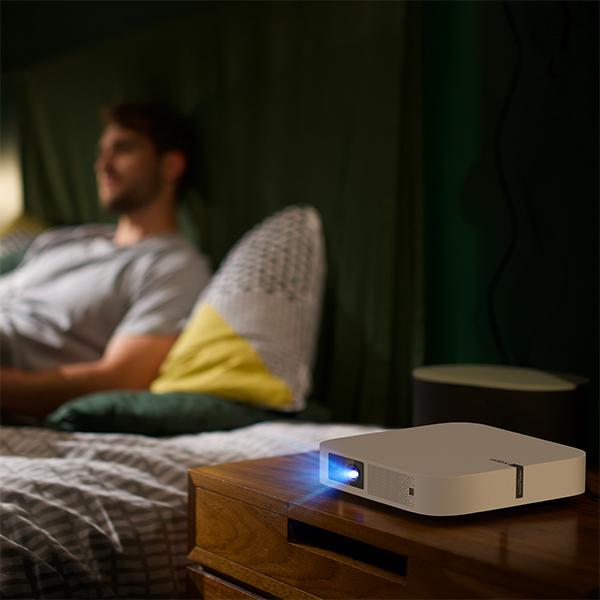
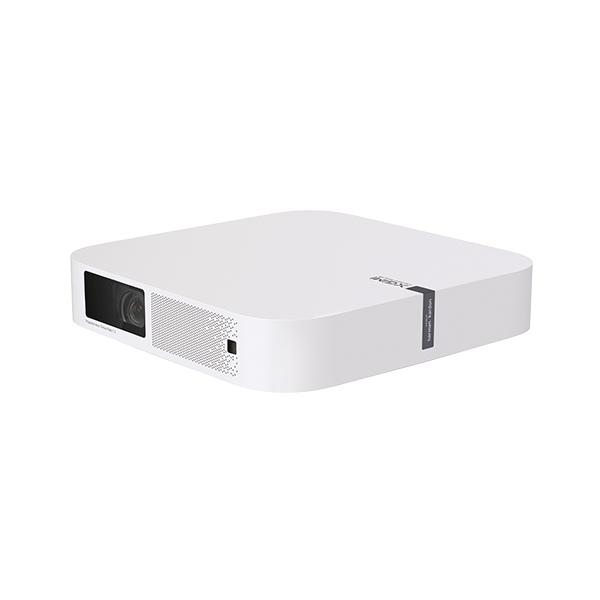
Look no further as the XGIMI Elfin Projector is a wonderful gadget and bound to be received well by any lucky recipient.
Projectors have certainly come a long way in terms of design and user ability since my childhood. Gone are the bulky space taking projectors and in their place are a new generation of slimline devices.
Elfin’s slim, lightweight design is similar in size to a standard book and can be transported easily in a bag wherever you go.
As a family of keen campers, we think the Elfin would make a welcome addition to our camping kit as it takes up minimal space, and would be a great way to entertain us all by providing some much needed relaxation during the evenings at the campsites we visit. The idea of a movie under the stars after a fun day’s camping really excites our children.
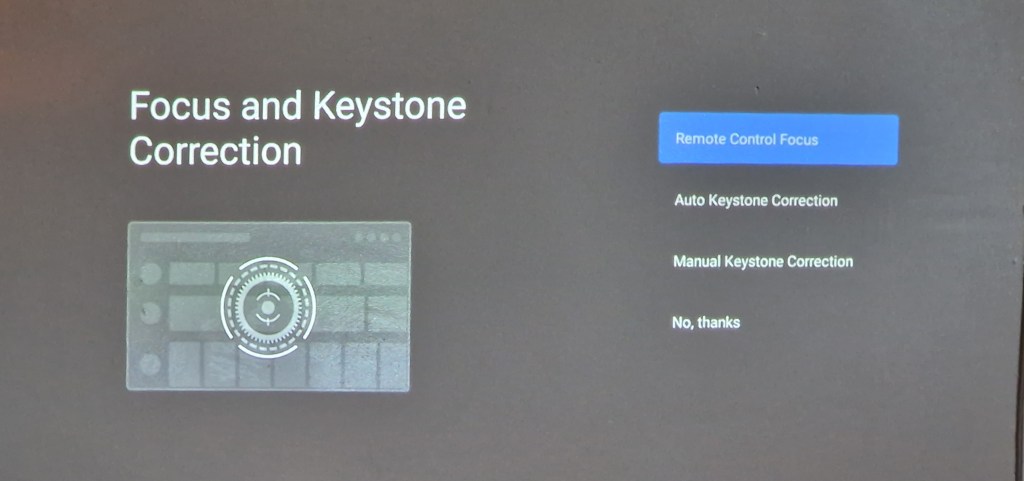
The XGIMI Elfin Projector was really easy to set up (remote control takes 2 x AAA batteries which were not included) and the user manual was easy to understand and came in a variety of languages.
The Elfin doesn’t come with a stand as standard but this can be bought separately for £72 from XGIMI.
Elfin’s Intelligent Screen Adaption (ISA) technology automatically optimizes your display in seconds meaning more time for movies!
1080p, 800 ANSI Lumens provides a crystal clear and vividly colourful visual experience for anyone watching thanks to its super powerful lens.
Choosing the right place to protect your movie is important. A patterned wallpaper wouldn’t be suitable so a plain wall is perfect. Our walls are a latte colour and this didn’t affect the colours at all, which was brilliant.
Alternatively, a projector screen can be used. We used our own projector screen outside to see how well the projector would work and it was perfect! The projected images were again crystal clear, and it felt like we were watching a TV.
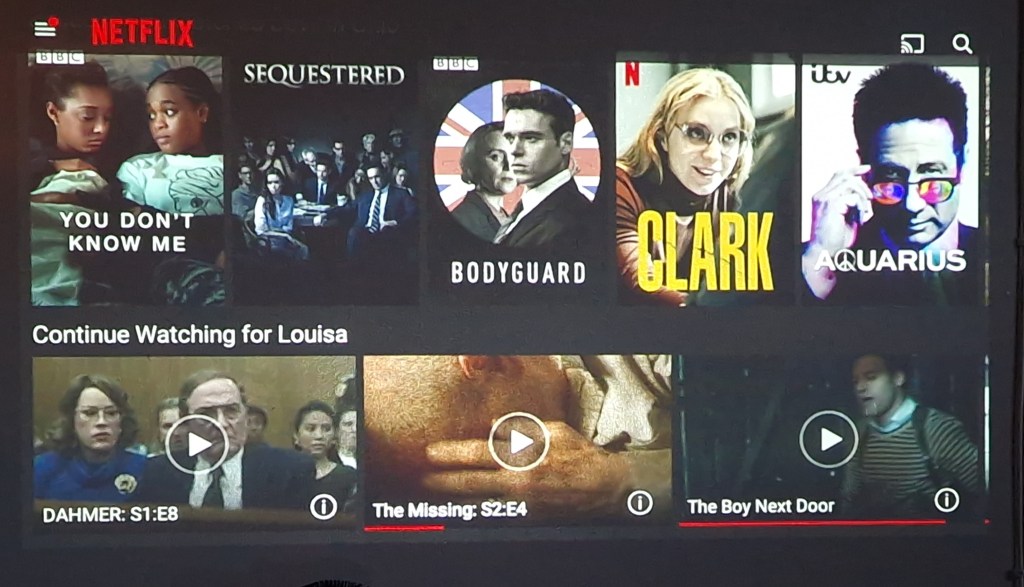
The integrated Android TV™ delivers 5000+ apps, including Prime Video, Netflix, Hulu, and Disney +. It was really easy to download these apps with a few clicks of a button and all that I needed to do was log in to my accounts.
Sound wise the Elfin didn’t disappoint, its two 3W built-in Harman Kardon speakers really enhanced our viewing experience with high-quality surround sound.
Overall I am really impressed with the XGIMI Elfin Projector and have really enjoyed using it, it’s an amazing piece of tech!
Disclaimer – We received this item free for the purpose of this review/feature but all words and opinions are our own.
I am loving the TCL 30+ Smartphone that was sent to me this week! I am usually an iPhone user and have been for about 10 years so having never tried an Android phone before, I didn’t know what to expect.
TCL 30+M Smartphone
Firstly, the phone looks like a smartphone. Its screen is 16cm height and 7.5cm wide whilst less than 1cm thick, comparable to other smart phones and at 184g it’s lightweight too. The screen isn’t too big for my little hands (and they are little!) and like other smartphones, it’s touchscreen.
If, like me you don’t like reading instructions and just want to get started with setting it up, then it’s easy. You don’t need a SIM card to get started and luckily the phone is already slightly charged so you can take it out the box and start the settings straight away. It doesn’t take that long to set up either. The phone asks you which wi-fi network you want to use so I chose my home network just to get started. Using the QR reader on the phone, it set up and sync-ed with my wifi easily. Next, there was the security which included a ‘pattern’ to open the phone and then the fingerprint recognition. This takes a few minutes as the phone has to build up your profile slowly. You can choose to open the phone with a PIN or face recognition though if you prefer.
There are ample apps already installed or more you can download yourself
Other settings which you can choose are your search engine preferences, G Pay (so you can checkout with your phone for payments), other additional apps like YouTube, Google Drive etc and setting up your Gmail account. It also makes it easy for you to transfer your old apps and data (including photos) from an old device to the TCL 30+.
I particularly liked the ‘Hey Google’ voice recognition. I used this a few times when my hands were full to do things like set up an alarm (the alarm noise was surprisingly soothing!) and ask questions which I was easily able to do from a distance.
Once the phone was set up, I started using it to see how it compared. There are actually 3 cameras; the main camera (50MP), plus two more cameras on the back to give a wider field of view. There’s also a video lens with features such as Steady Snap, Portrait Mode, Movie Mode, Stop Motion and various Filters. Additionally, there’s a 13MP ultrawide camera at the front of the phone, for taking selfies and video. It has features such as Face Beautification, Auto Capture and Touch to Capture.
The cameras are great quality, and to test them, I took the same photo (below) on both the TCL 30+M and my iPhone X. There’s not much difference, you can see that the quality is similar although perhaps slightly better on the iPhone when it comes to detail. The colours are less saturated on the TCL too.
iPhone X image compared to…the same subject on a TCL 30+M phone
There is 128GB of memory on the phone (which is the same as the new iPhone 13 Pro) and the ability to add a MicroSD card up to 1TB. If you prefer not to use a card though, the phone can link up with your Google Drive and you can store all your photos, files and apps on the cloud so there isn’t a huge need for an SD card unless you really want one.
There are so many features that it takes a while to find your way around all the apps etc but once you do they work brilliantly. The box contains a charger and Type-C cable which are the quickest way to charge the phone. The battery life is much longer than my iPhone too, lasting days instead of just 1 day so there isn’t a big need to keep charging it. The phone also comes with a clear plastic cover, a SIM card pin and a device bag.
If I had never owned a Smartphone before, then I would be overwhelmed by all the apps and what was on offer, but I think I would get used to using it very quickly. As much as I hate to admit it though, I can see why people prefer the Android over an Apple iPhone. A lot of the work is already done for you, it’s consistent (and I think easier to use) with a PC and all the modern features you want with a phone are there. You don’t even need to buy extra accessories like a phone cover.
As with every product, there are pros and cons. This is not an exhaustive list, but just a few things I’ve noticed after using the TCL 30+ for a couple of weeks:
Pros
The battery charges quickly and lasts for days!
Easy to set up
Lots of cameras with filters already installed
Already installed with loads of apps including Google apps and social media
More in-depth apps like Weather that also features satellite images, news etc
Cons
Not 5G
Takes a while to register fingerprint security when you pick it up
Response time is slower than I would like when using apps – they take a while to load up or to load more information
At a fraction of the price of an iPhone (currently £159 on Amazon) there are few reasons not to use it, especially if you prefer Androids or aren’t already a Smartphone or Apple user. This would make a fantastic Christmas gift for a teenager, or for anyone who wants to be able to access all of the apps, features and smartphone technology we’ve all come to expect!